Hidden fields in Yay! Forms allow you to send additional information in the form URL and receive that information along with the form responses, without requiring the user to fill it in. They are ideal for capturing data such as name and email (if you already have them), campaign IDs, traffic sources, or any other value that helps enrich your analytics and further personalize your lead’s journey.
Adding hidden fields to your form
To add hidden fields to your form, follow the steps below:
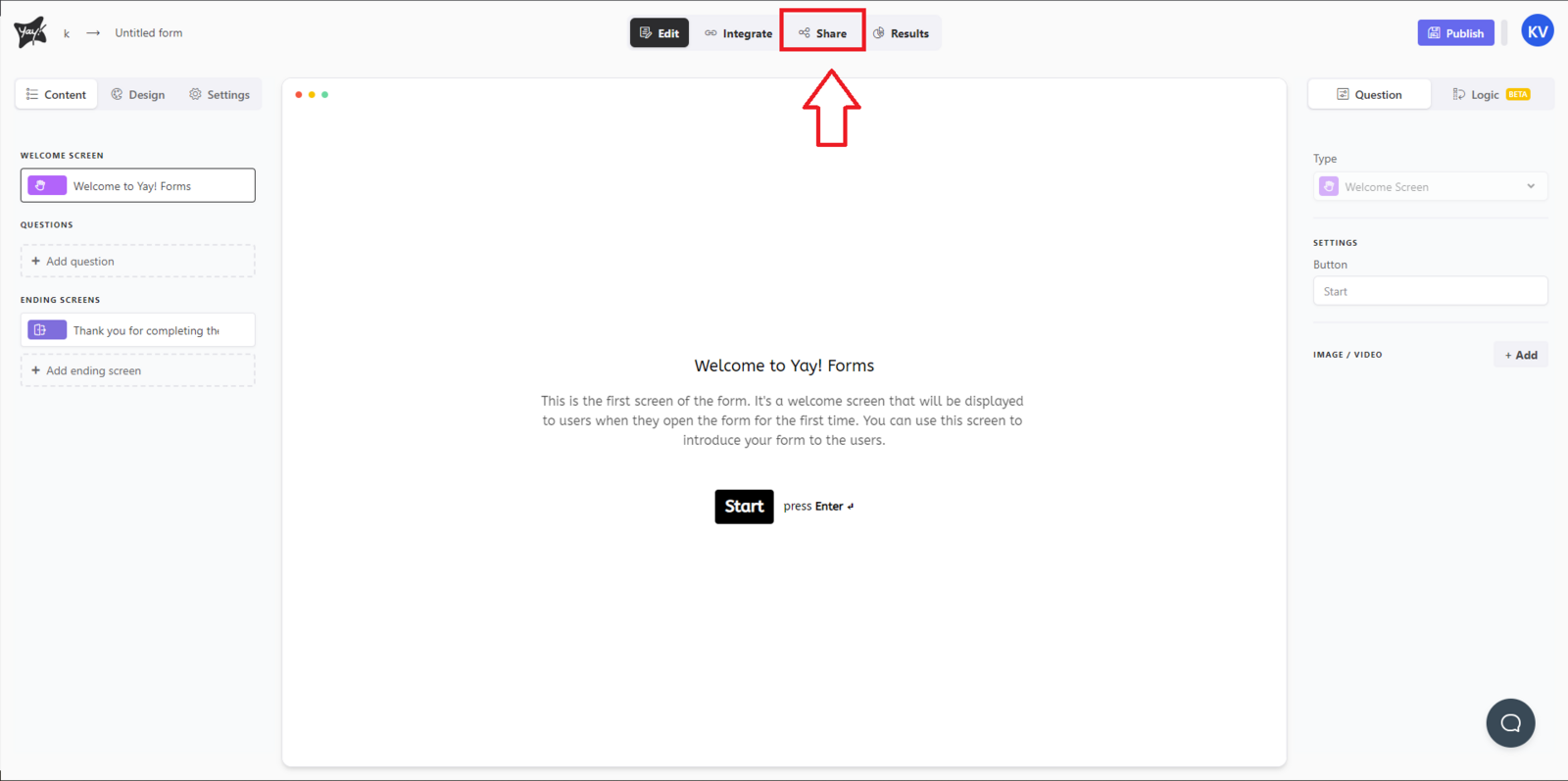
- First, you must open the desired form and navigate to the Share tab.
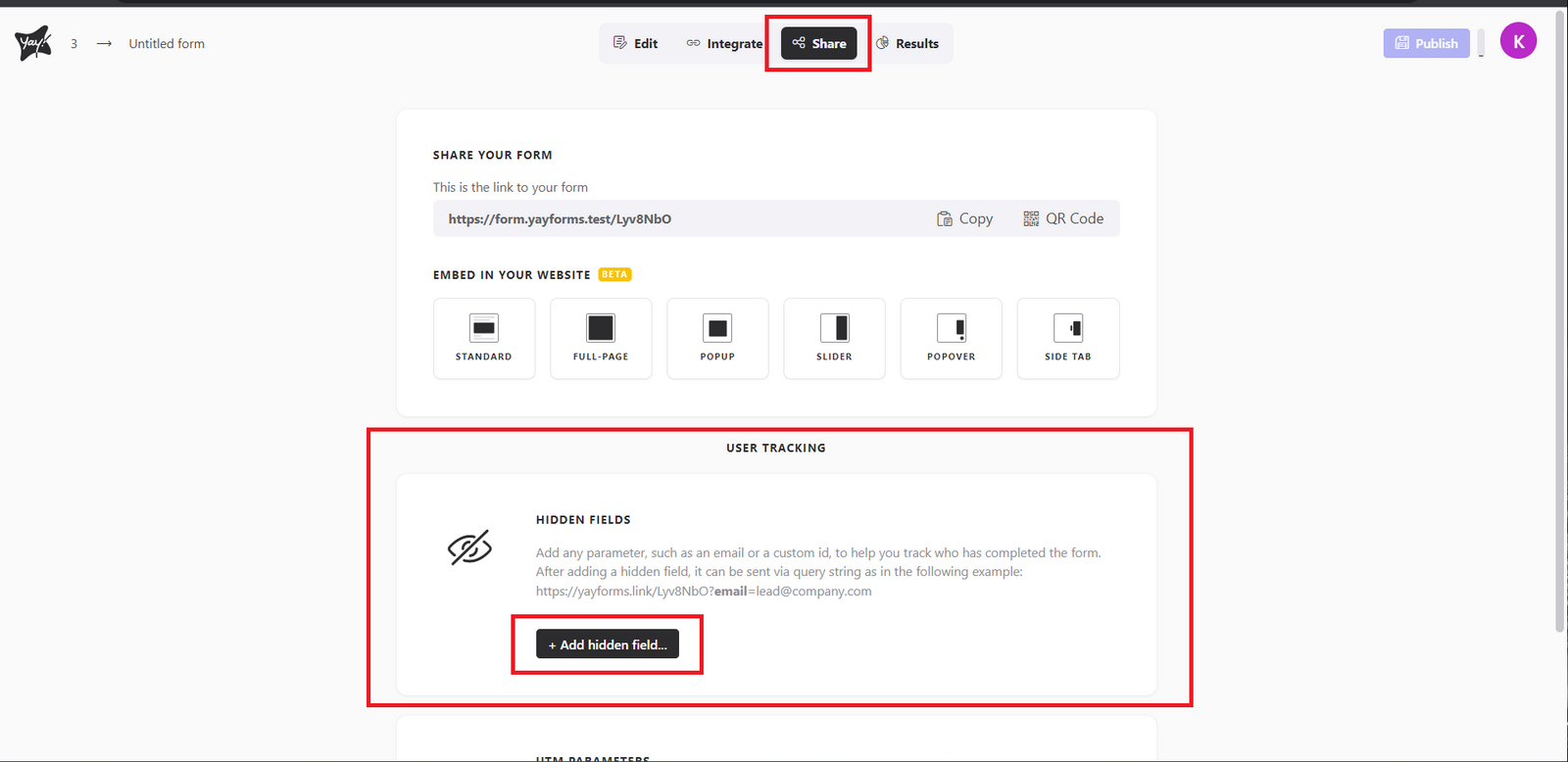
- Now, scroll down and click Add hidden fields.
- You can add more than one hidden field as shown in the example below.
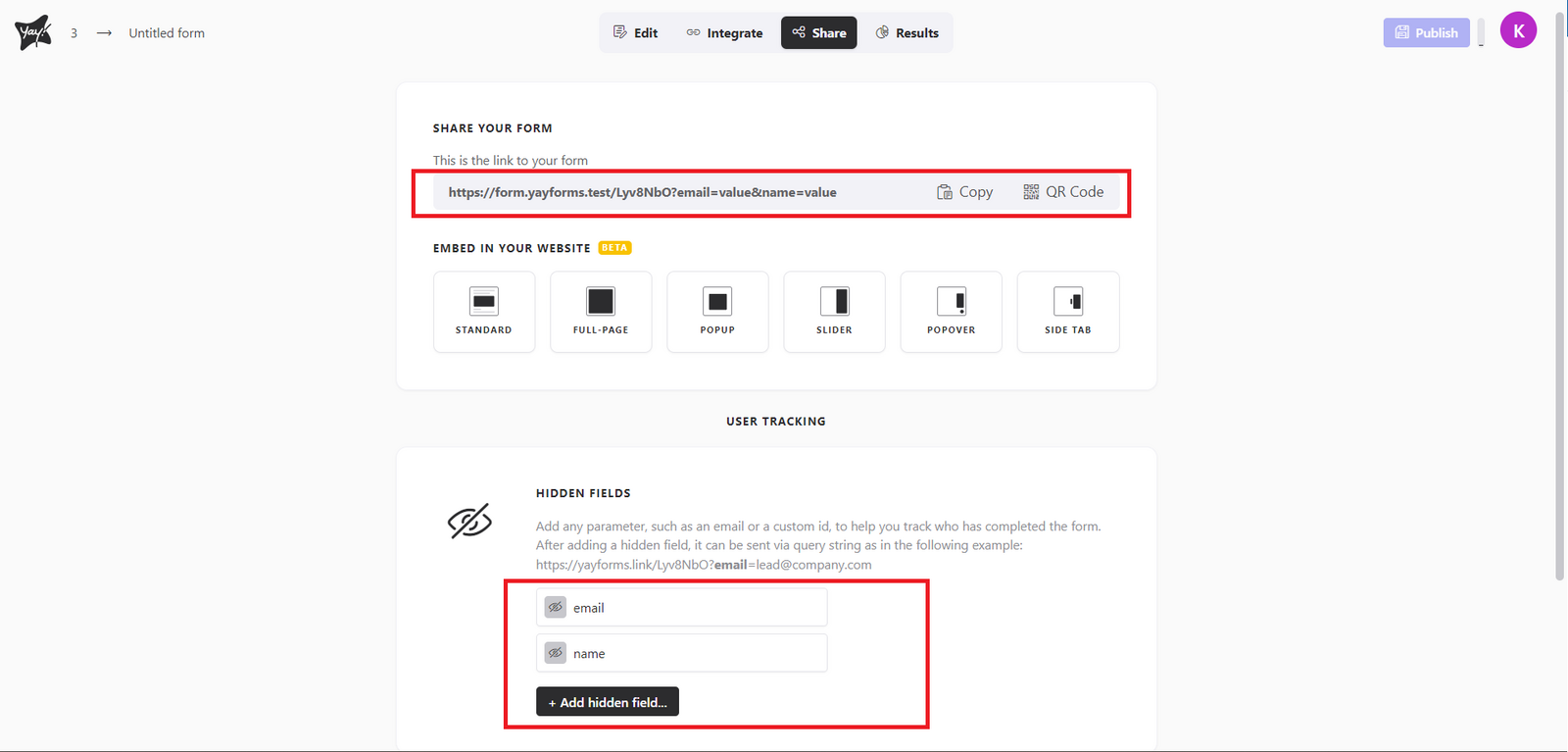
Done! You have just added the hidden fields and can now use them to enrich your response data.
Support
If you have any questions or suggestions, send an email to [email protected].
Conclusion
This article explained what hidden fields are in Yay! Forms and how they help you attach extra URL-based data to form submissions to enrich response data and improve analysis and personalization.