This article will help you change the email address associated with your Yay! Formulários account by updating your profile information and confirming the change with your current password.
Accessing your profile
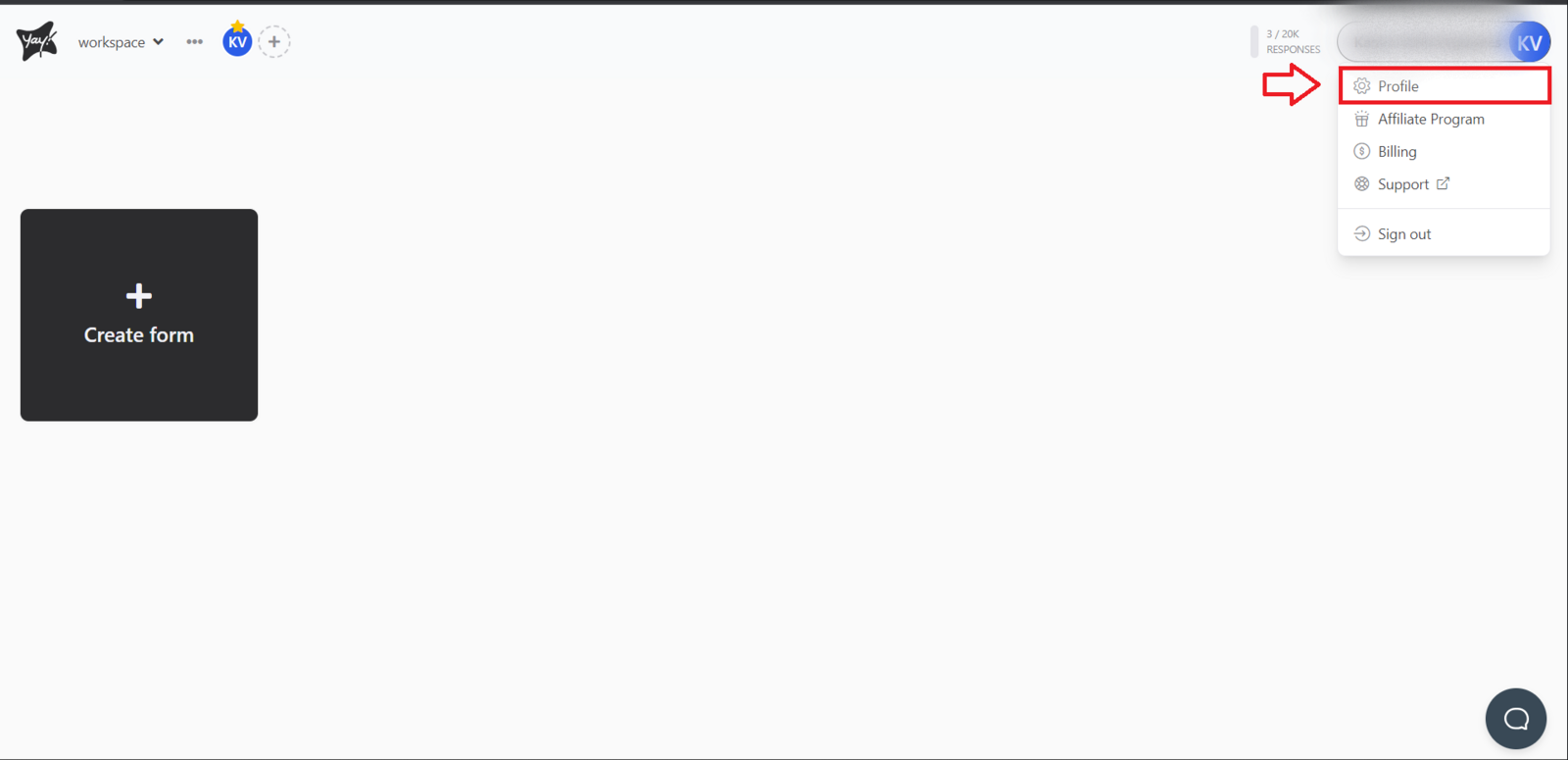
On the main screen of Yay! Formulários, click your profile icon. You will find this option in the upper-right corner of the screen.
Editing your user data
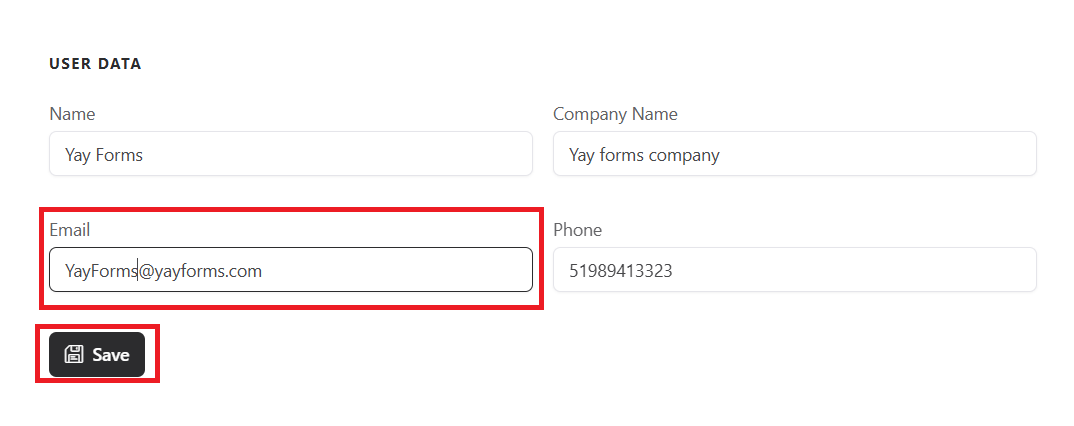
After accessing the profile page, scroll down until you find the User Data section. In this section, you can edit your personal information, such as your name, company name, email, and phone number.
Locate the Email field and enter the new desired email address, then click Save to confirm the change.
Confirming the change
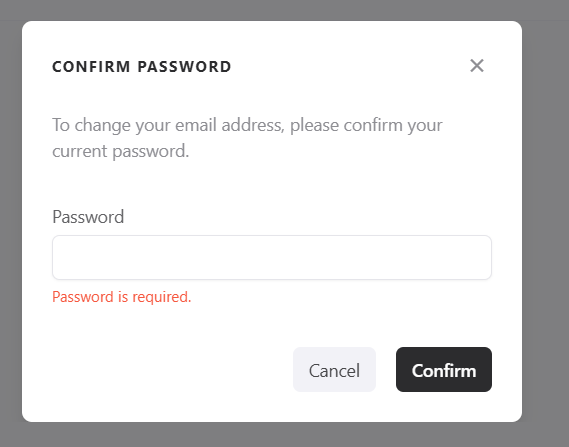
When you change the email, a modal will appear asking for your current password to validate the action. Enter the correct password and click Confirm.
Conclusion
You learned where to find your profile in Yay! Formulários, how to update the email field in your user data, and how to confirm the change by entering your current password.