This article will help you change the language setting in Yay! Forms by accessing your profile and selecting a preferred language from the available options.
Accessing your profile
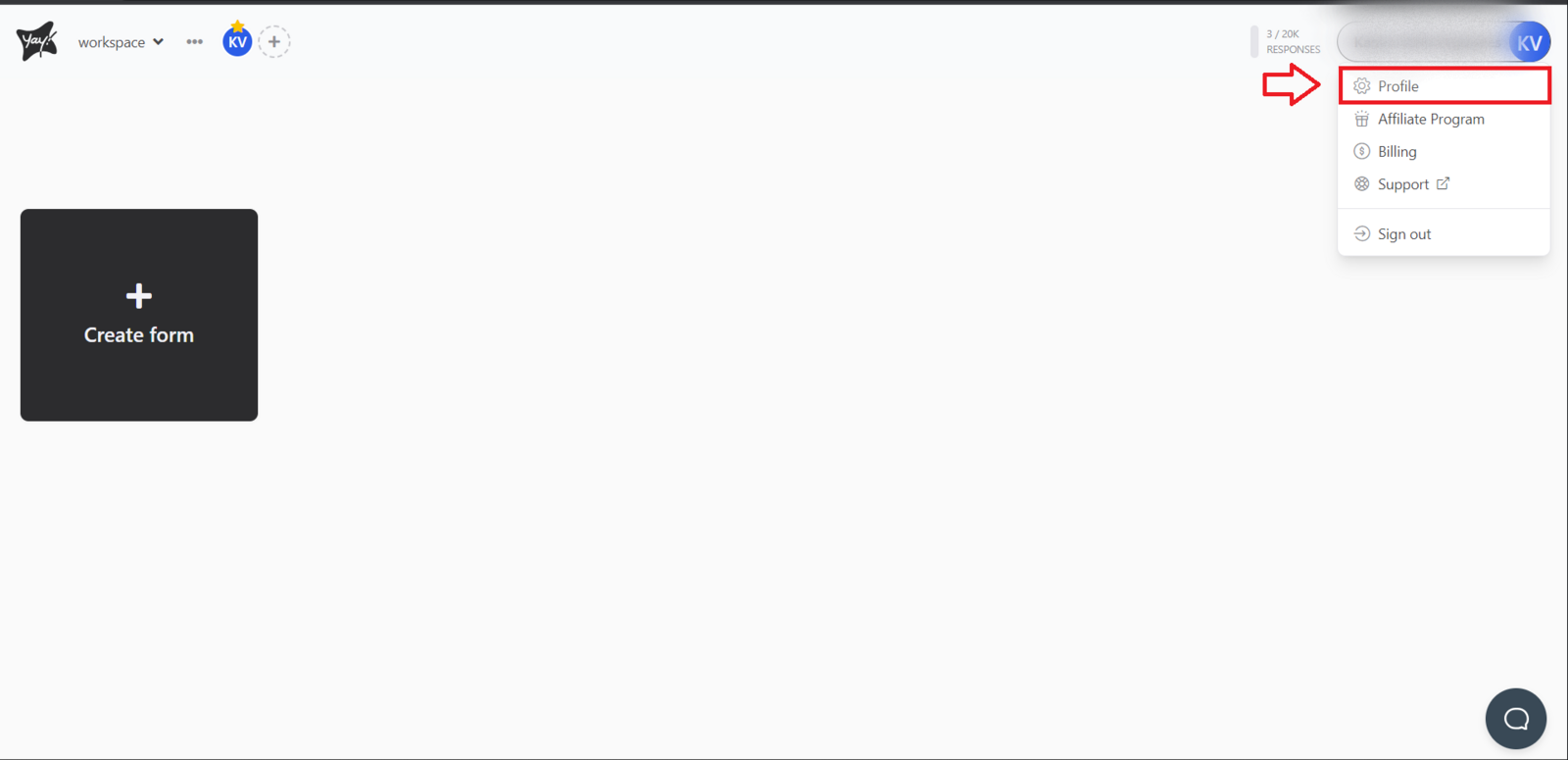
On the main Yay! Forms screen, click your profile icon. You will find this option in the upper-right corner of the screen. Right after that, click "Profile" as shown below:
Selecting a language
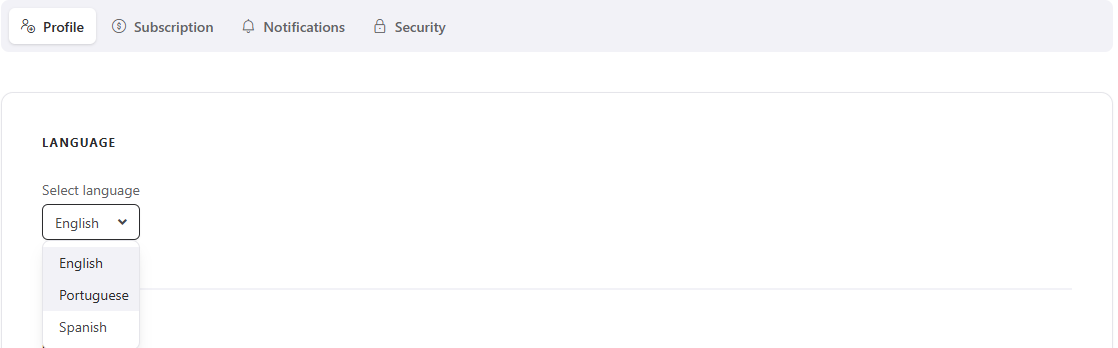
Click the "Select Language" option. A list of available languages will appear; now choose the desired language from the list.
Conclusion
You learned where to find the profile menu in Yay! Forms and how to use it to choose a language from the available list.