This article will help you change your plan in Yay! forms by guiding you through where to find your subscription settings, how to manage your subscription via Stripe, and how to select and confirm a new plan.
Changing your plan in Yay! forms
Follow the steps below to change your plan in Yay! forms:
First, on the home screen, click the button with your name located in the top-right corner.
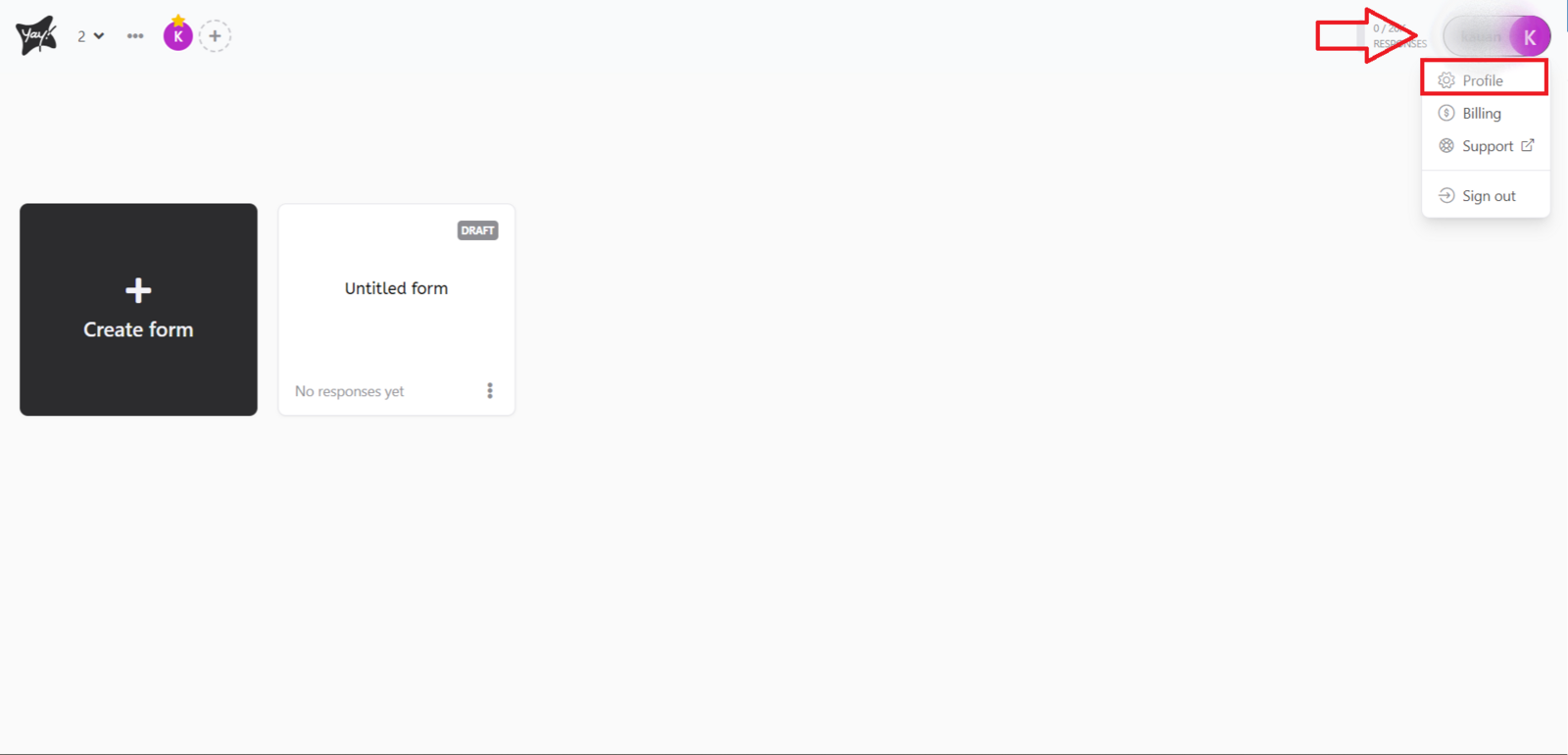
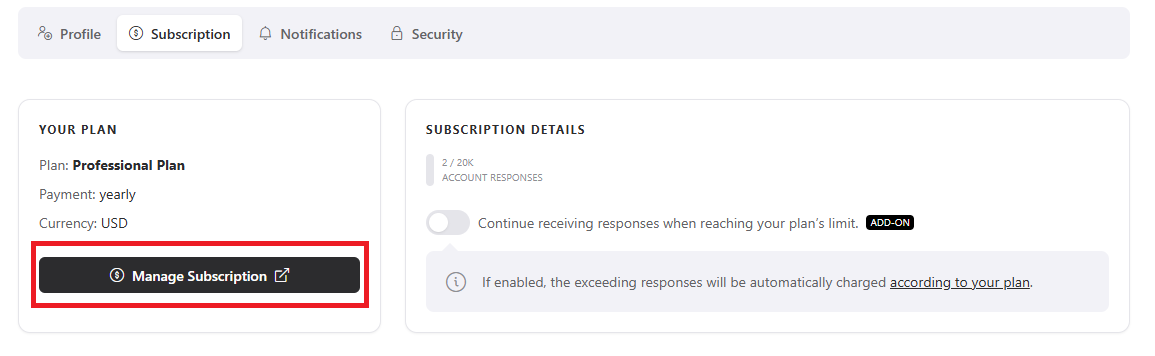
Navigate to the Subscription page. Then click the Manage subscription option as shown below:
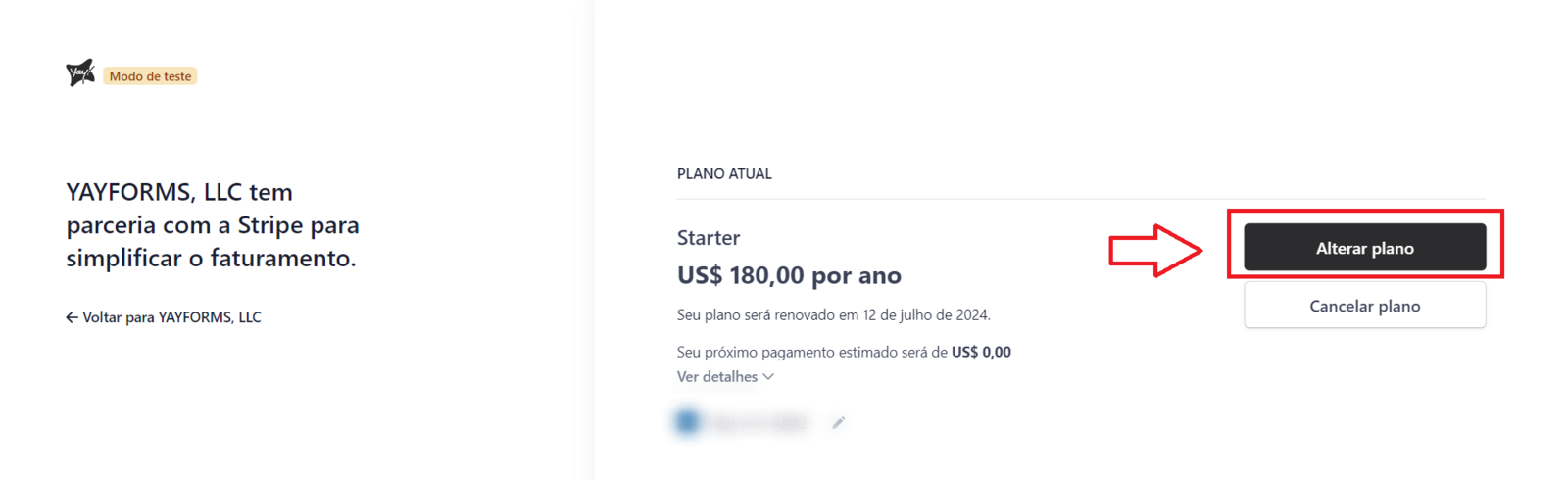
You have accessed the Stripe screen. Now, please click the button labeled Change Plan.
Now, select the plan that best meets your needs and click the Continue button.
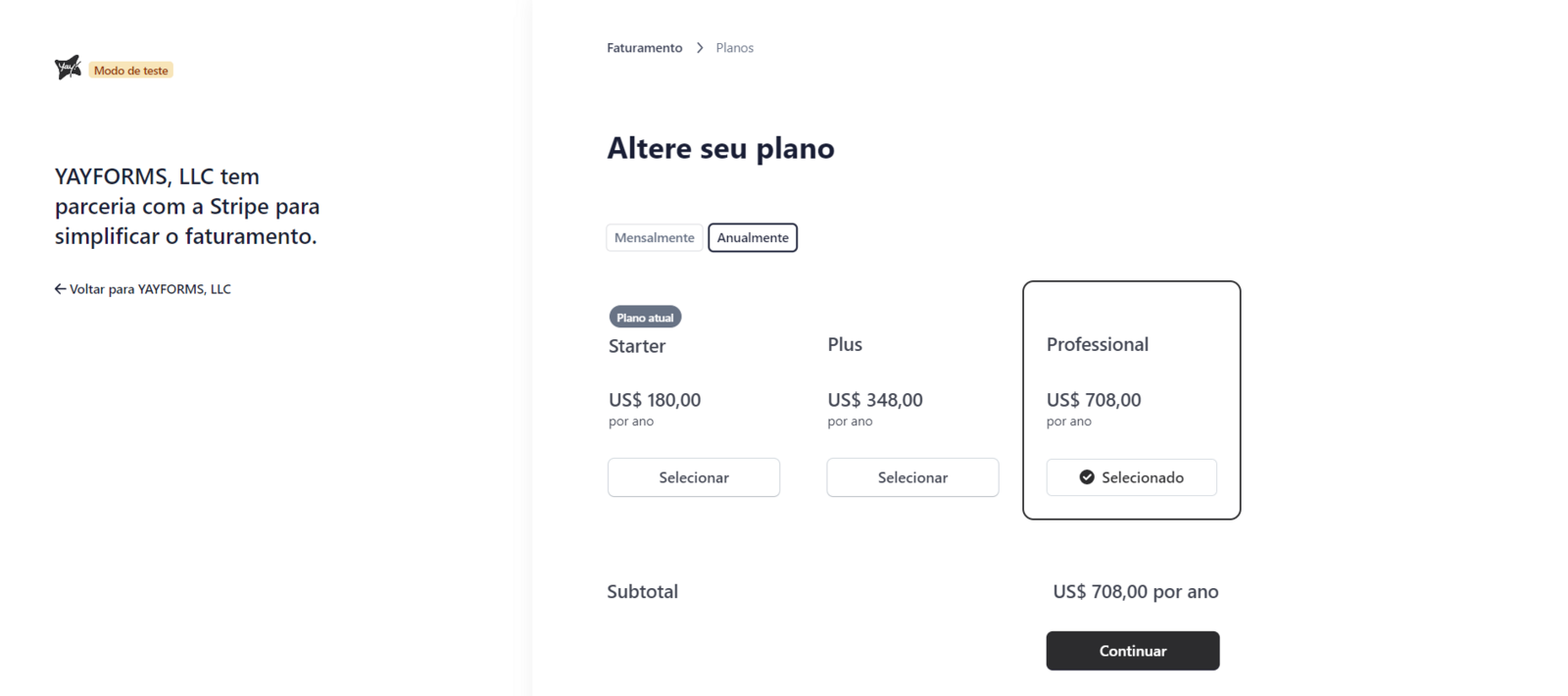
Now, proceed with payment to confirm your plan. We hope you get the most out of our platform :)
Support
If you have any questions or suggestions, send an email to [email protected].
Conclusion
You learned where to access your subscription settings in Yay! forms, how to open the Stripe subscription management screen, and how to choose and confirm a new plan.