This article will help you reset your Yay! Forms password by locating the profile and security options and requesting a password reset email.
Accessing your profile
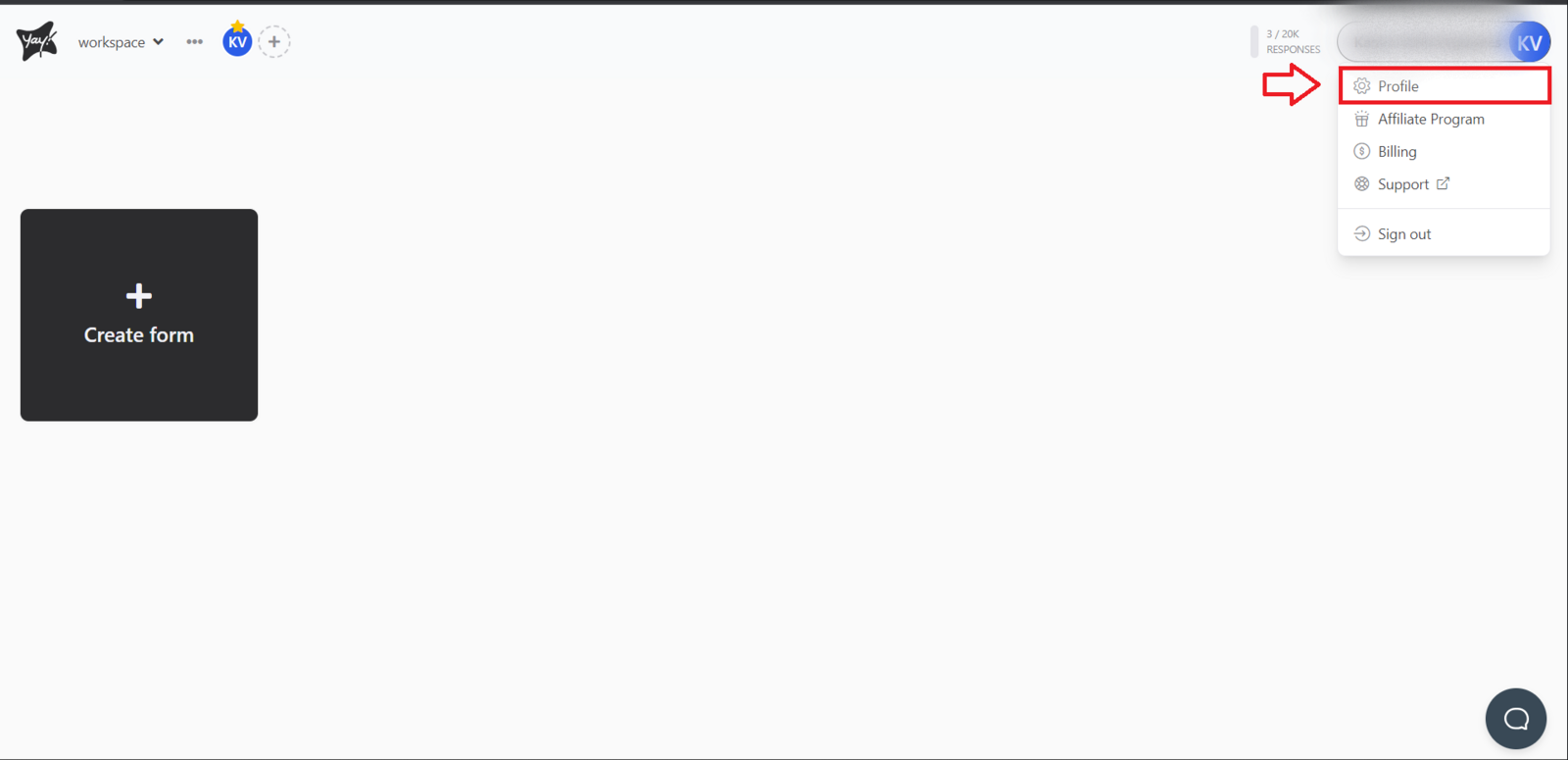
On the main Yay! Forms screen, click your profile icon. You will find this option in the upper-right corner of the screen. Then, click Profile.
Requesting a password reset email
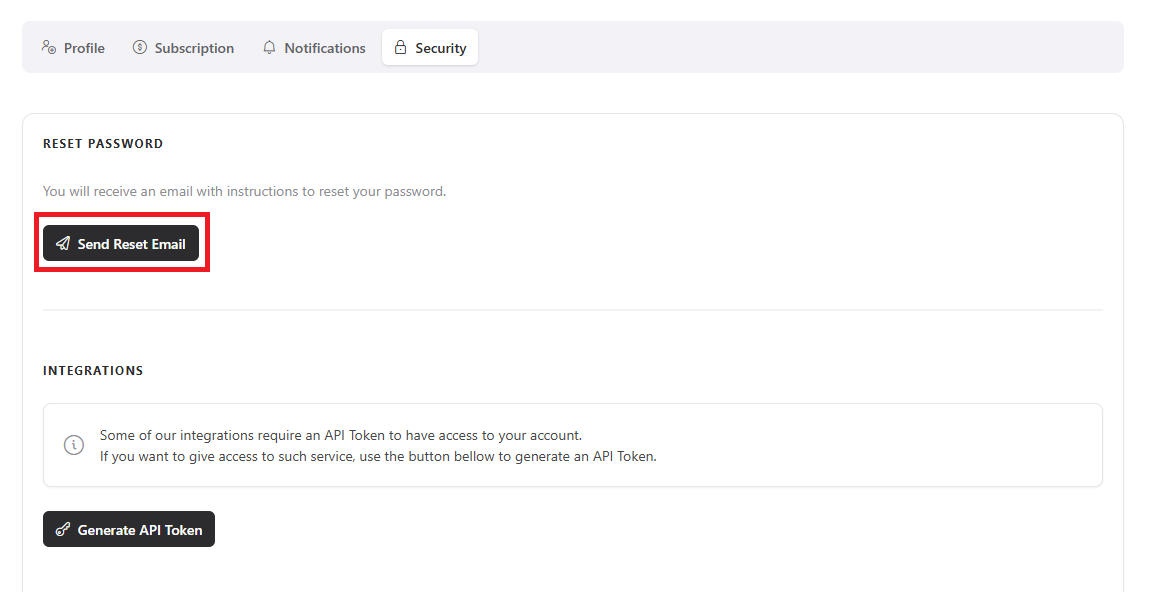
After accessing the profile page, navigate to the Security page and click to send the password reset email.
Conclusion
You learned where to find your profile and security settings in Yay! Forms and how to request a password reset email to update your password.