This article will help you connect an SMTP account so you can send email feedback to your users, including where to start and which SMTP details you’ll need to provide during setup.
Prerequisite: Understand email feedback
First, you need to understand how to set up and how email feedback works by following this link Como enviar um feedback para o email do usuário.
Connect the SMTP account
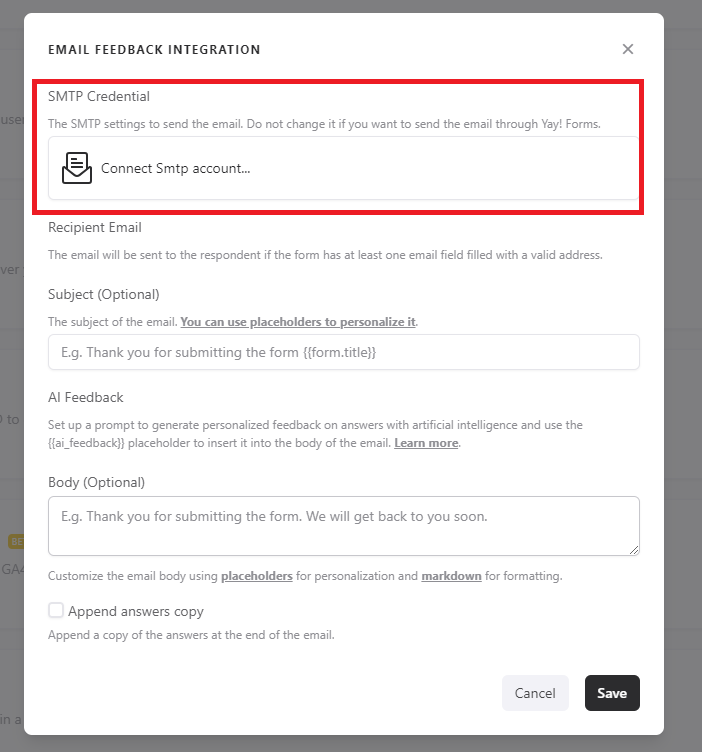
Right after that, you should click Connect the SMTP account as shown in the image below:
Provide the required SMTP information
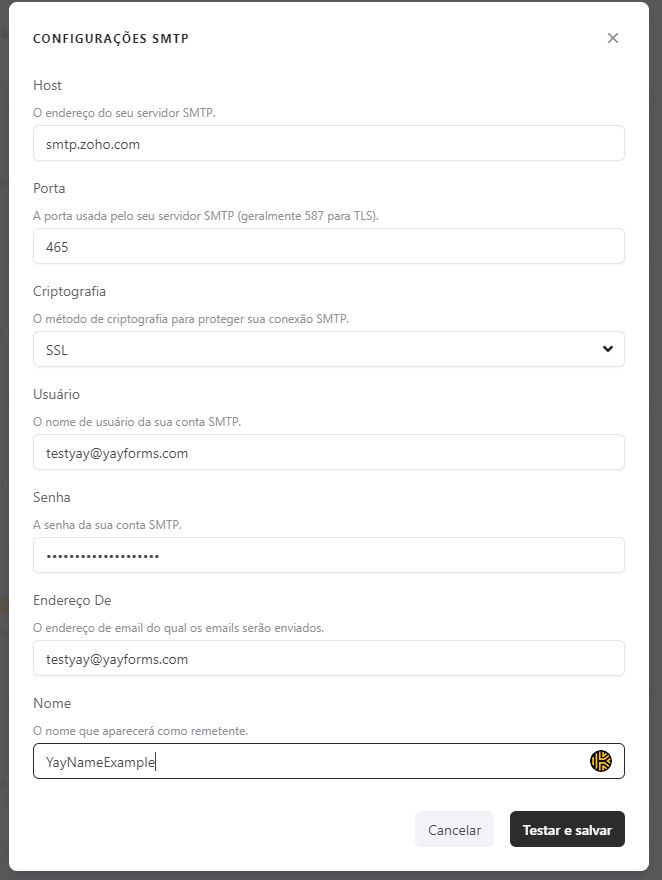
After that, you must provide some information, including:
- Your SMTP server address;
- The port used by your SMTP server;
- The encryption type (SSL or TLS);
- The username for your SMTP account;
- The password for your SMTP account;
- The email address for your SMTP account;
- And finally, the name you want to appear in the email.
Conclusion
You learned where to review how email feedback works, how to start connecting an SMTP account, and which SMTP server and account details are required to complete the configuration.