This article explains how to create and customize a Net Promoter Score® (NPS) question, including how respondents select a rating from one to ten, how to edit the question text, optionally add a description, and adjust the question settings.
Net Promoter Score® question overview
In this type of question, users can choose a number on a scale from one to ten.
Selecting the question type
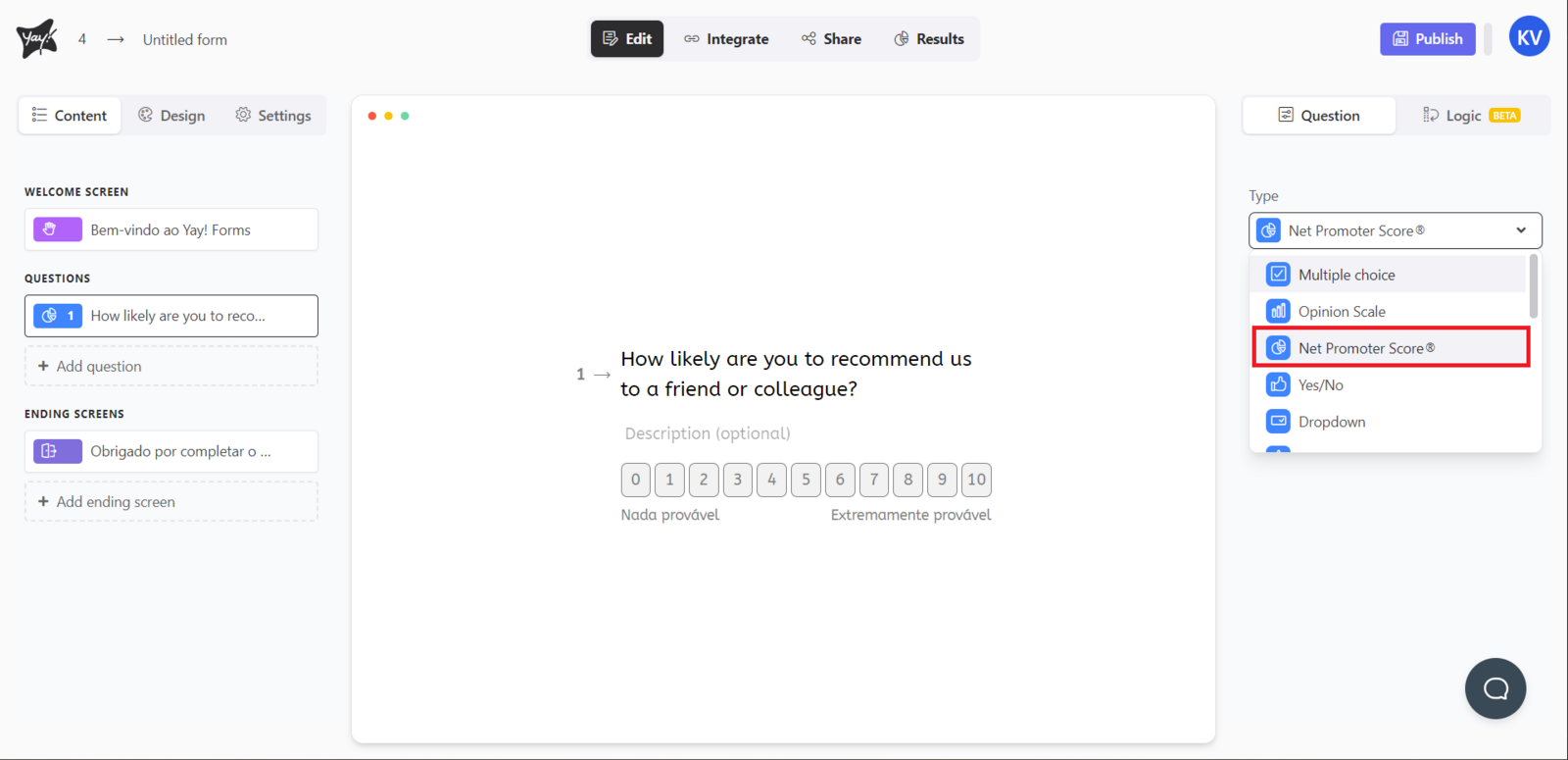
Choose this question type by selecting Net Promoter Score® from the dropdown menu in Type in the upper-right corner of the screen.
Editing the question text
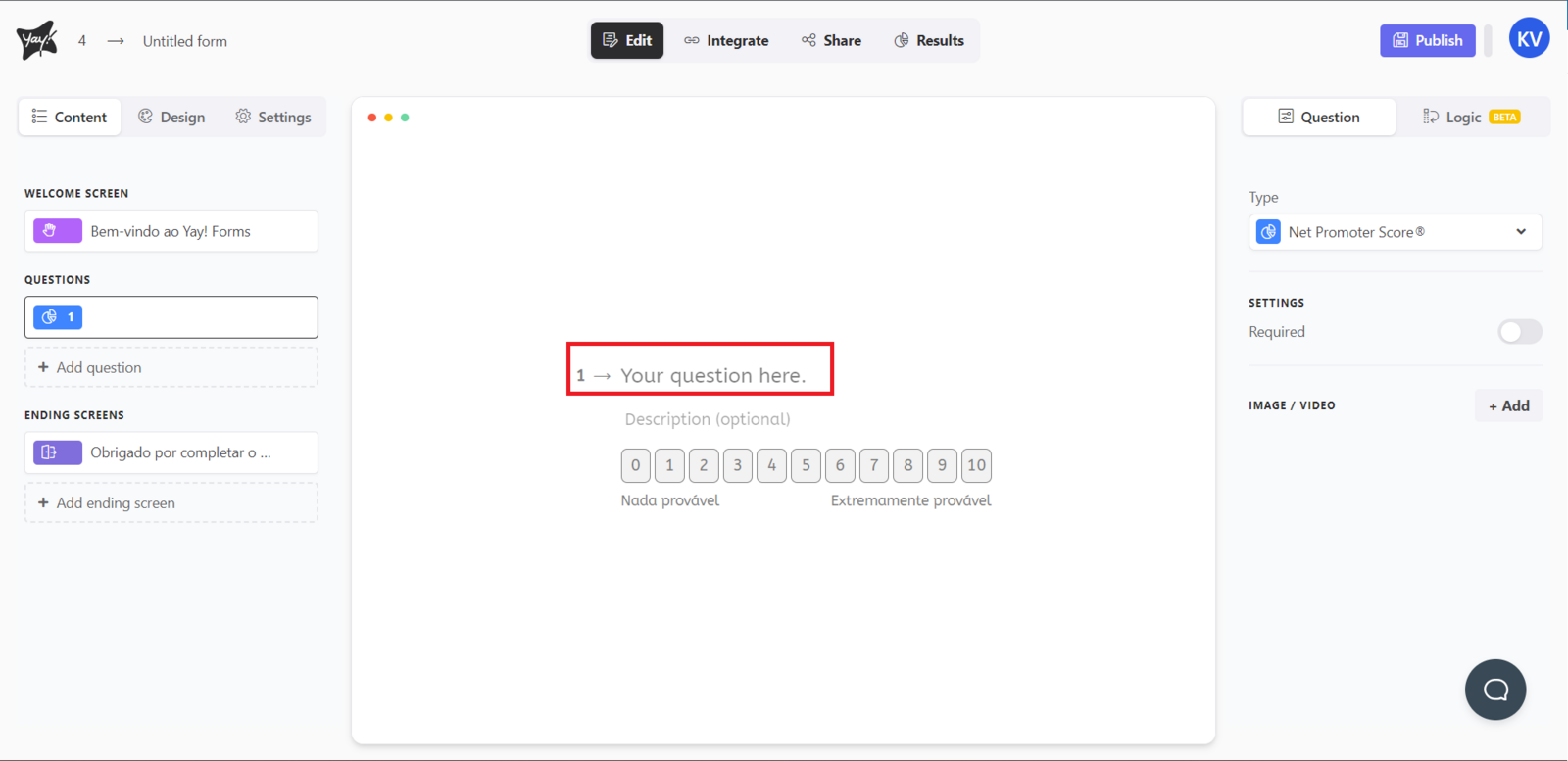
Edit the question by typing in the "Your question here" input.
Adding a description (optional)
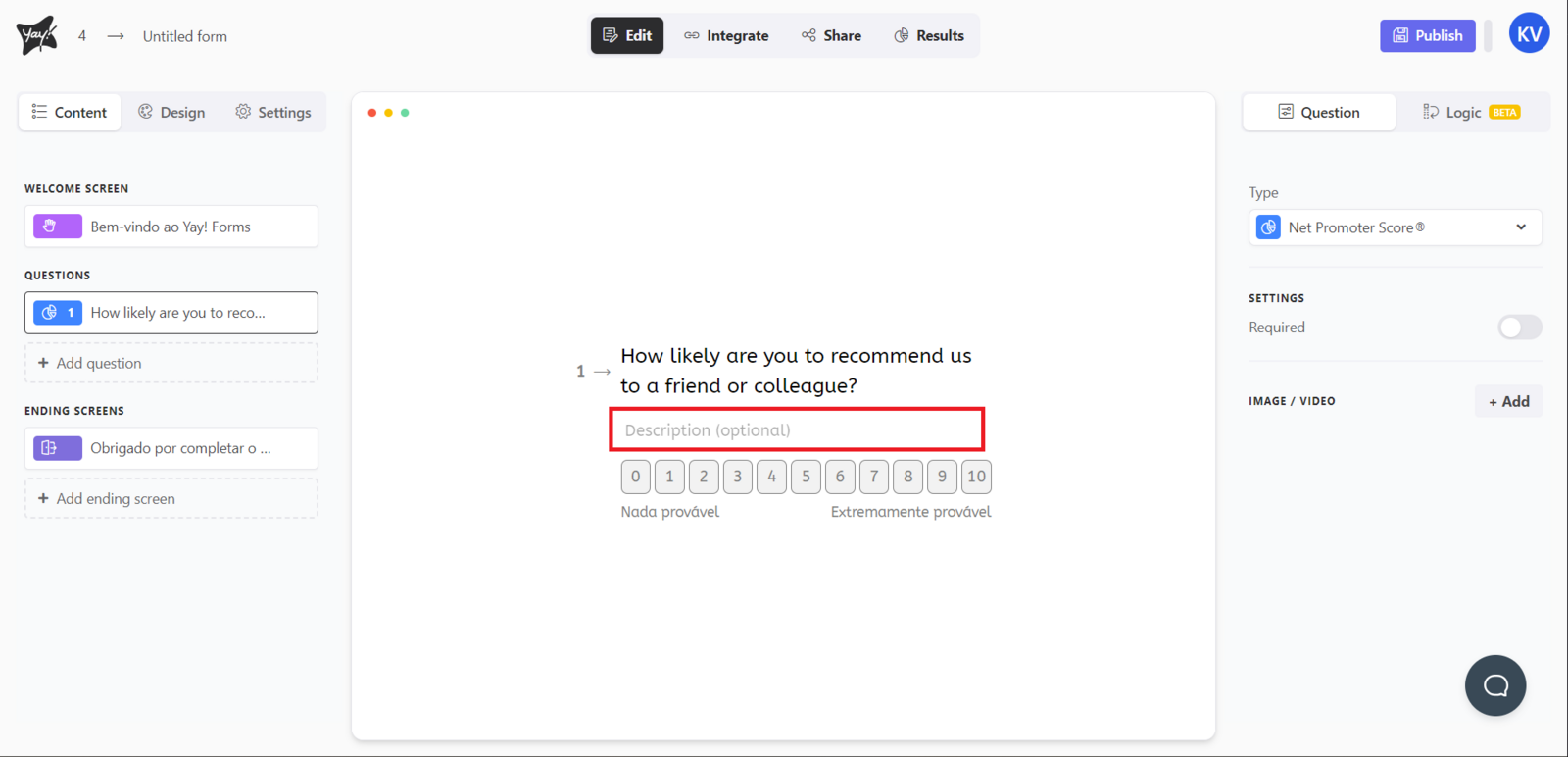
If you want, add a description by typing in the description input.
Adjusting question settings
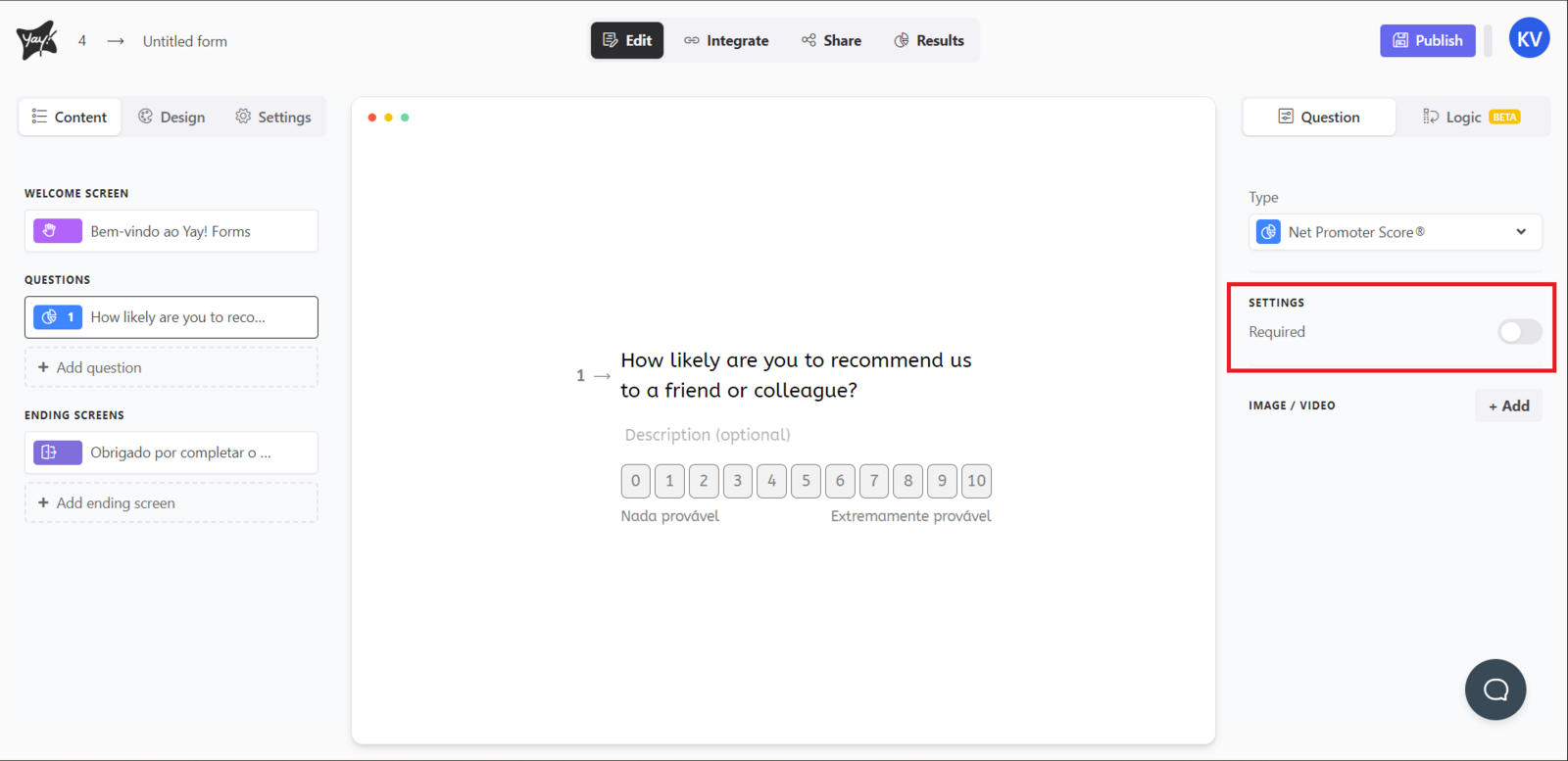
Change the question settings as desired.
Support
If you have any questions or suggestions, send an email to [email protected].
Conclusion
You learned what a Net Promoter Score® question is and how to set it up in the editor by choosing the correct type, editing the prompt, optionally adding a description, and customizing the available question settings.