This article will help you choose different question types, adjust question settings, and edit question content in your form, including optional features like keyword extraction and text analysis. It also explains how to discard changes or publish your updates.
Selecting a question type
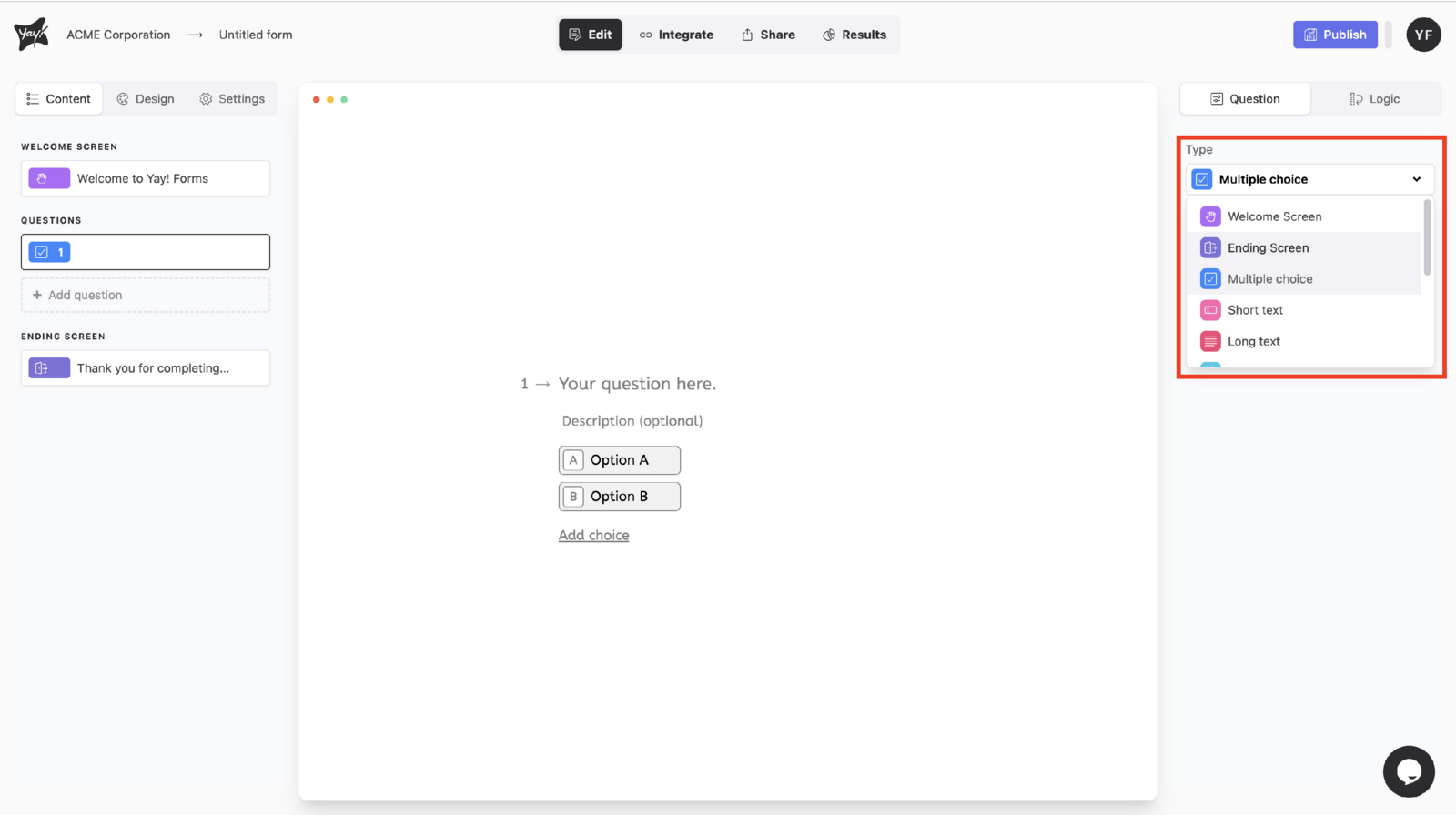
To select different question types, click the dropdown menu in Type in the upper-right corner of the screen.
Adjusting question settings
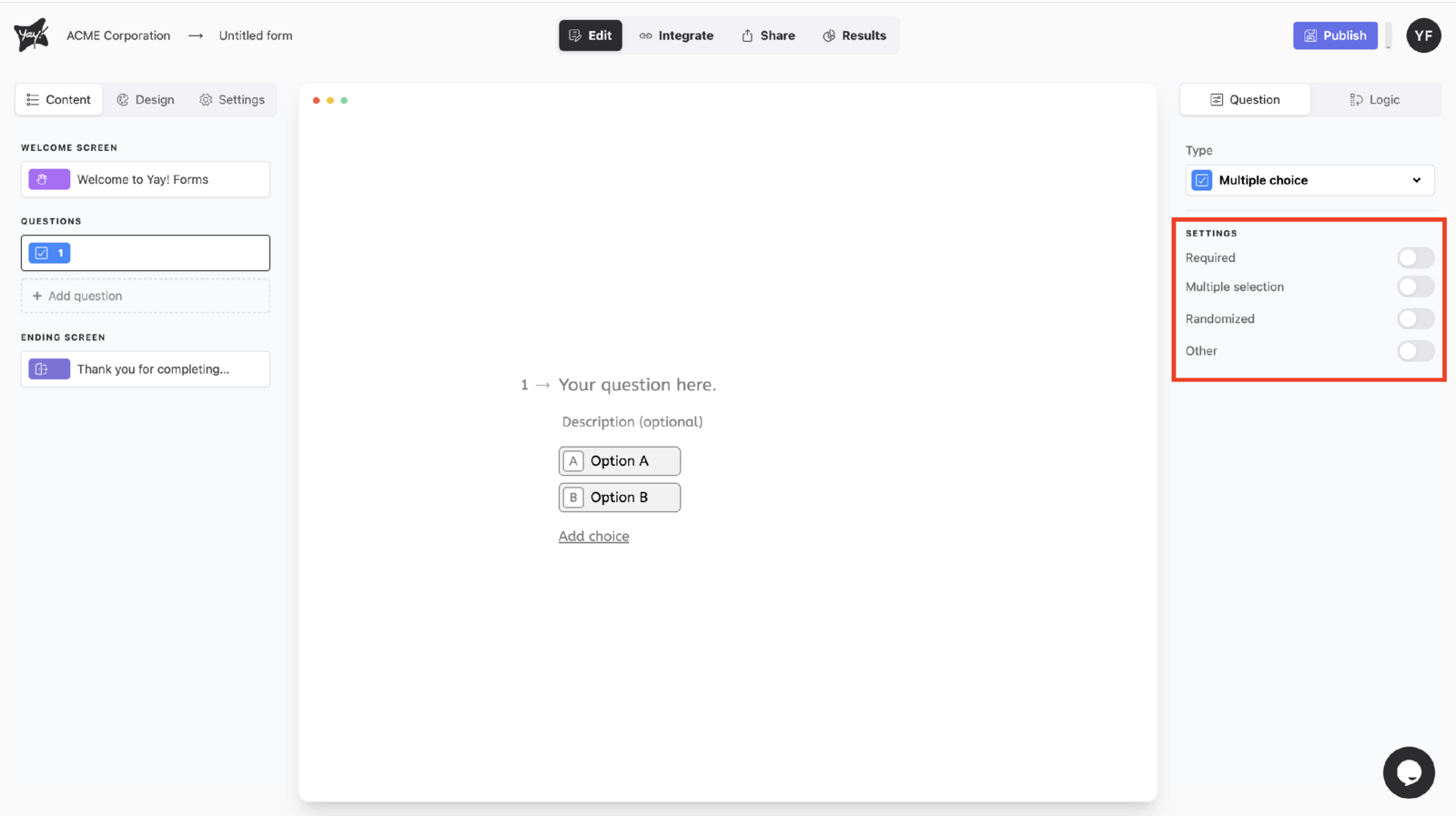
Change the question settings to your liking.
Enabling keyword extraction and text analysis
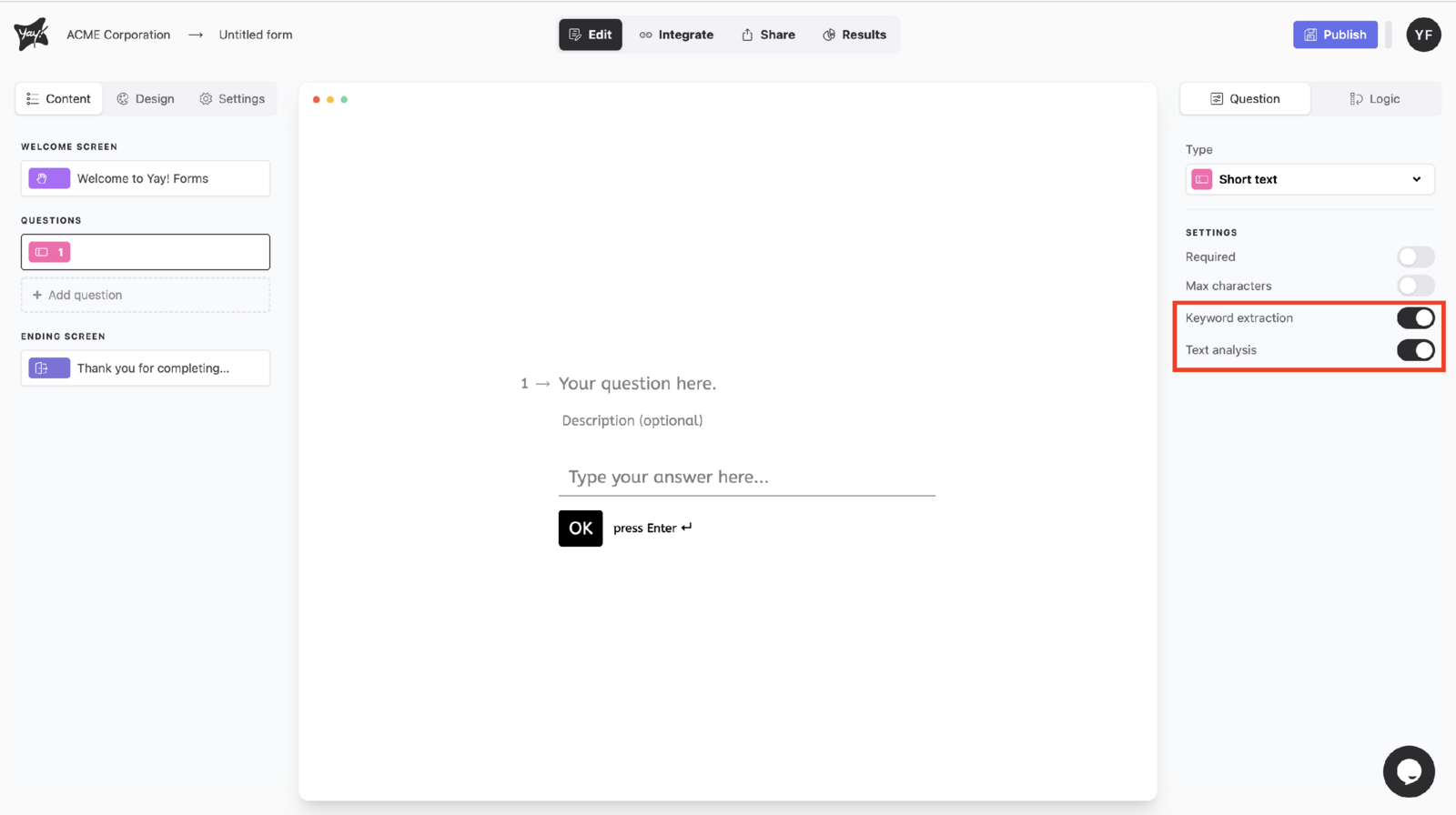
You can enable keyword extraction and text analysis (this feature is available on paid plans).
Editing the question title and description
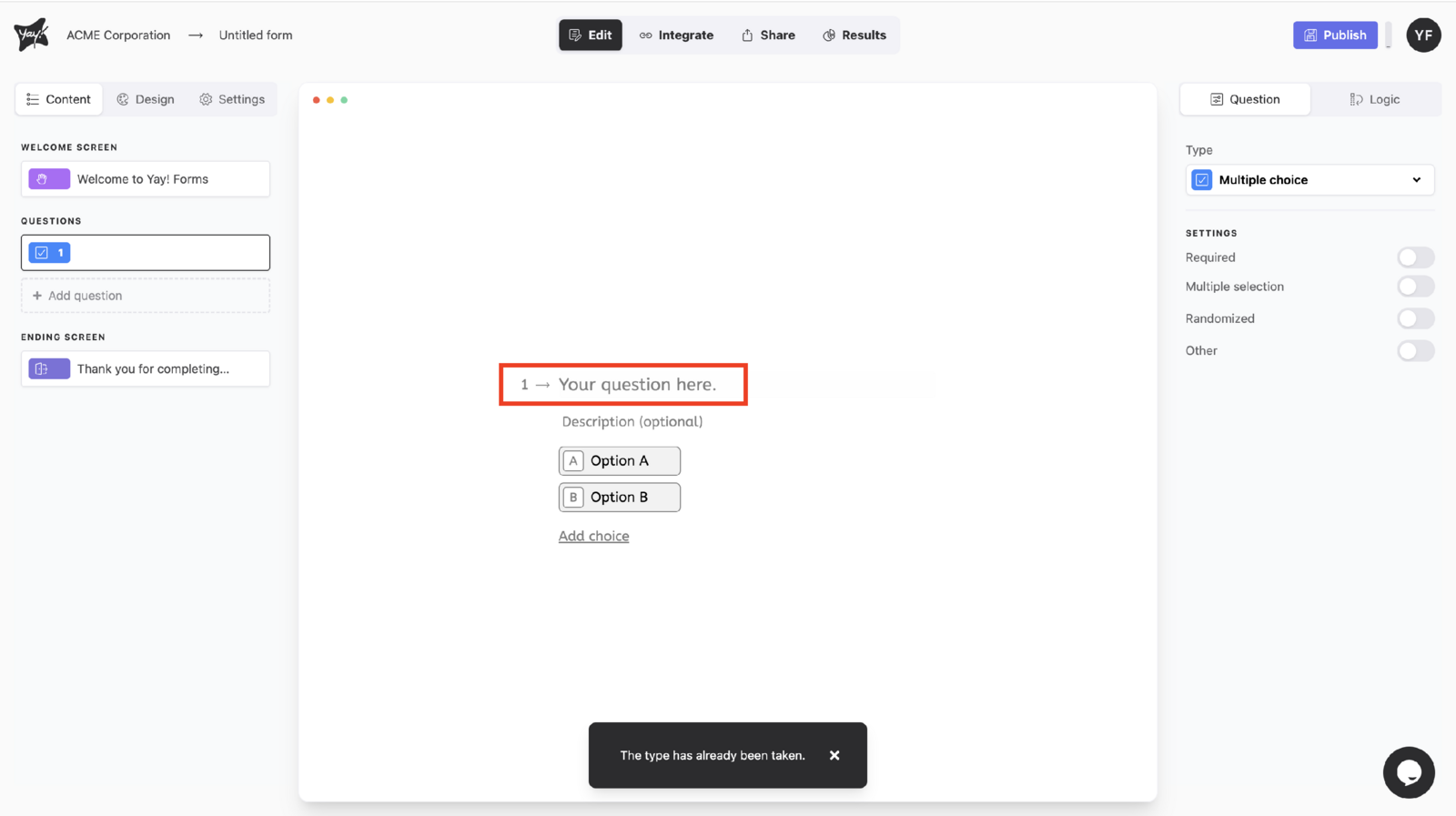
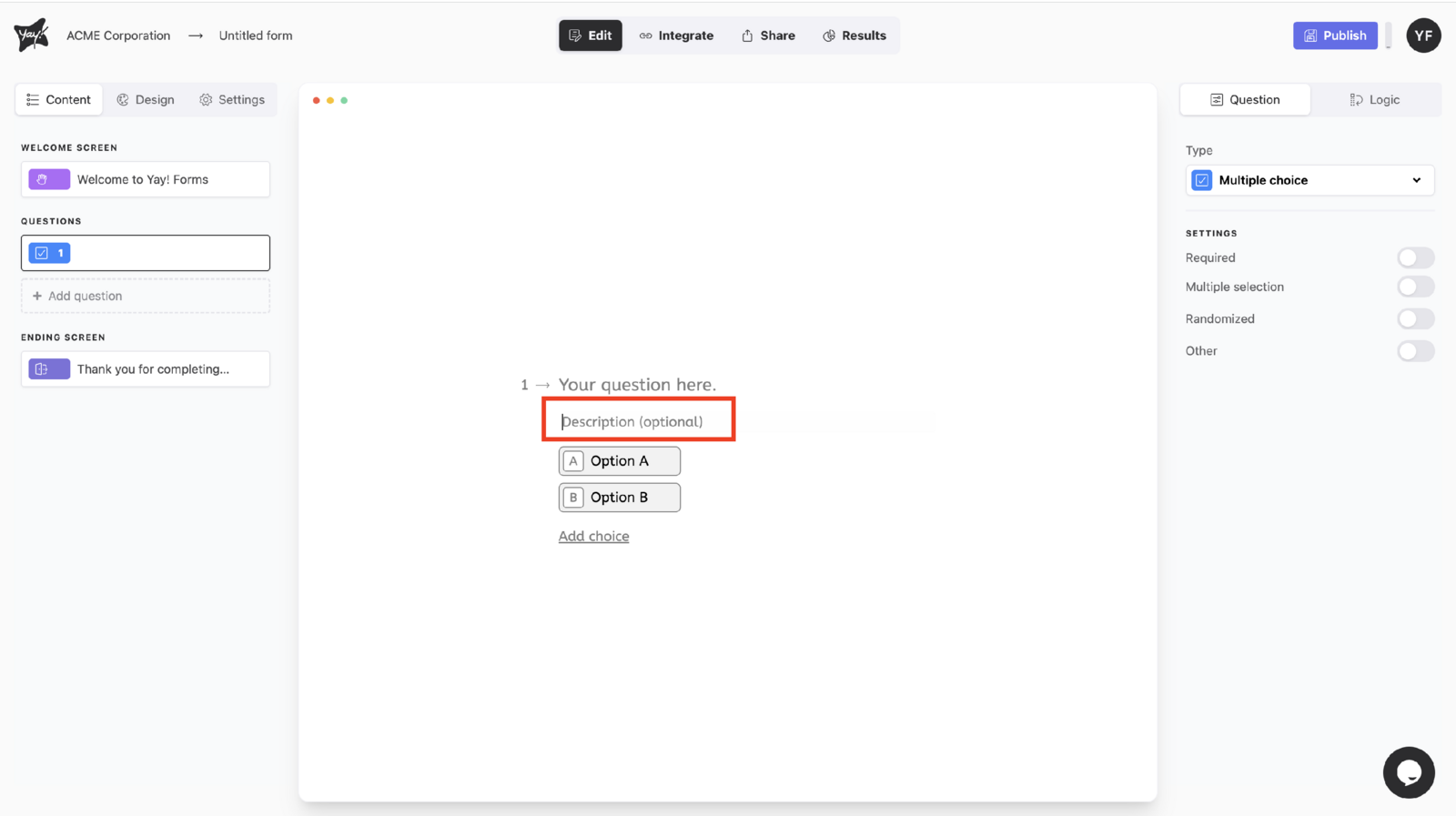
Edit your question title by typing in the Your question here. field.
If you want, add a question description.
Discarding or publishing changes
If you do not want to publish your edits, you can discard them.
If you are finished editing and want to publish your form, you can publish it.
Conclusion
You learned how to select question types, customize question settings, optionally enable text analysis features, and edit your question title and description, as well as how to either discard your changes or publish your form.