This article will help you customize your form’s welcome screen, including changing the Start button text, editing the title and description, formatting text, and adding links. It also explains what to do when you want to discard changes or publish your form.
Customizing the welcome screen
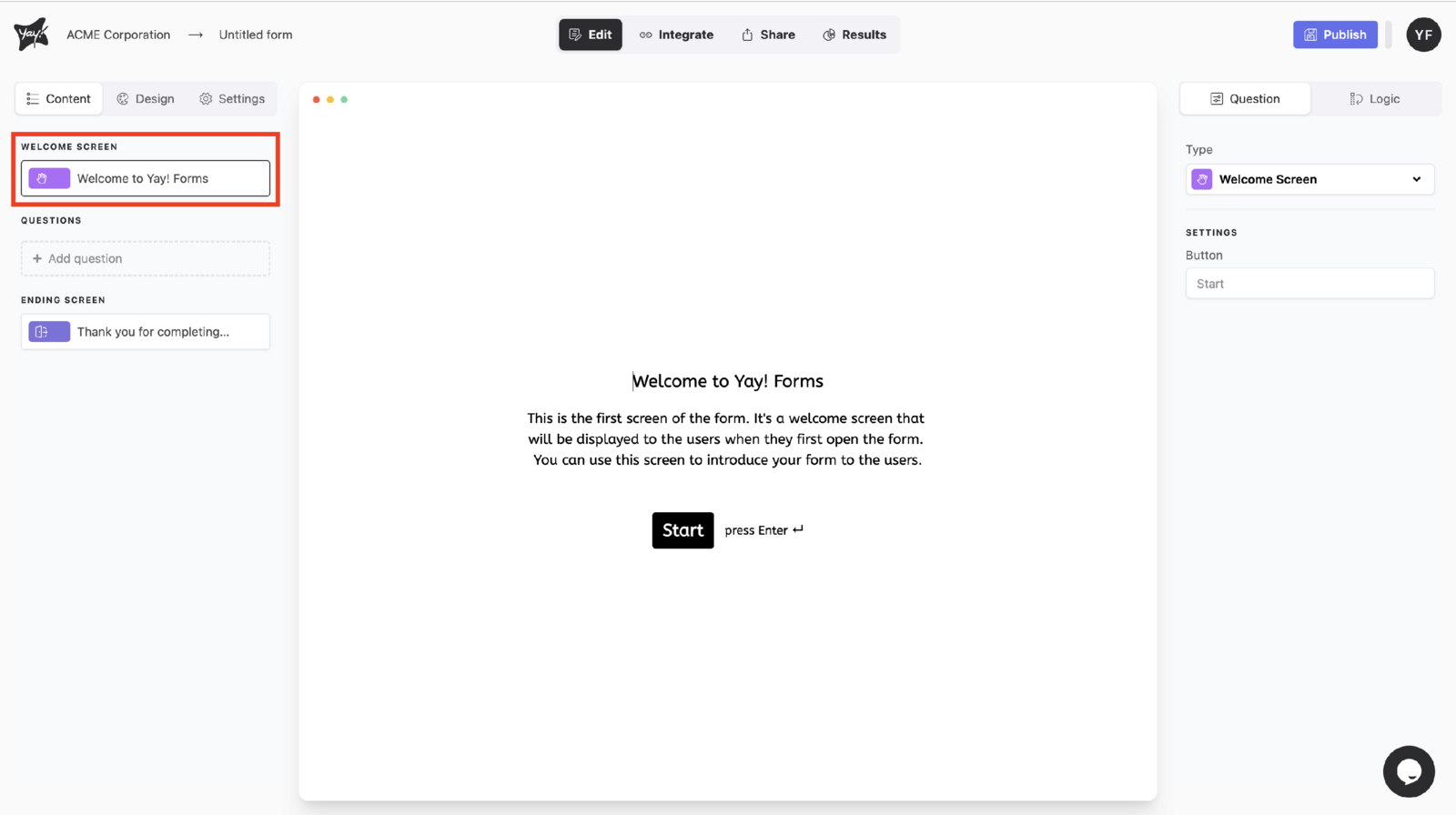
Changing the Start button text
To change the text on the Start button, type in the text box below the settings section in the upper-right corner of the screen.
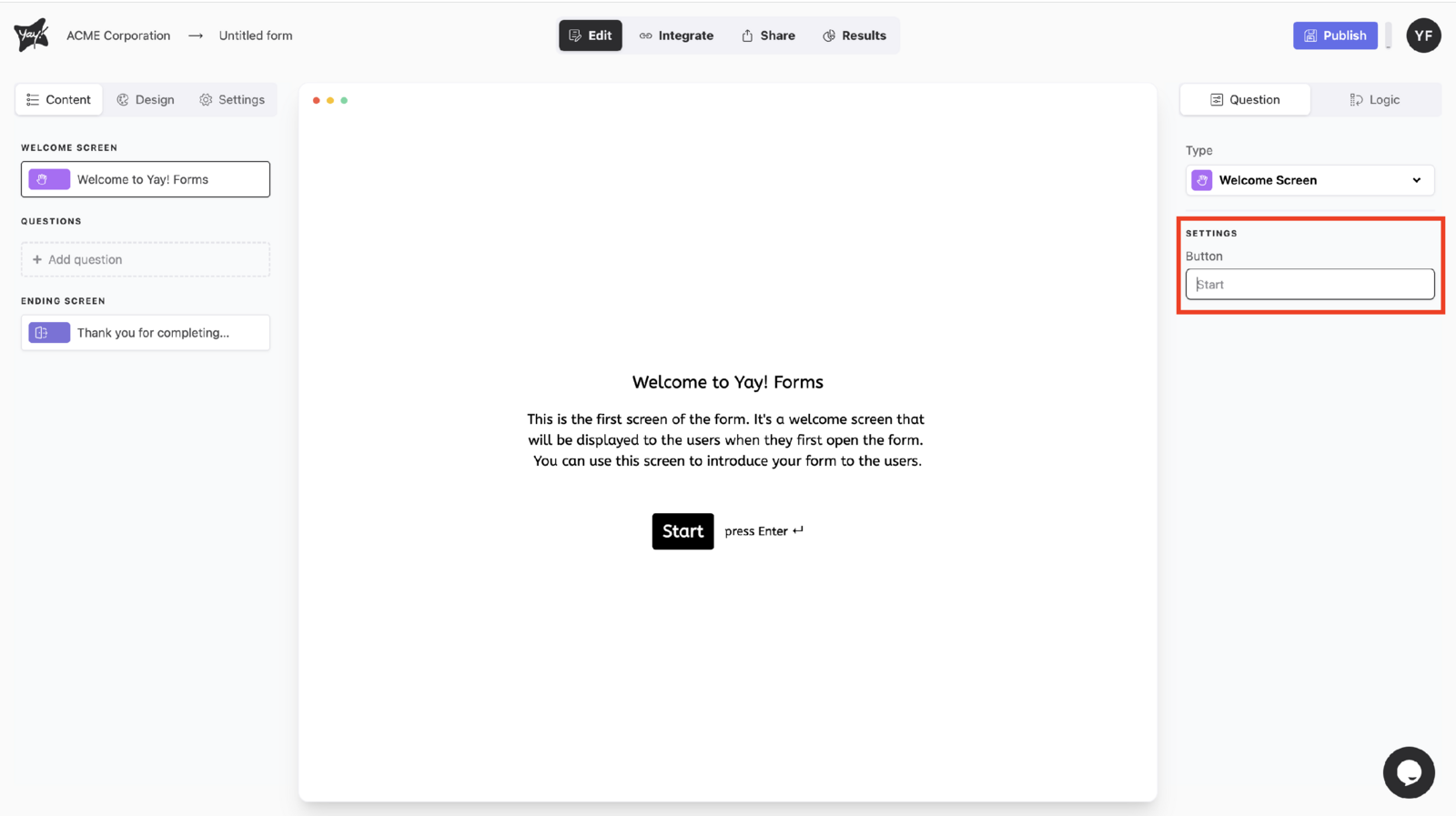
Editing the welcome screen title and description
To change the title and description on your form’s welcome page, click the existing text and start editing.
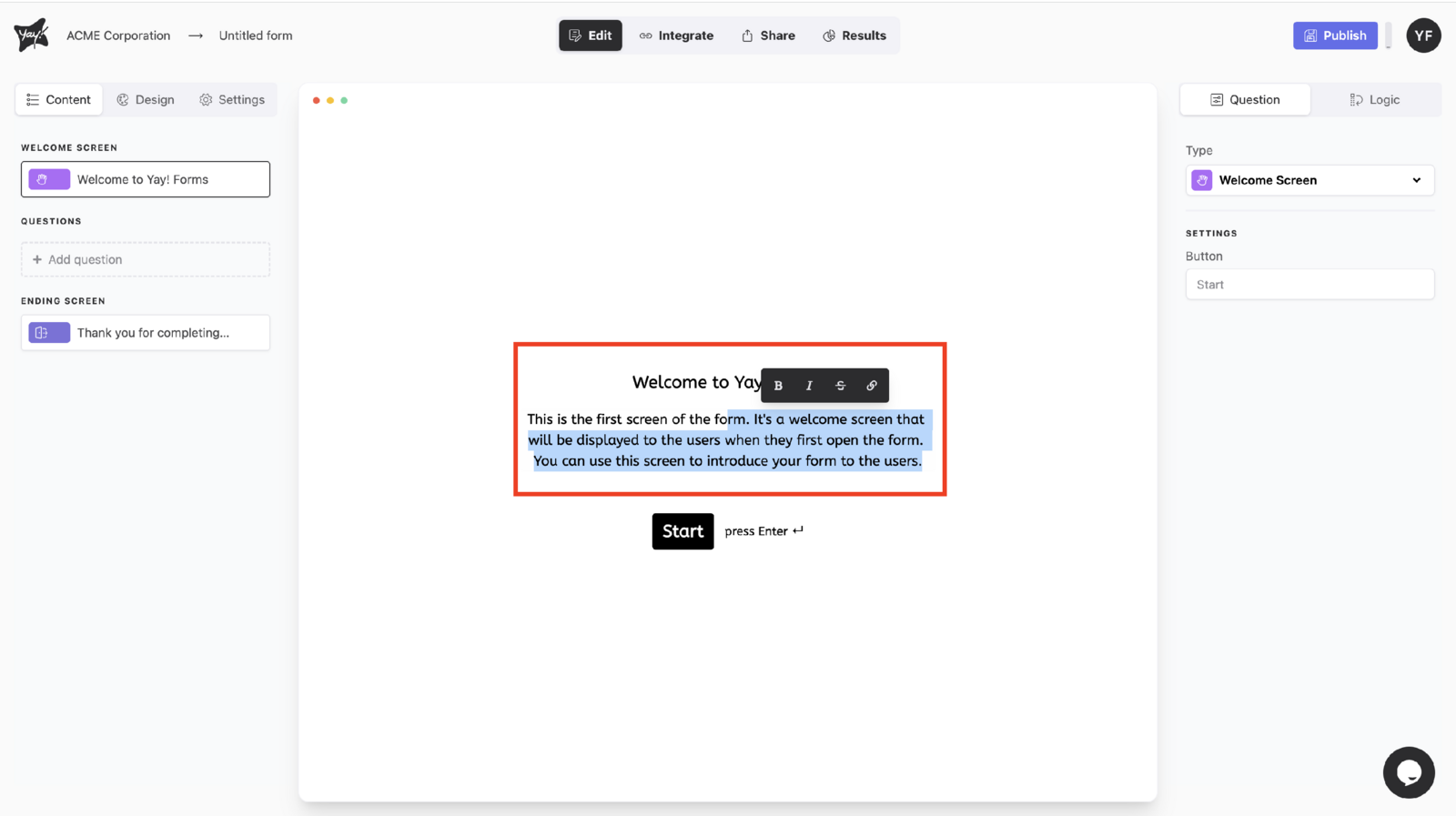
Formatting text
To edit your text formatting, highlight the specific text you want to change.
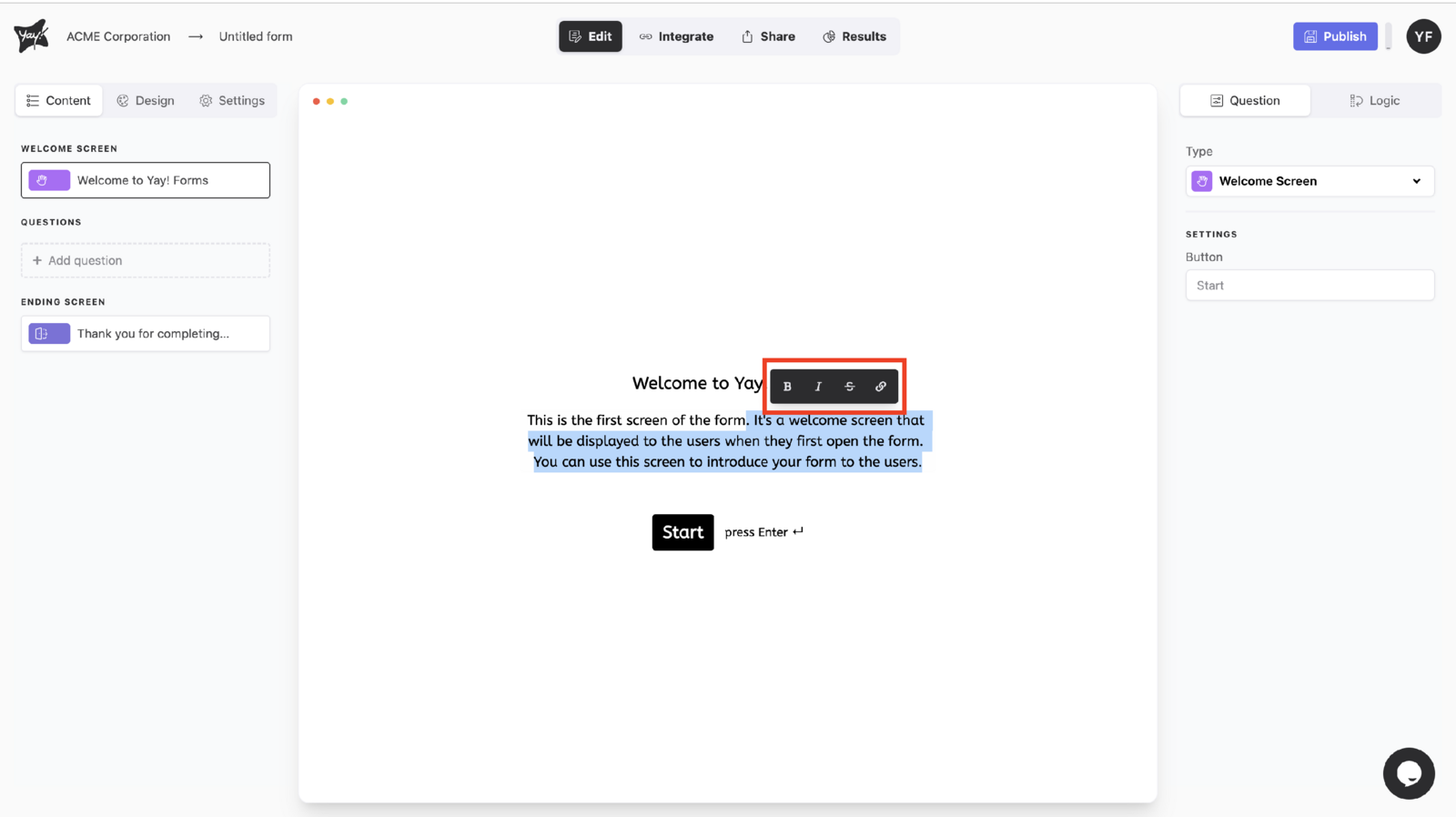
Adding a URL
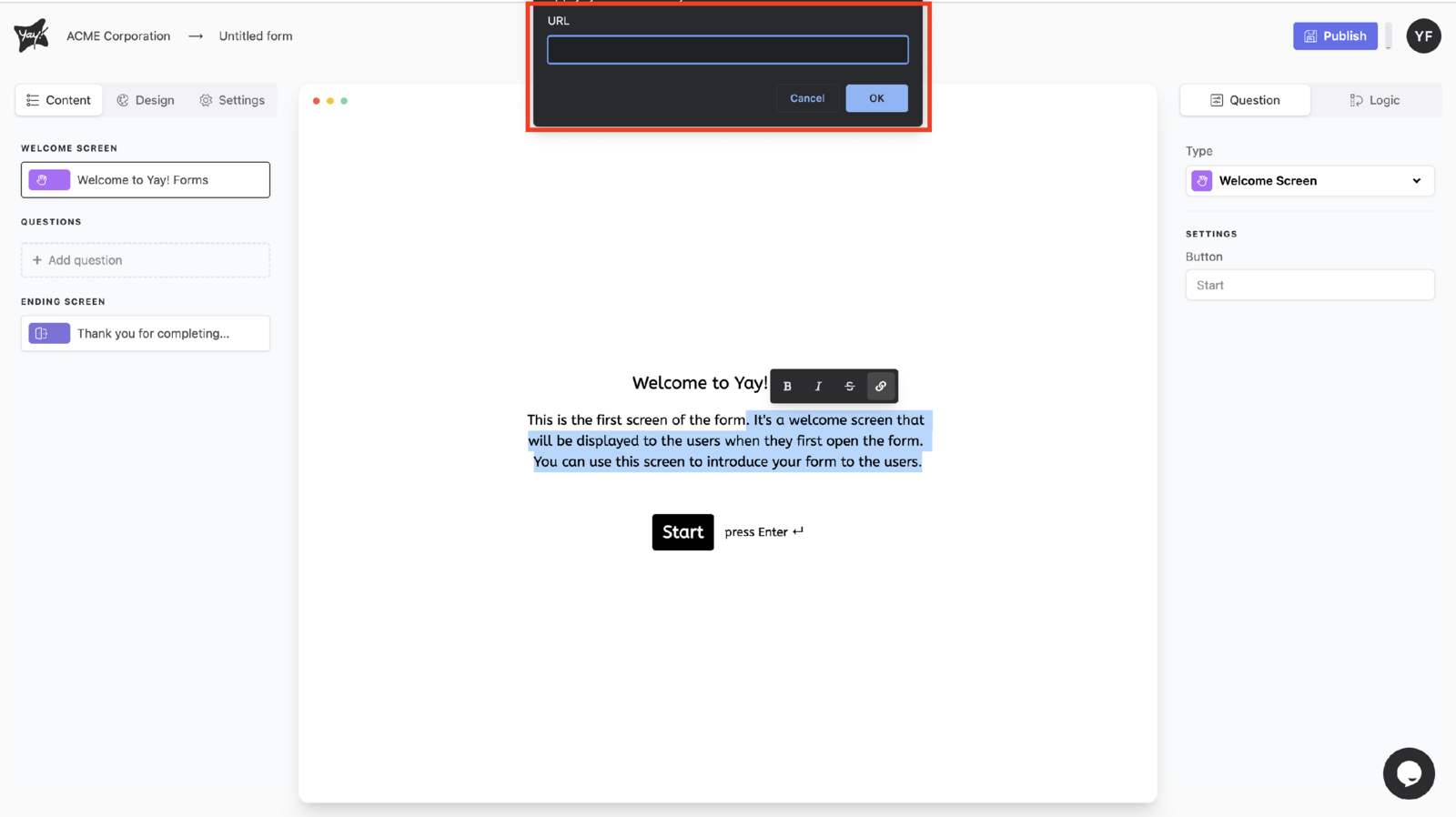
To insert a URL, highlight the text and select the last available button. Then type or paste the URL into the pop-up window.
Discarding edits
If you don’t want to publish your edits, you can discard them.
Publishing your form
If you’re finished editing and want to publish your form, you can publish it.
Conclusion
You learned how to customize the welcome screen by updating the Start button text, editing the title and description, adjusting text formatting, inserting a URL, and choosing whether to discard changes or publish the form.