This article will help you delete your workspace by showing where to find the delete option and how to confirm the deletion.
Deleting your workspace
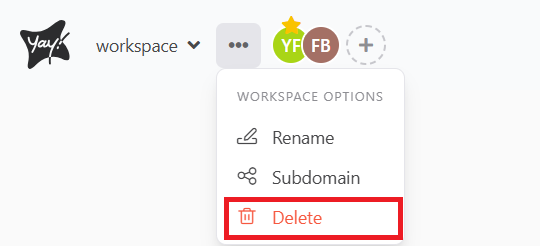
To delete your workspace, first you need to click the three dots next to the name of your workspace and click delete.
Right after that, a window will open where you just need to type the name of the workspace and click delete.
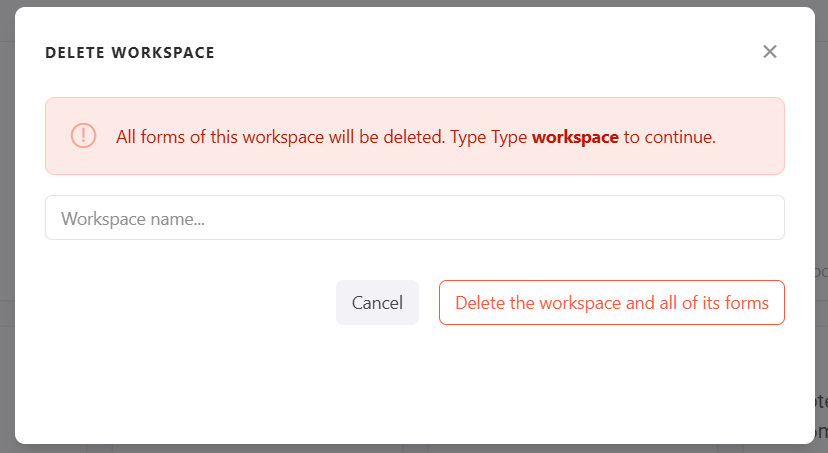
|| Remember that all forms in this workspace will be deleted as a consequence.
Conclusion
You learned where to access the workspace deletion option and how to confirm it by entering the workspace name, along with the effect this has on the forms inside that workspace.