This article will help you find and enable the setting in Yay! Forms that allows your forms to keep receiving responses after your plan’s response limit has been reached.
Accessing your profile in Yay! Forms
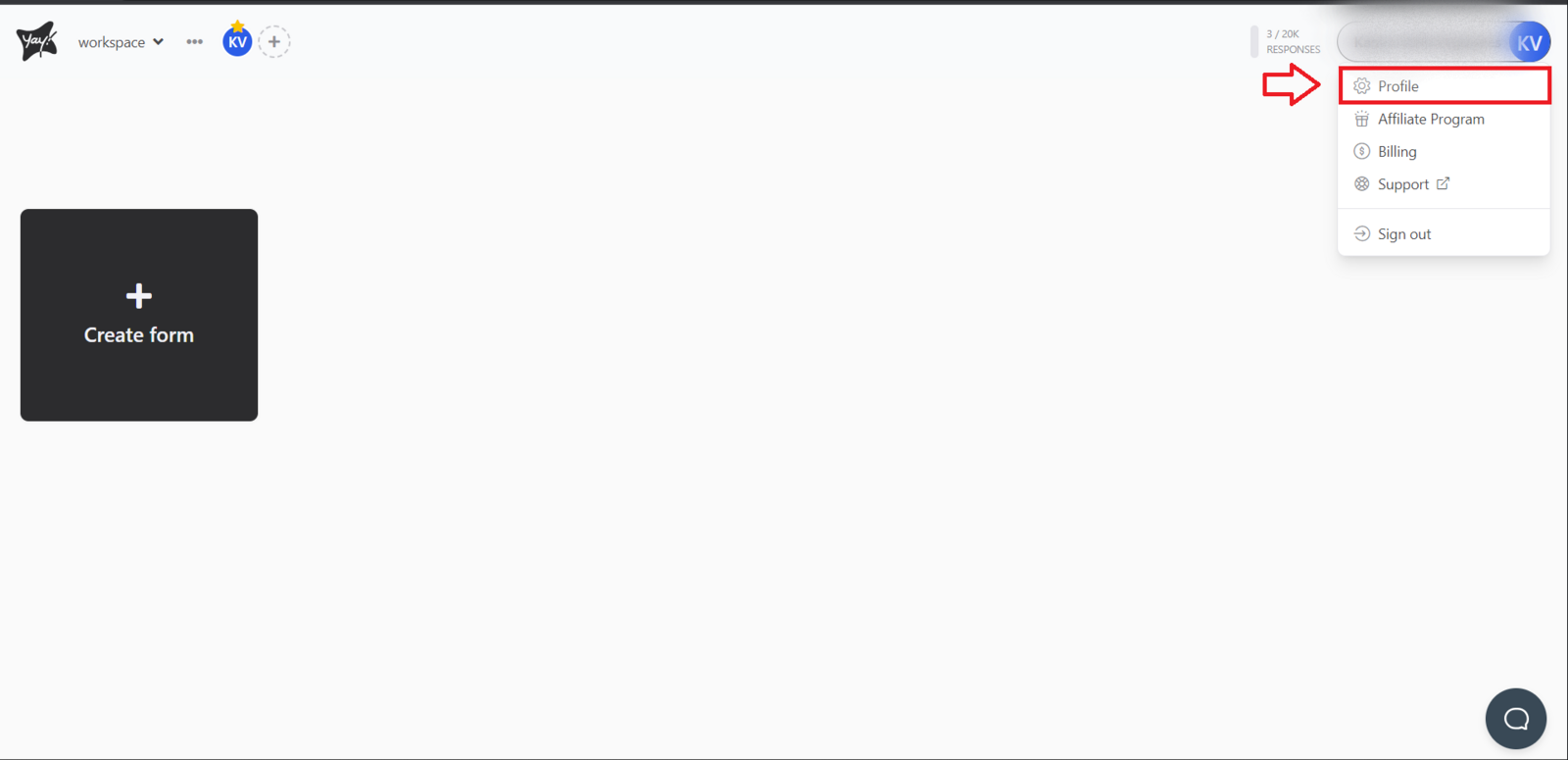
On the main Yay! Forms screen, click your profile icon. You will find this option in the upper-right corner of the screen. Then click Profile. You can also access this link directly https://app.yayforms.com/me.
Enabling responses after reaching your plan limit
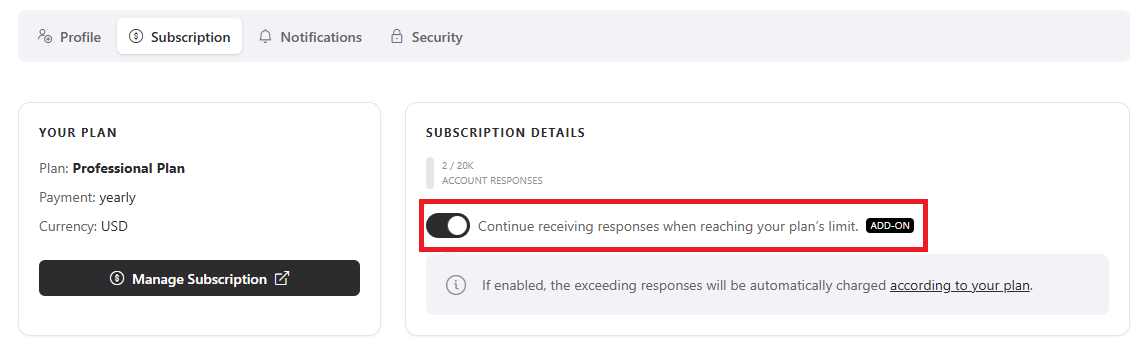
Navigate to the Subscription page. Then click the option Continue receiving responses after the plan limit is reached to enable additional responses.
How the setting works
As shown in the image, keep in mind that this option is used to continue receiving responses after your plan reaches the response limit. Any overage responses will be charged automatically according to your plan.
Conclusion
You now know where to find your profile and subscription settings in Yay! Forms and how to enable the option to continue receiving responses after your plan’s response limit is reached.