This article will help you enable support access from within your workspace by guiding you through where to find your profile settings and the security option needed to grant support access.
Enabling support access
Follow the steps below to enable support access:
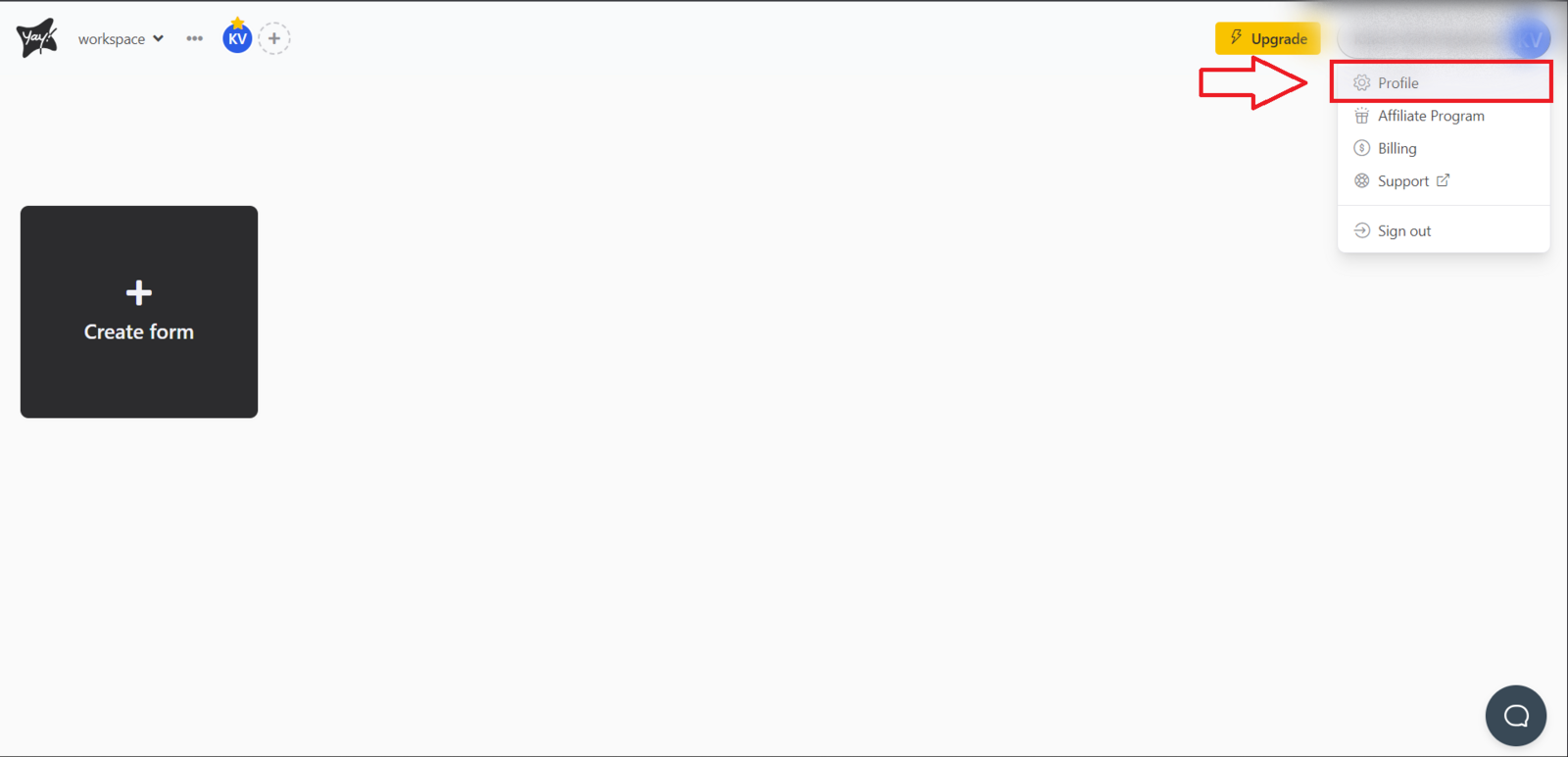
First, go to your workspace home screen. In the upper-right corner, there will be a button identified by your username. Click that button and select the Profile option.
After accessing the profile page, navigate to the Security page. Then you will need to click the Enable support access option.
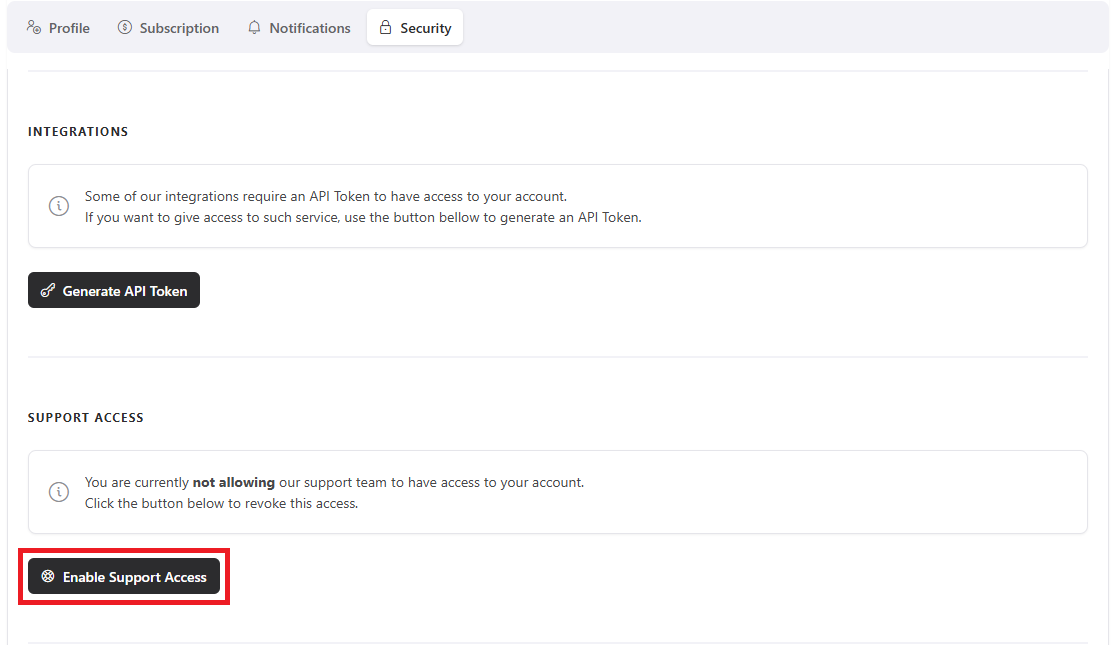
After following these steps, you will have enabled support access!
Contact
If you have any questions or suggestions, send an email to [email protected].
Conclusion
You learned where to access your profile and security settings in order to enable support access from your workspace, and where to send questions or suggestions if you need additional help.