This article will help you enable access to an API token in your workspace so you can use it for integrations.
How to enable access to the API token
Follow the steps below to enable access to the API token:
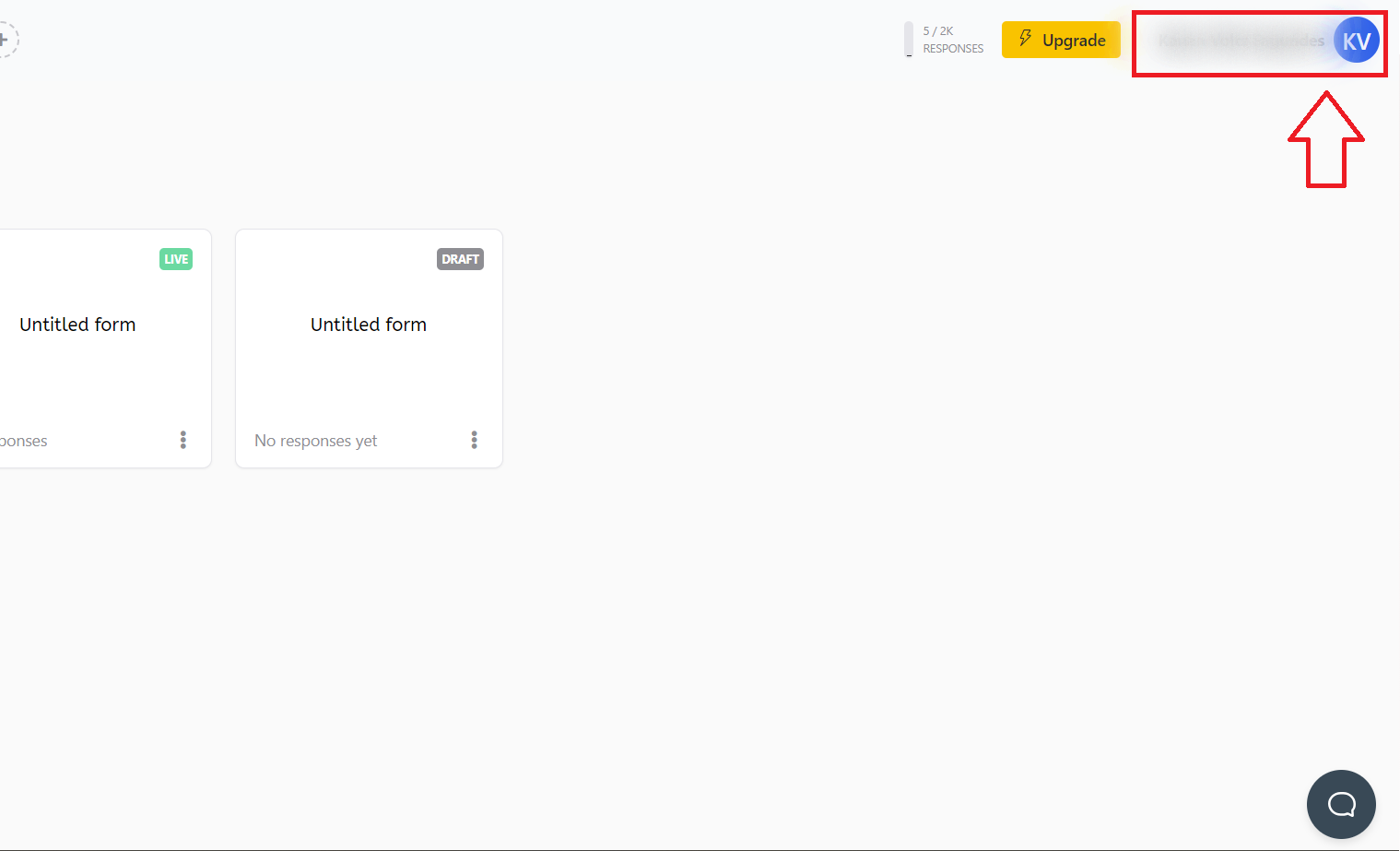
First, access the home screen of your workspace. In the upper-right corner, there will be a button labeled with your username. Click that button and select the Profile option.
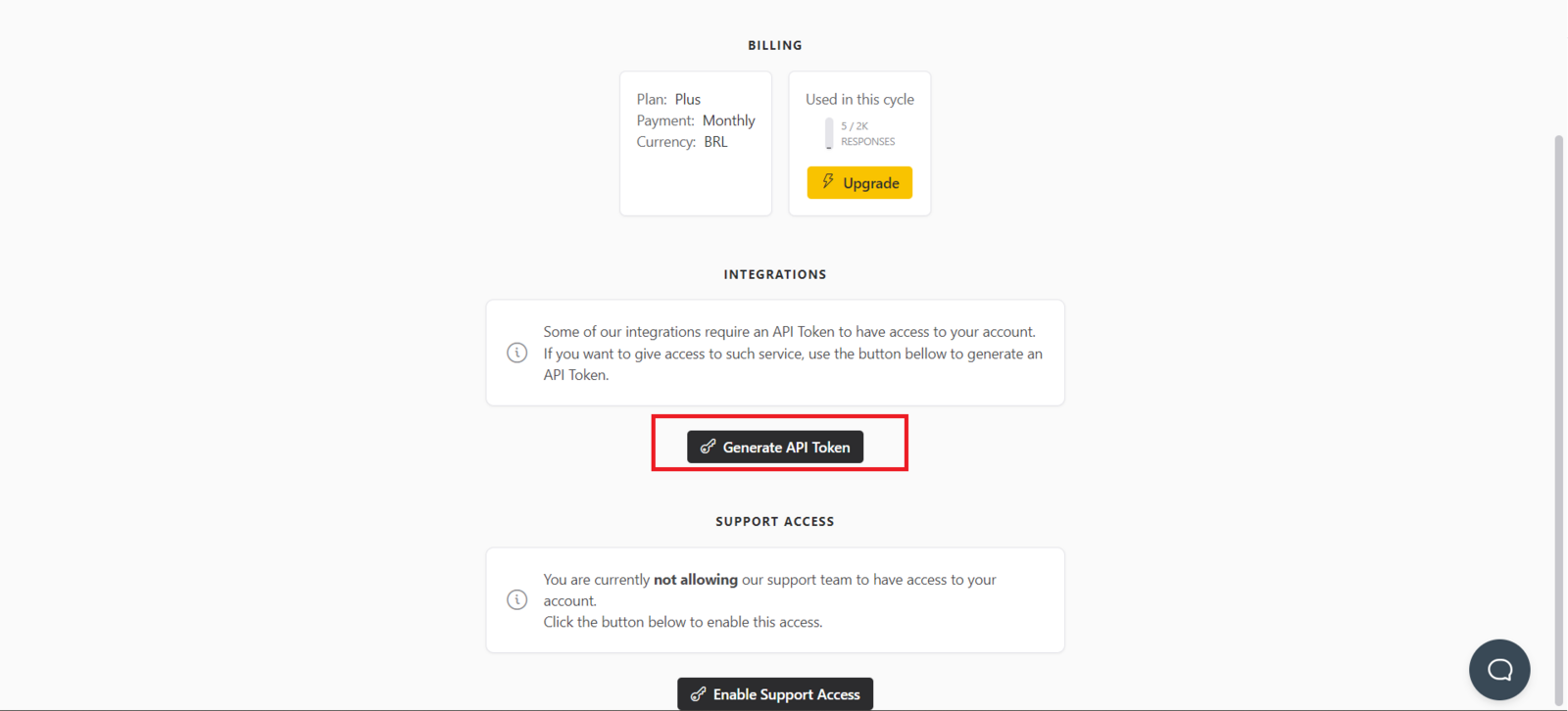
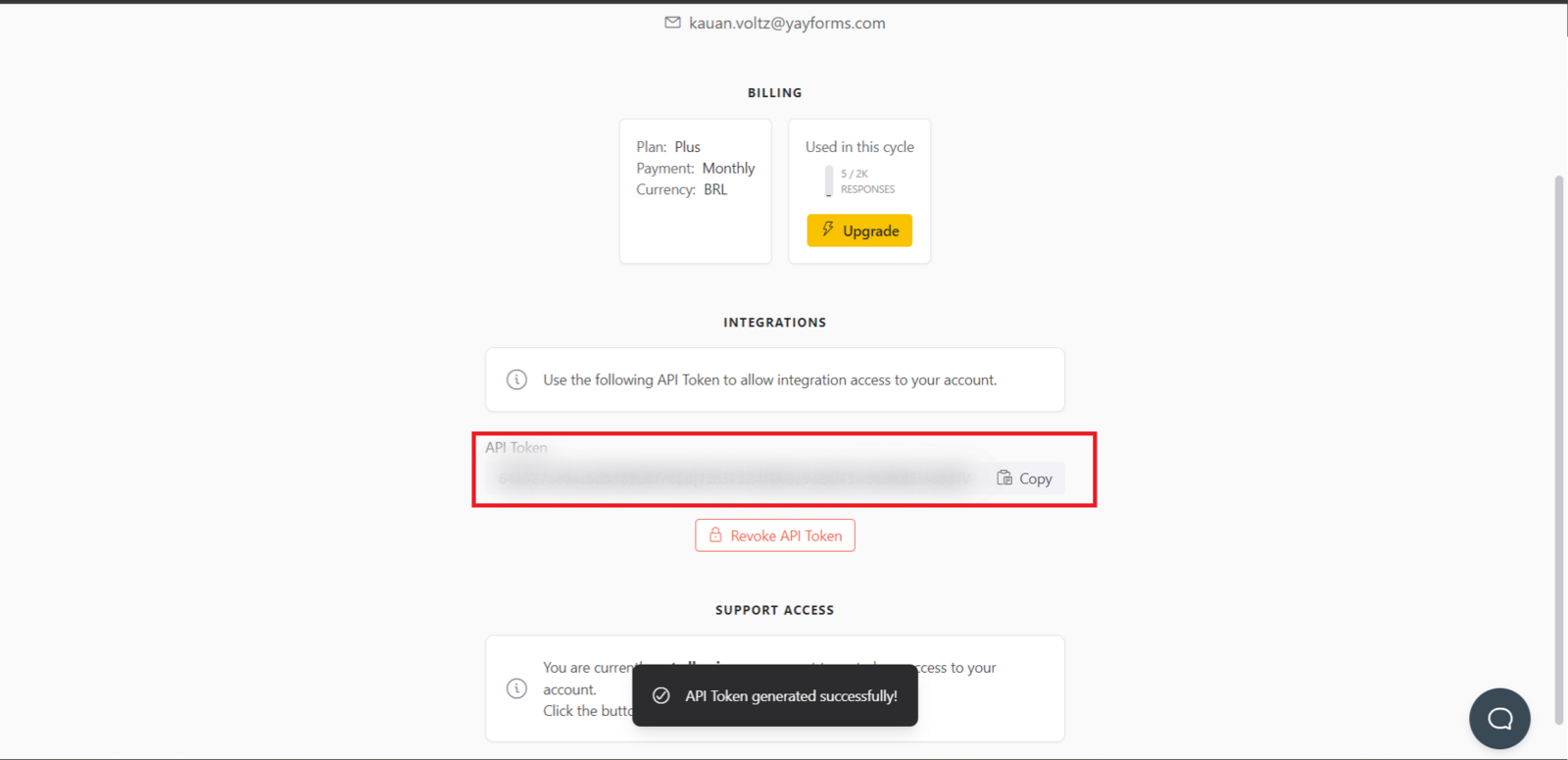
Next, you will be redirected to a page that contains several of your details. Among them, in the Integrations section, you will need to click the Generate API Token option.
Support
If you have any questions or suggestions, send an email to [email protected].
Conclusion
You now know where to find your profile settings and generate an API token in the integrations section so you can use it to connect external integrations.