This tutorial will show you how to inherit parameters directly from the URL into your form, so that values like UTMs and other fields can be captured automatically when someone visits your page with query parameters.
Capturing URL parameters in your form
- Add the desired parameters to your form.
First, you need to add the parameters you want to capture from the URL to your form. For example, we will use parameters such as utm_source, utm_medium, utm_campaign, utm_content, utm_term, email, name, etc.
☝️ Don’t forget to enable UTM tracking and add the hidden fields (such as name and email in the previous example) before passing the parameters in the URL.
- Choose how to embed the form on your site.
There are several ways to embed a form on your site, such as direct embed, pop-up, modal, etc. In this example, we will use the pop-up option.
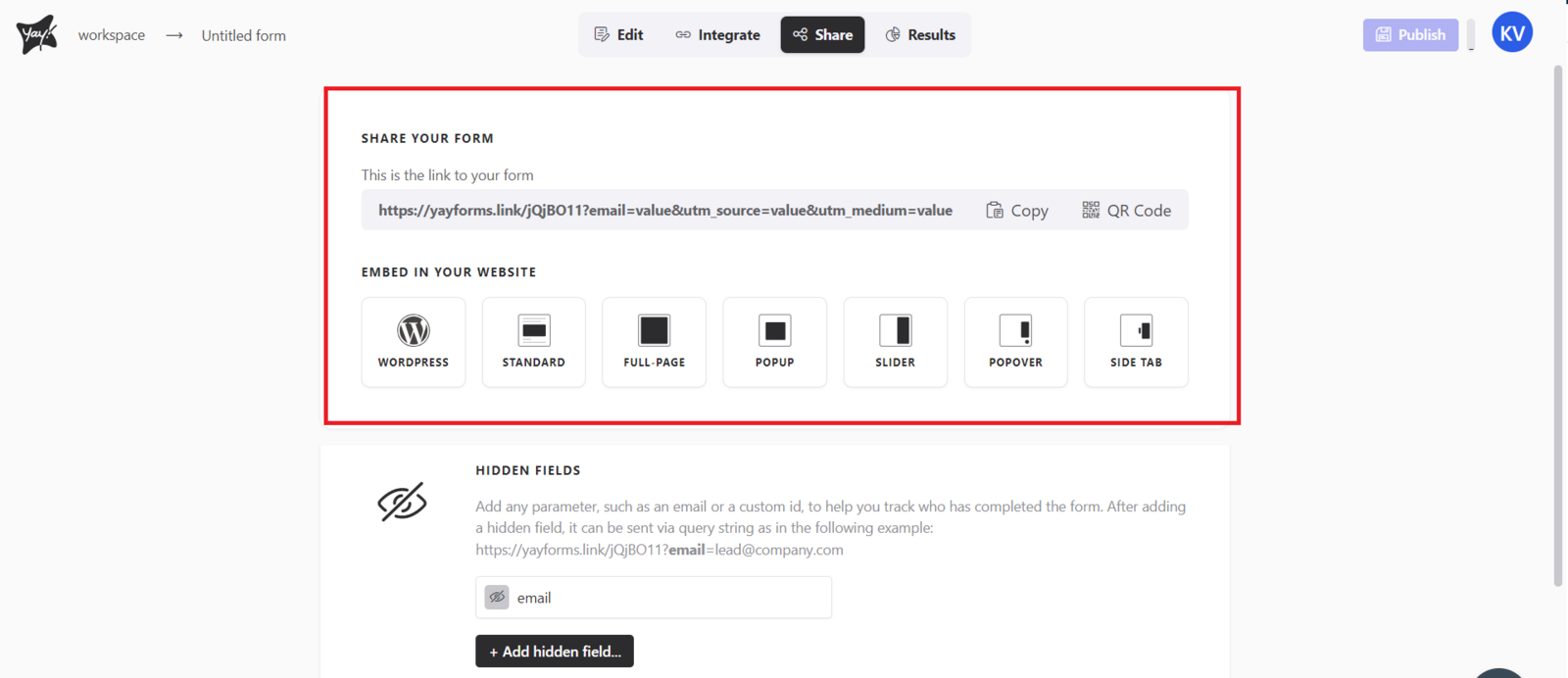
- Copy the provided code.
After choosing the embed option (pop-up), you will receive some code. This code will be responsible for displaying the form on your site.
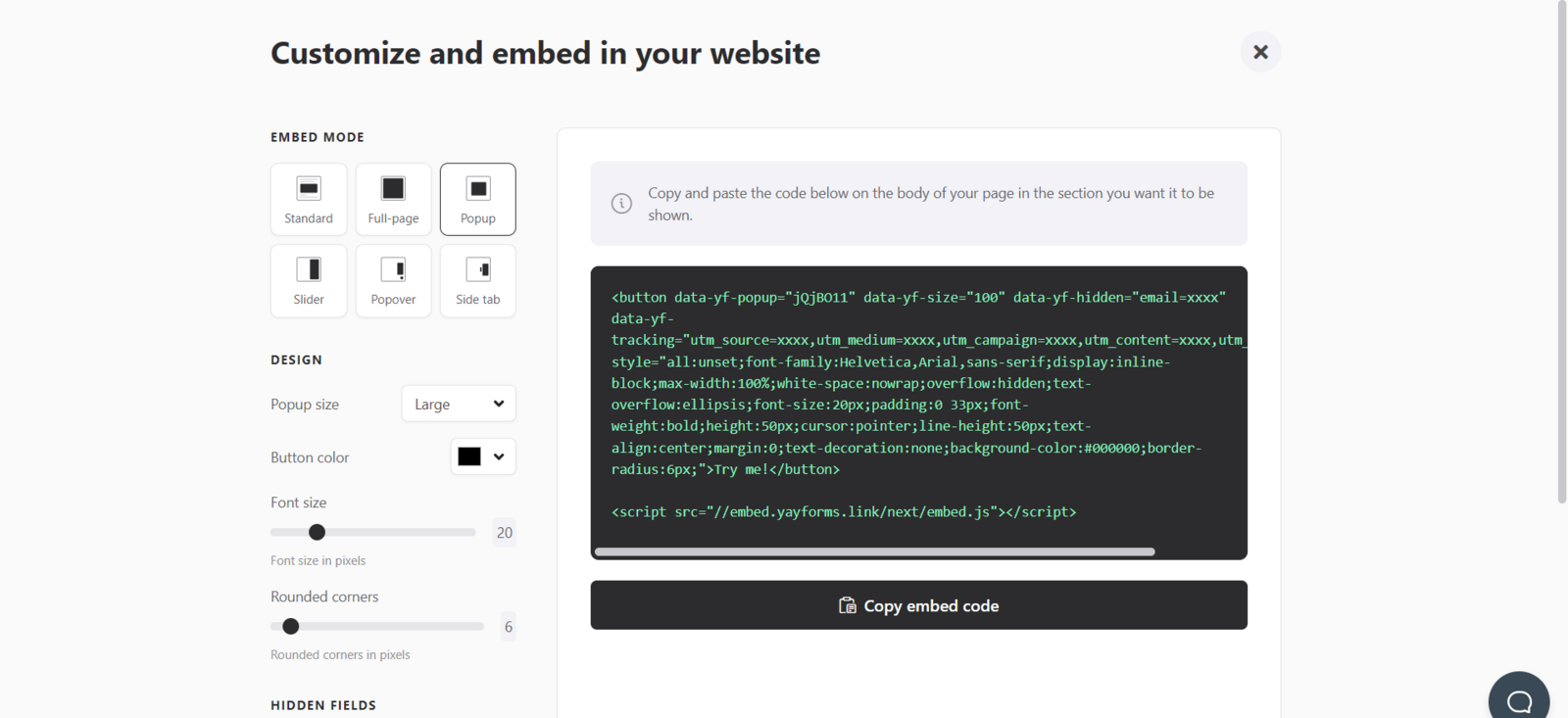
- Replace the parameters in the code
In the provided code, you will find a section where the parameters are specified. Typically, this is done using attributes such as data-yf-hidden or data-yf-tracking.
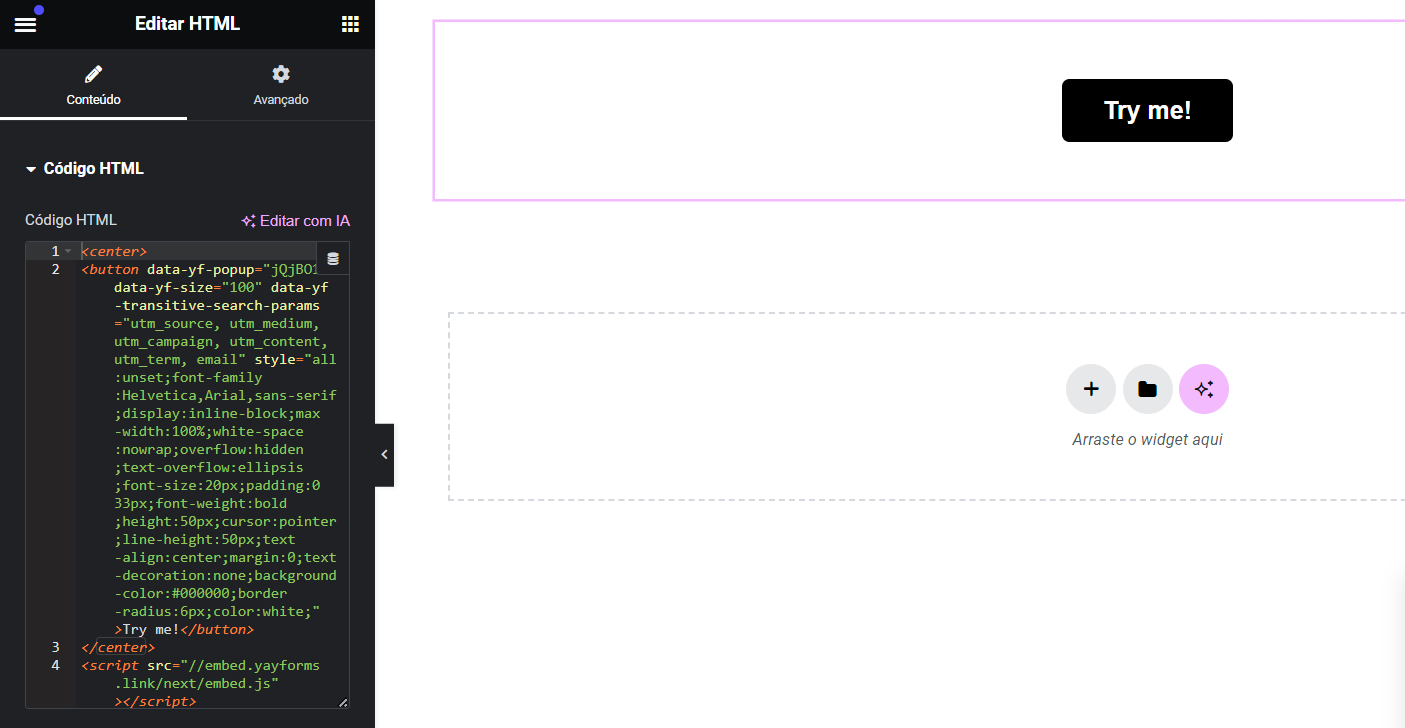
Replace these attributes with the following: data-yf-transitive-search-params="your parameters".
Make sure to replace the parameters as needed to reflect the ones you want to capture, and apply it in your site’s code as shown in the example below using Elementor:
- Add the parameters to your site URL.
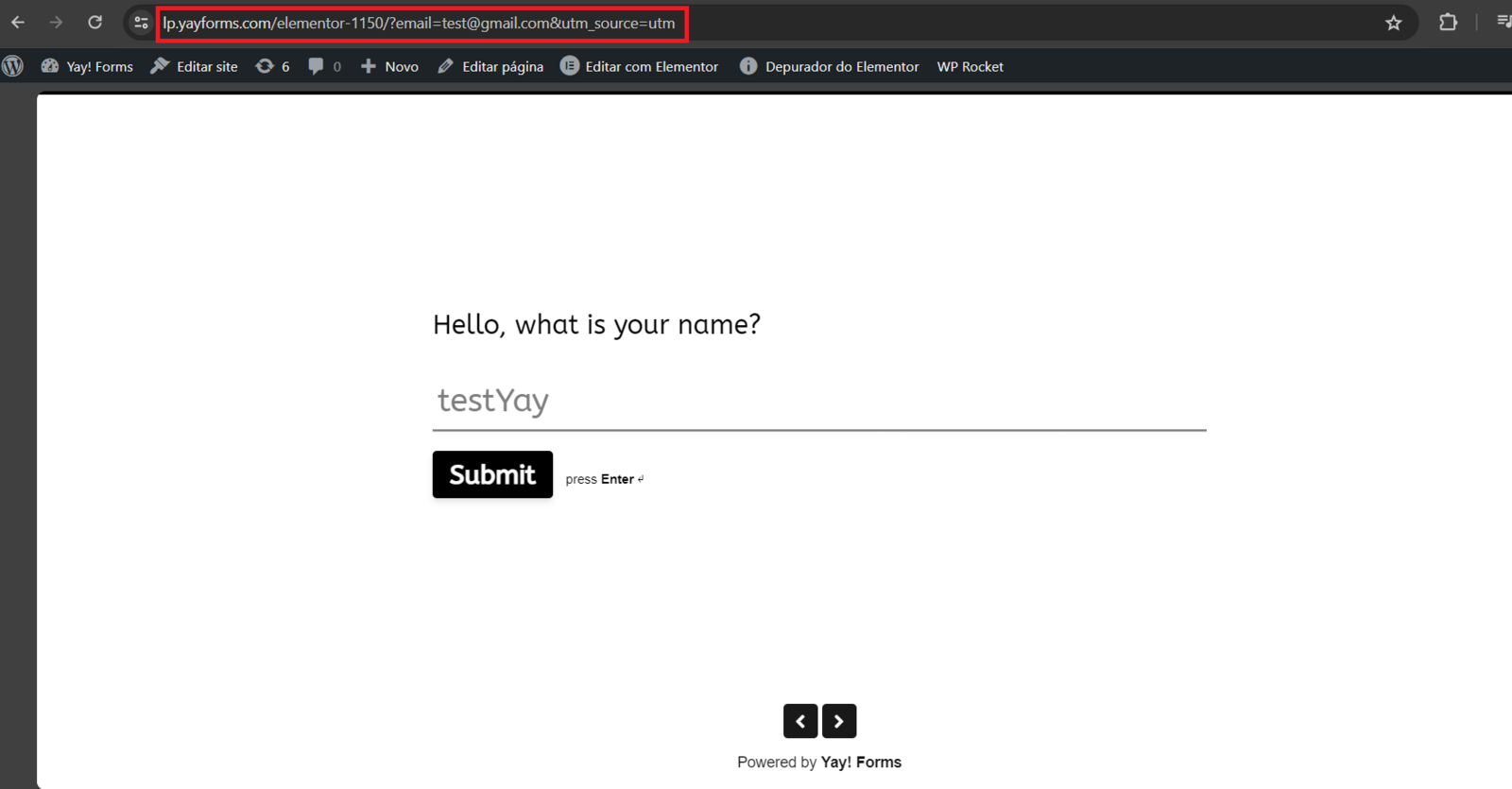
Now, when you embed the form on your site and someone accesses it with parameters in the URL, those parameters will be automatically inherited by the form.
For example, if your site URL is www.yoursite.com/form?utm_source=google&utm_medium=cpc&utm_campaign=product, those parameters will be automatically captured by the form, as shown in an example below:

Conclusion
You learned how to configure a form to automatically inherit URL parameters by adding the right fields, embedding the form, adjusting the embed code to capture transitive search parameters, and validating the behavior by visiting a URL containing those parameters.