This article will help you integrate Yay! Forms with Google Analytics by locating your GA4 ID in Google Analytics and adding it to the integration settings in your form.
Integrating Yay! Forms with Google Analytics
Follow the steps below to integrate Yay! Forms with Google Analytics:
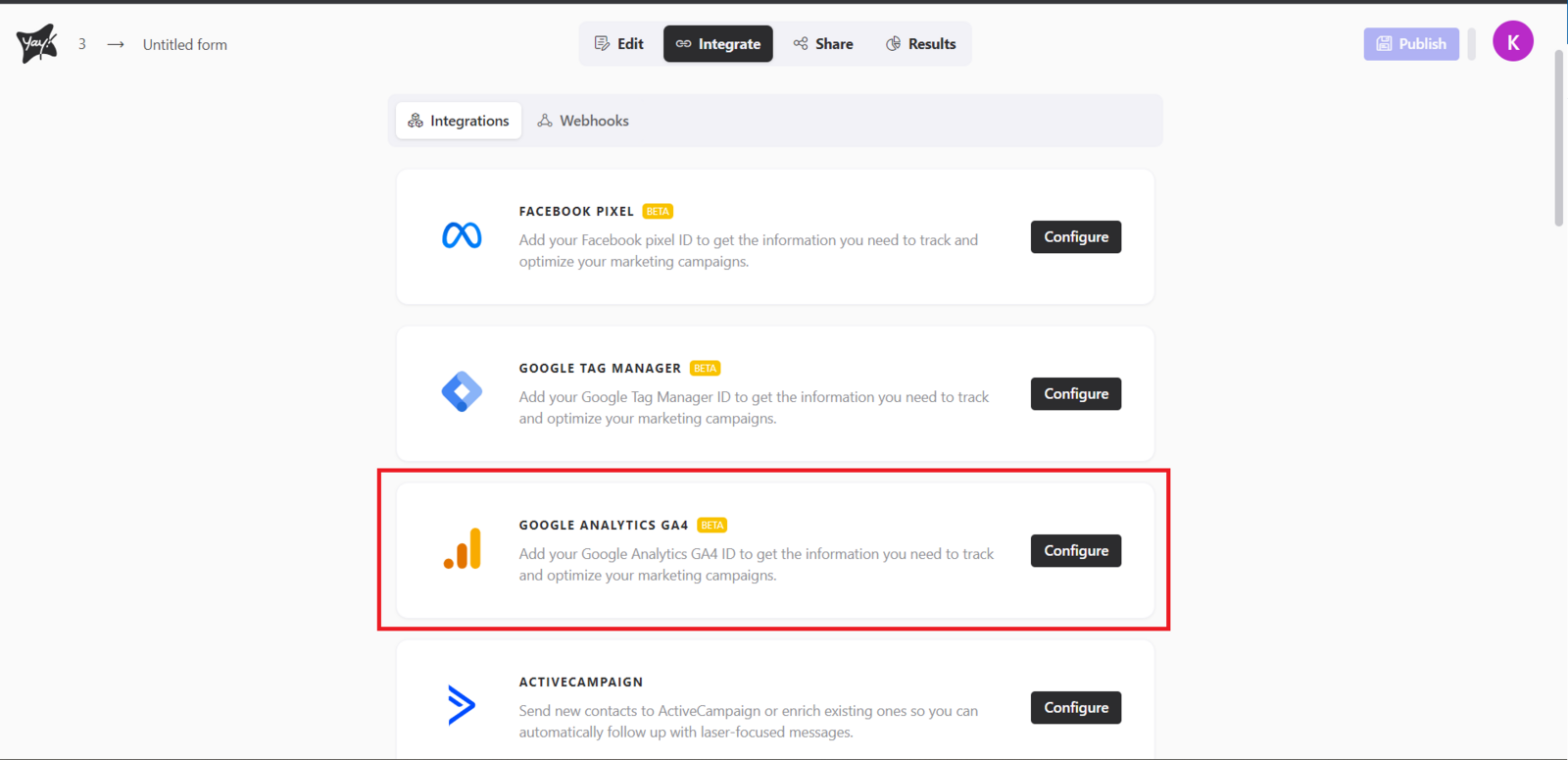
First, open the desired form and select the Integrate tab. At this point, you will find the Google Analytics option. Click Configure to proceed with setting up Google Analytics.
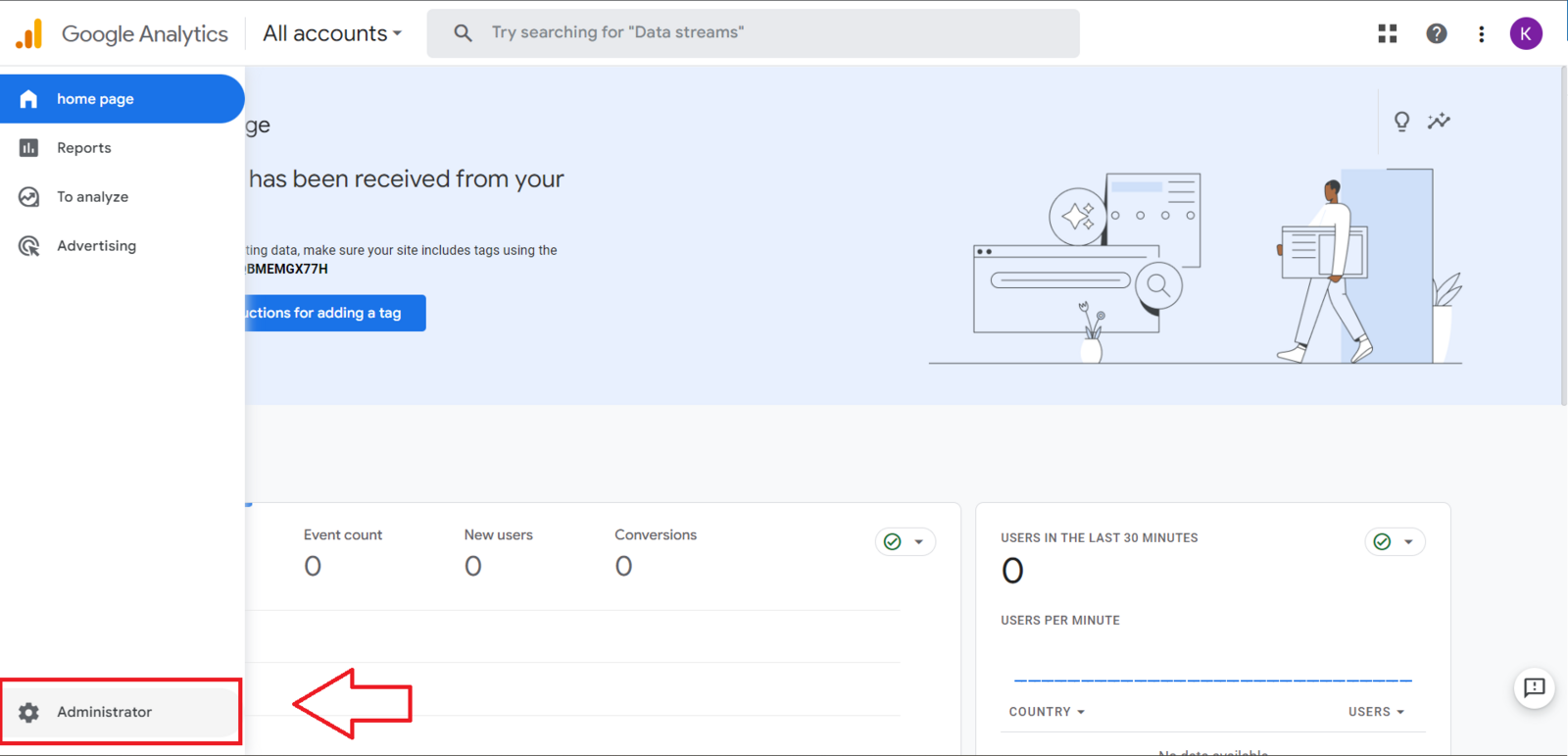
Now you need to access Google Analytics and click Administrator.
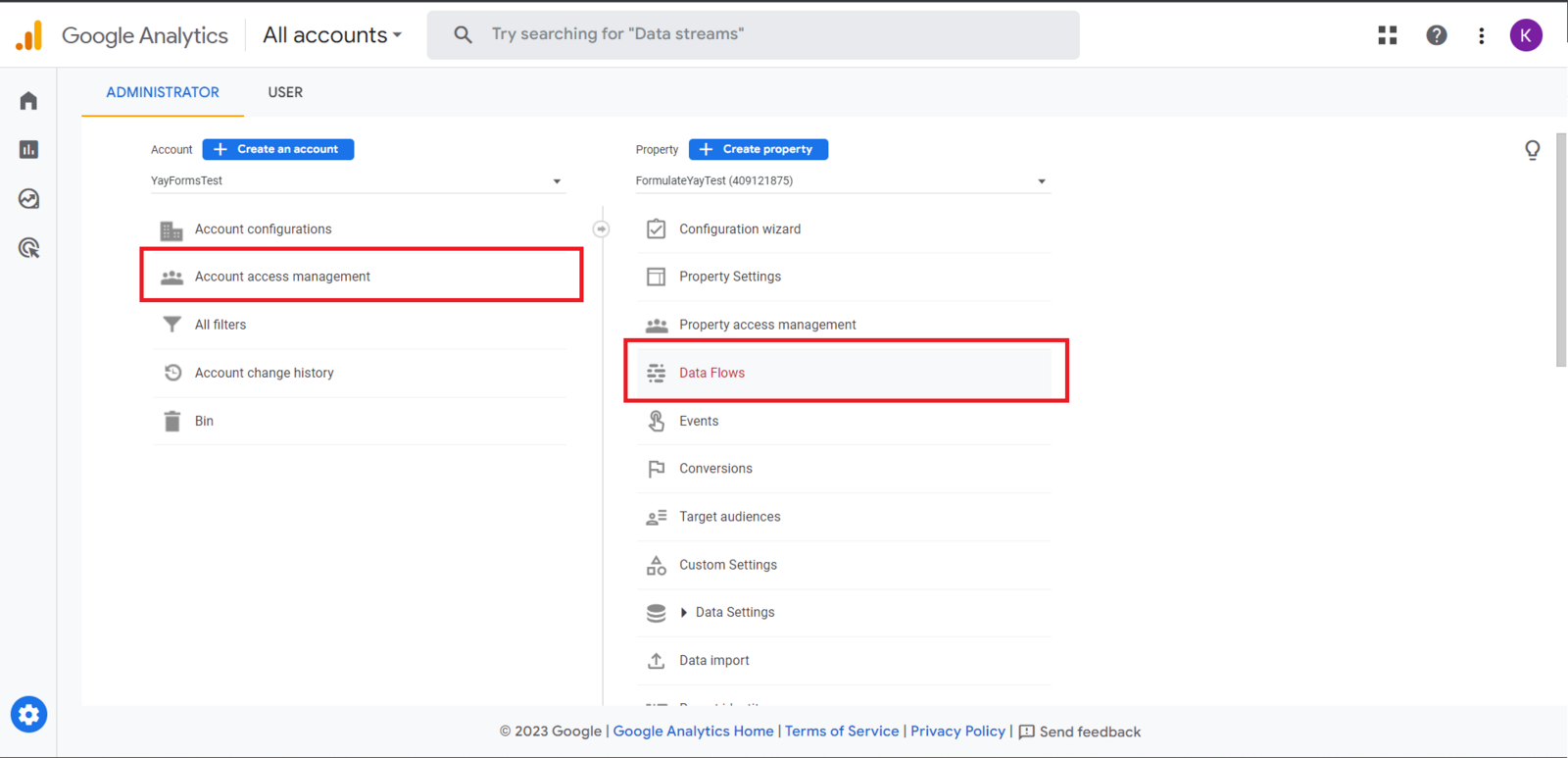
Next, click Account Access Management and Data streams, as shown in the example below.
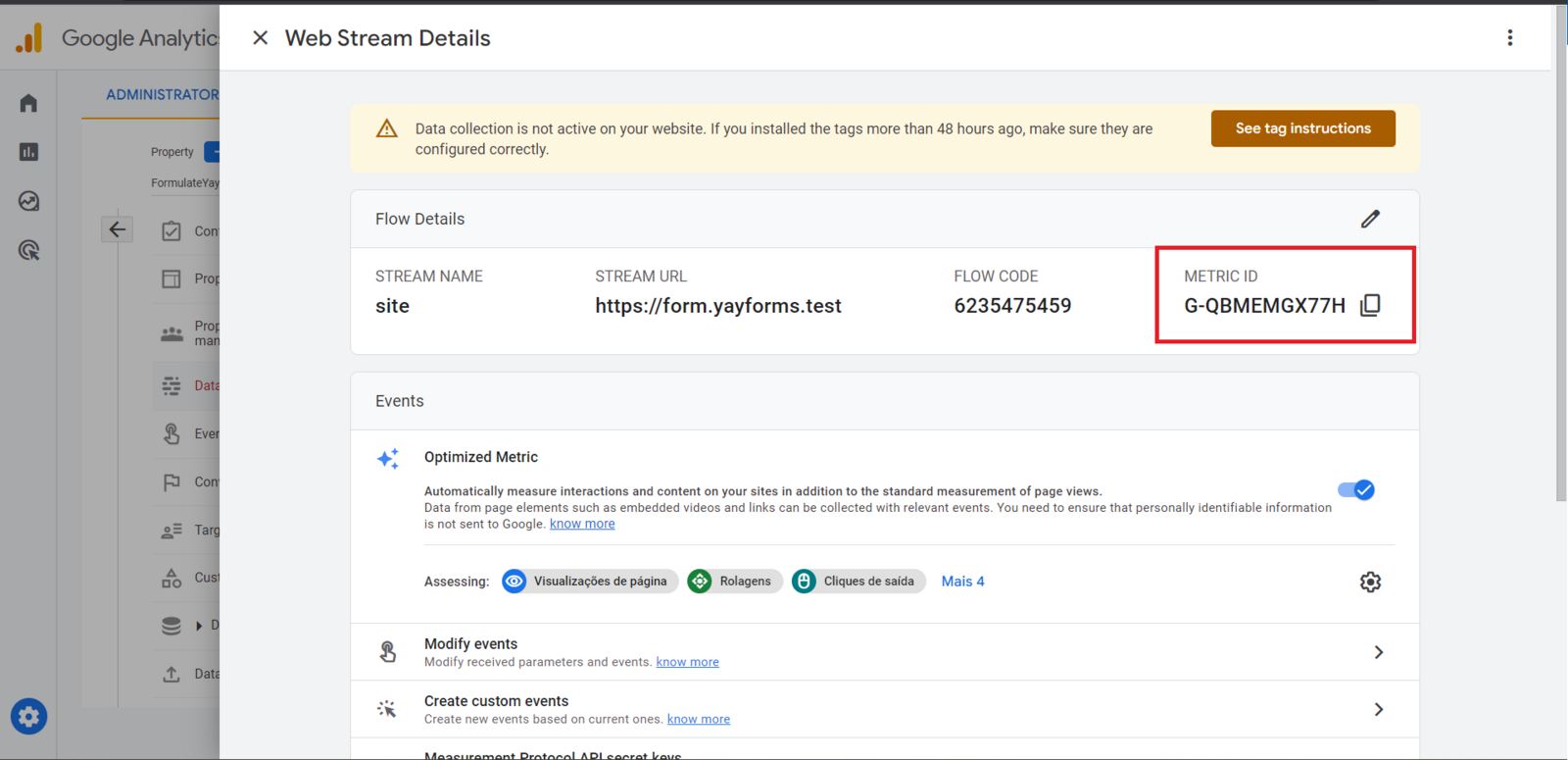
Now you should select the desired data stream and copy its ID.
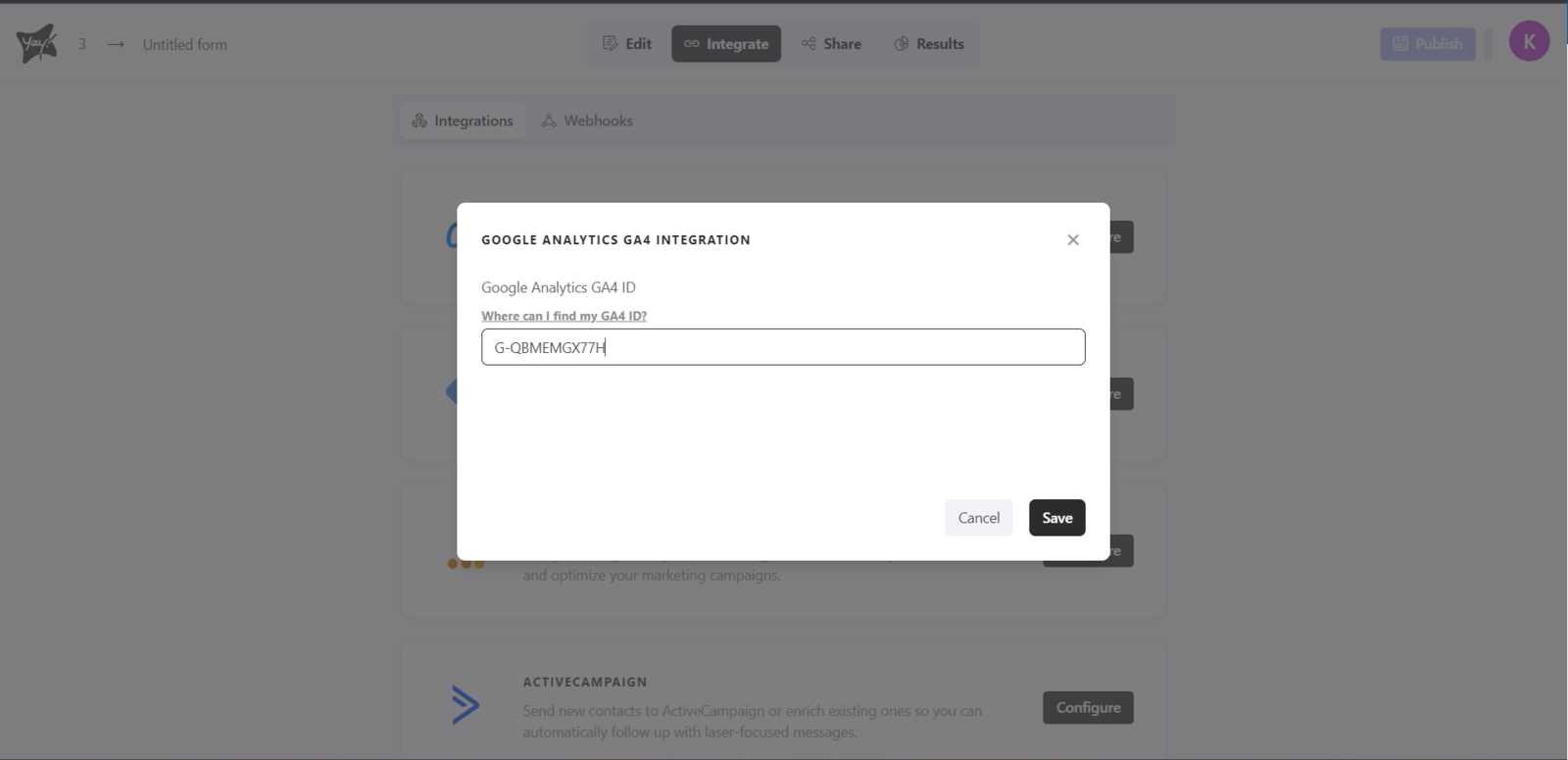
After you get your GA4 ID, you just need to add it to your form like this:
Support and feedback
We hope you enjoy the new integration :)
If you have any questions or suggestions, send an email to [email protected].
Conclusion
You learned how to find your GA4 ID in Google Analytics and where to enter it in Yay! Forms to complete the integration, along with where to reach out if you have questions or suggestions.