This article will help you set up an integration between Notificações Inteligentes and Yay Forms, including where to configure the platform, how to add a webhook to your form, and which required fields your form must contain for notifications to work correctly.
Accessing Notificações Inteligentes and creating a store
First, access your Notificações Inteligentes account and click Stores:

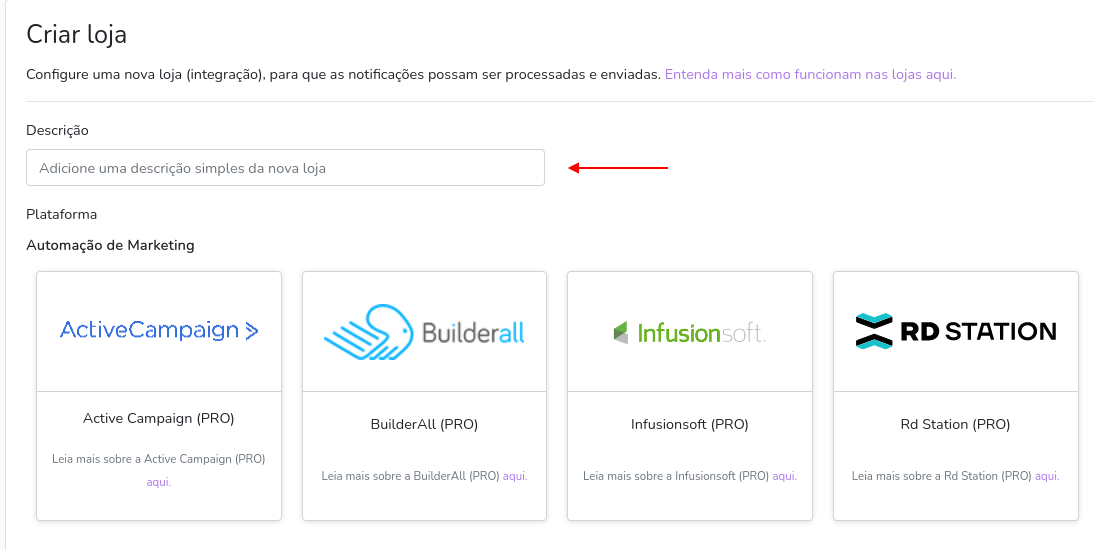
Click Create store

In the Description field, enter a name to identify this integration.
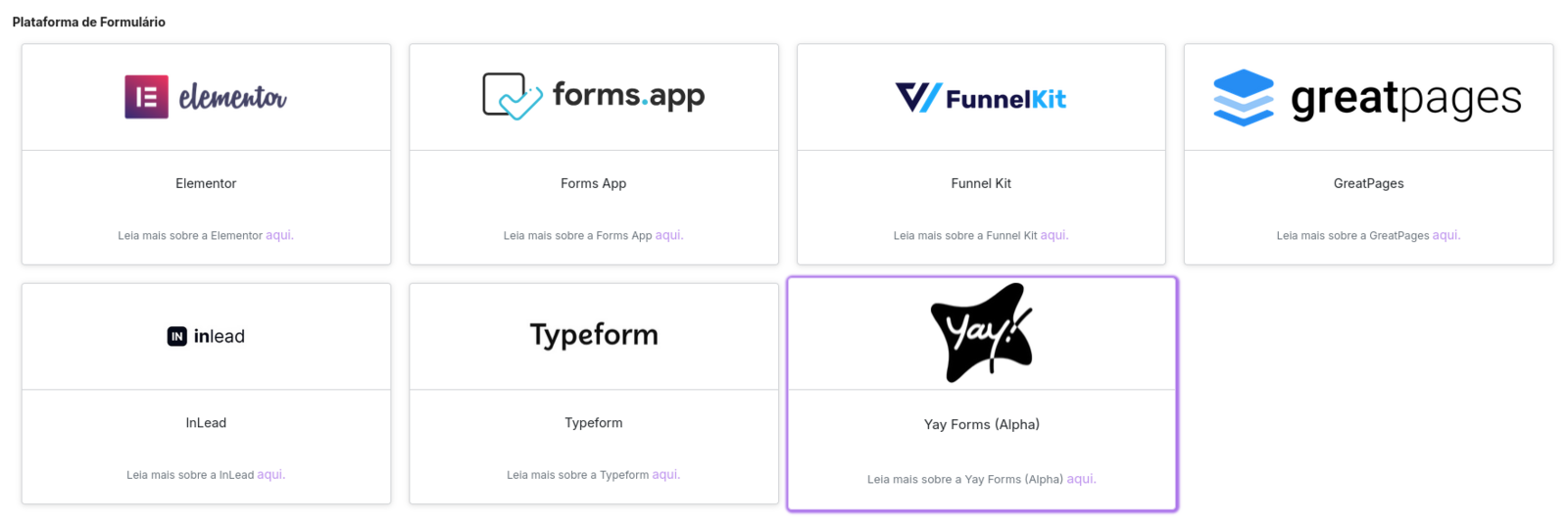
In the Platform option, select Yay Forms, within the Form platform category.
Configuring the webhook in Yay Forms
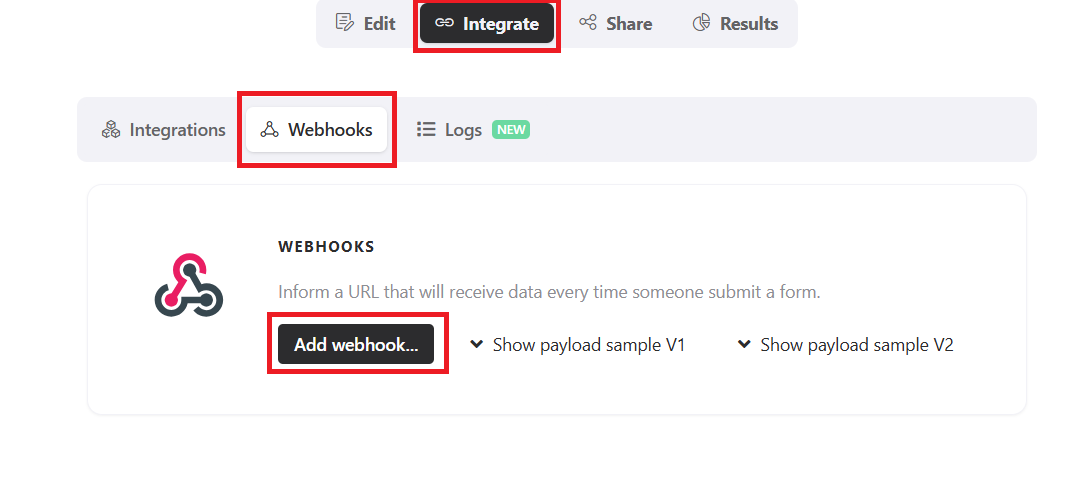
Next, go to Yay Forms, choose your form, and click Integrate, Webhooks and Add Webhook as shown below**.**
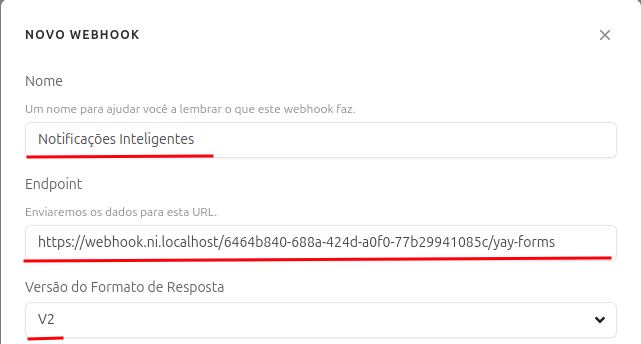
Copy the webhook provided by the platform and paste it into Yay Forms. If you need more information about the webhook, see our support article by clicking here.
Not sure where to find the URL? Click here and view the tutorial.
⚠️ Required fields in the form
To ensure notifications work correctly, your form must include the name and phone fields.
The system identifies fields whose title contains the words name and phone. The first field found with these words will be used as a reference to capture the lead data.
Conclusion
You now know how to create and identify the integration in Notificações Inteligentes, connect it to your chosen Yay Forms form using a webhook, and ensure your form includes the required name and phone fields so lead data is captured correctly and notifications work as expected.