This article will help you connect WebConnect to your Kommo account and link it with Yay Forms using a webhook, so you can complete the integration and optionally auto-populate fields with lead responses.
Accessing the Kommo panel and adding WebConnect
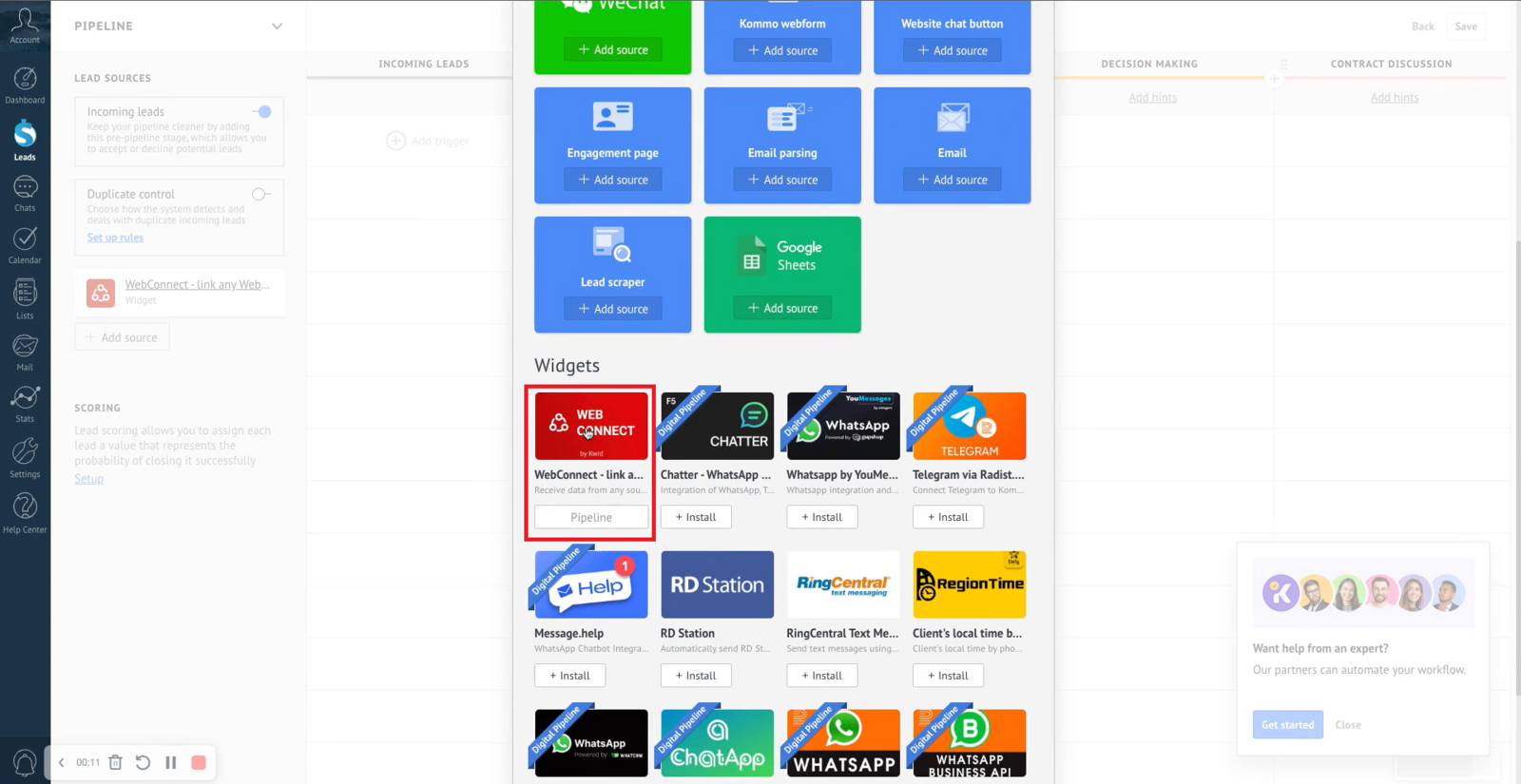
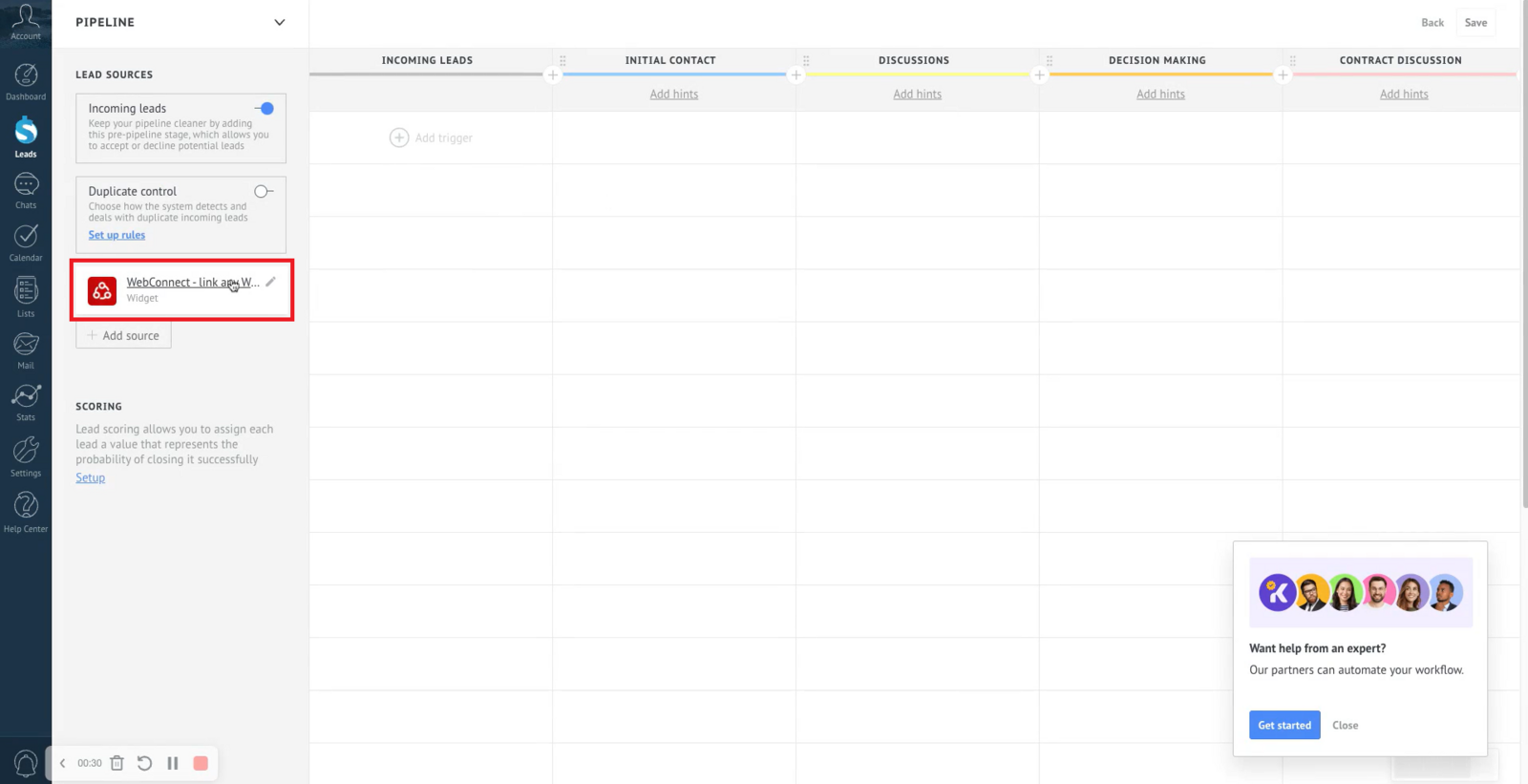
First, access your account in the browser and go to the main dashboard. Then, in the left-side menu, find the Add Source option and click it. This will open a window where you can add new sources or integrations. In the list of available options, look for WebConnect and select it to start the installation process. After installation, just click WebConnect to configure and integrate it with your Kommo account, as shown in the images below.
Opening settings and adding an origin
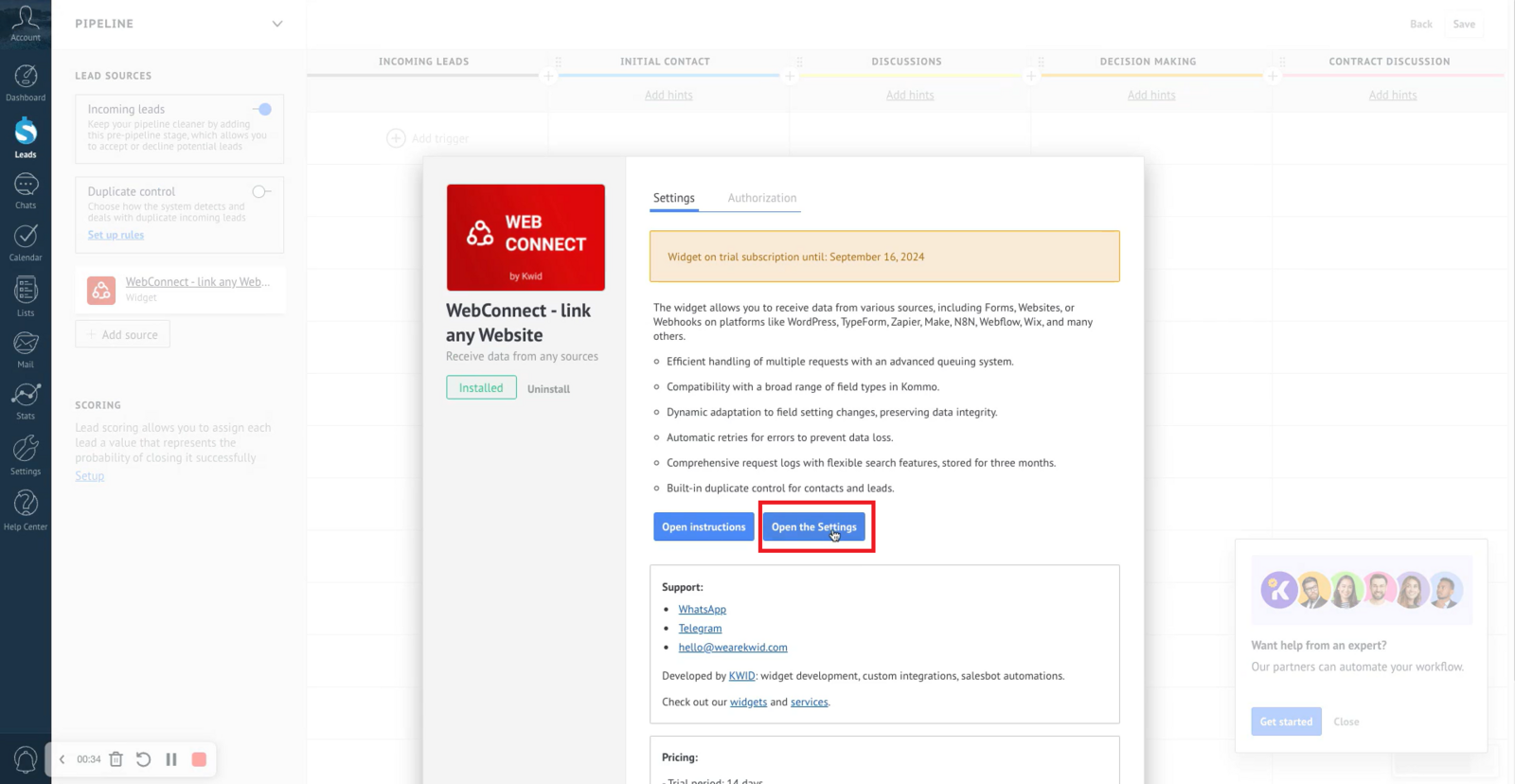
Right after that, you should click Open settings:
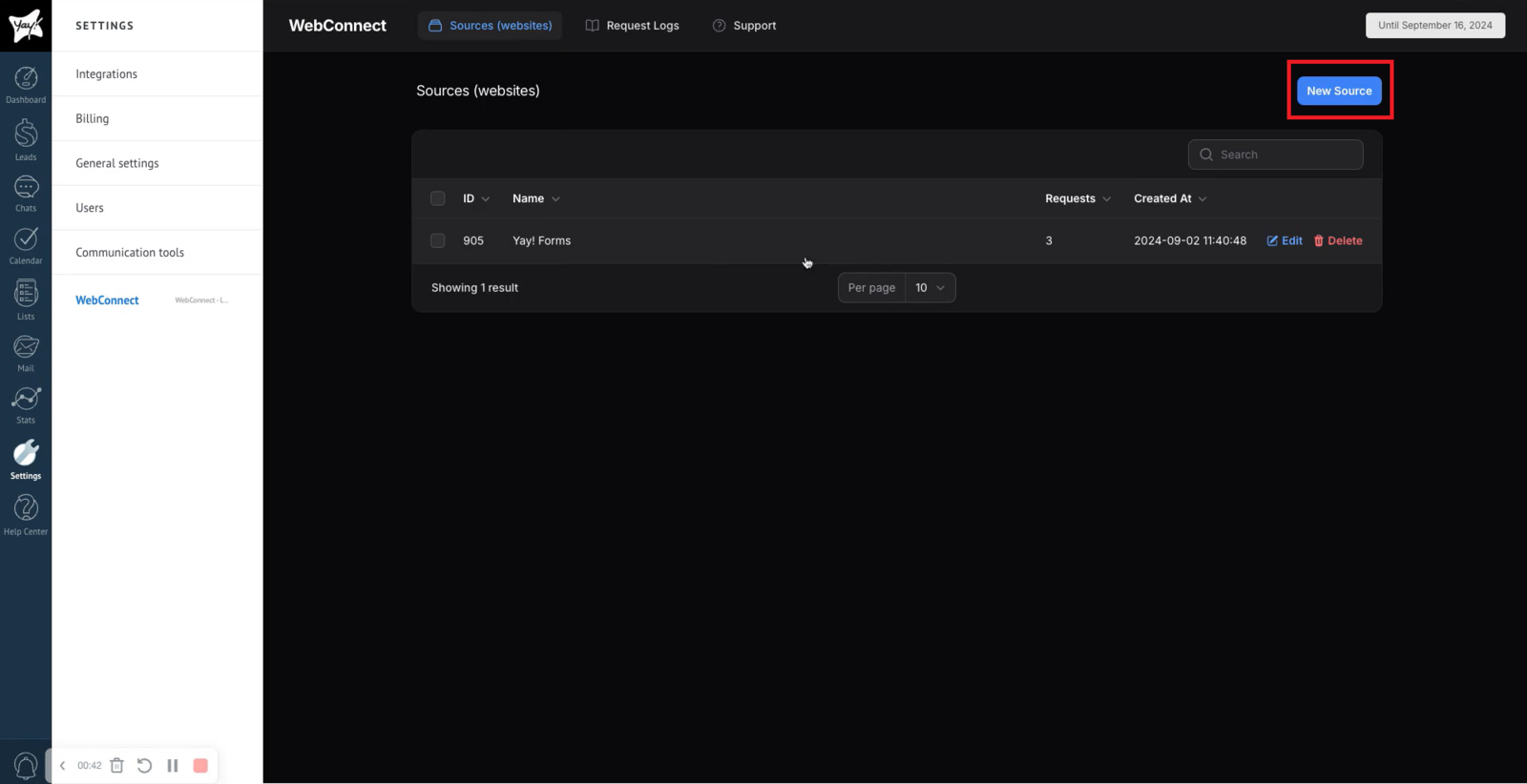
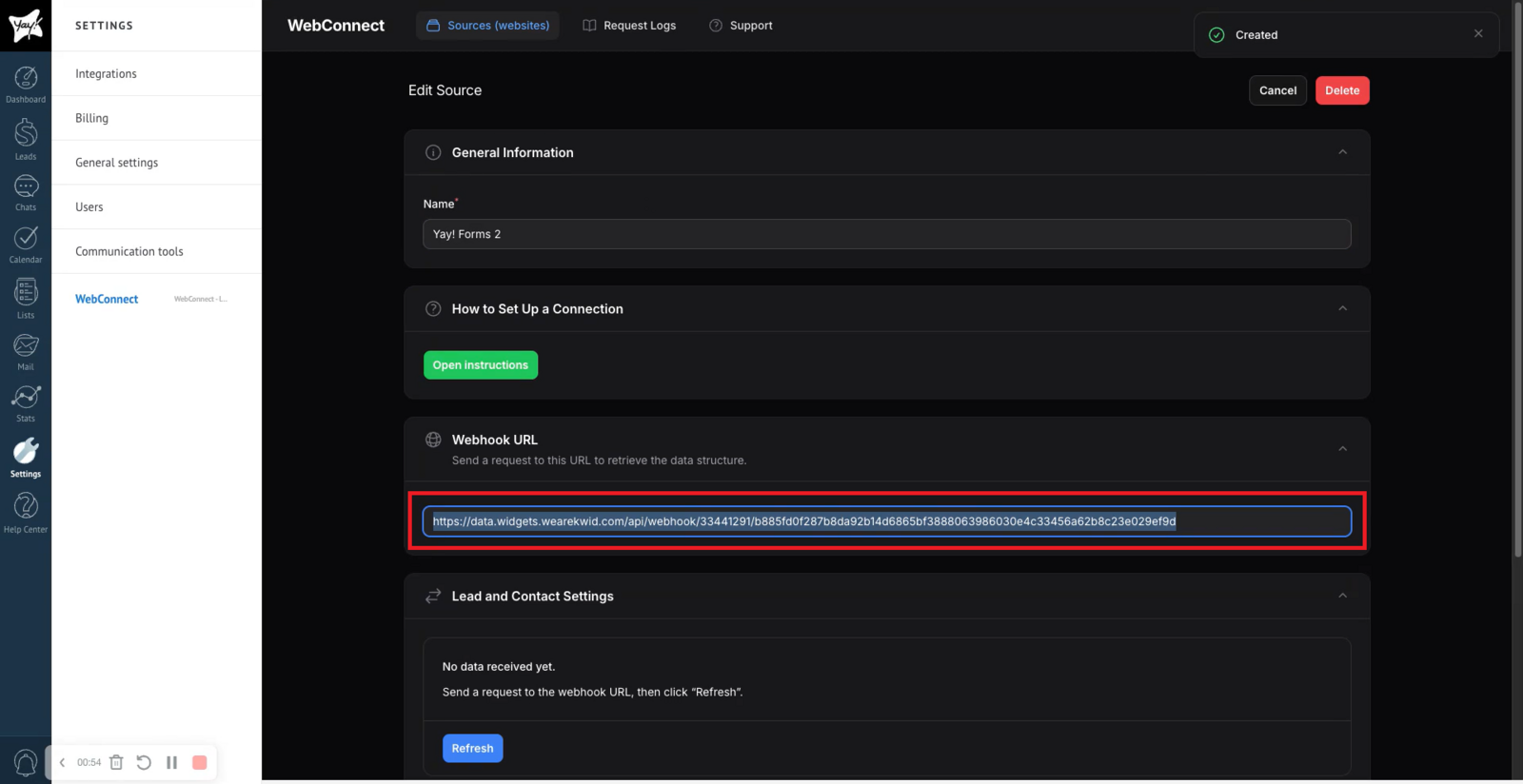
After that, click Add Origin to continue. Copy the webhook provided by the platform and paste it into the Yay Forms website, as shown in the images below. If you need more information about the webhook, see our support article by clicking here.
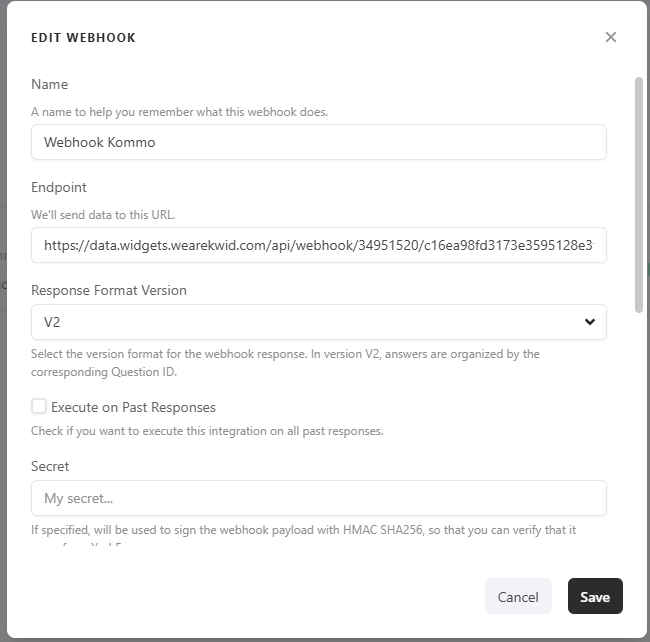
Recommended response format (V2)
We recommend using the V2 version of the Response Format to avoid issues and make it easier to map fields in Kommo because, in V2, responses are organized by the ID of the corresponding question.
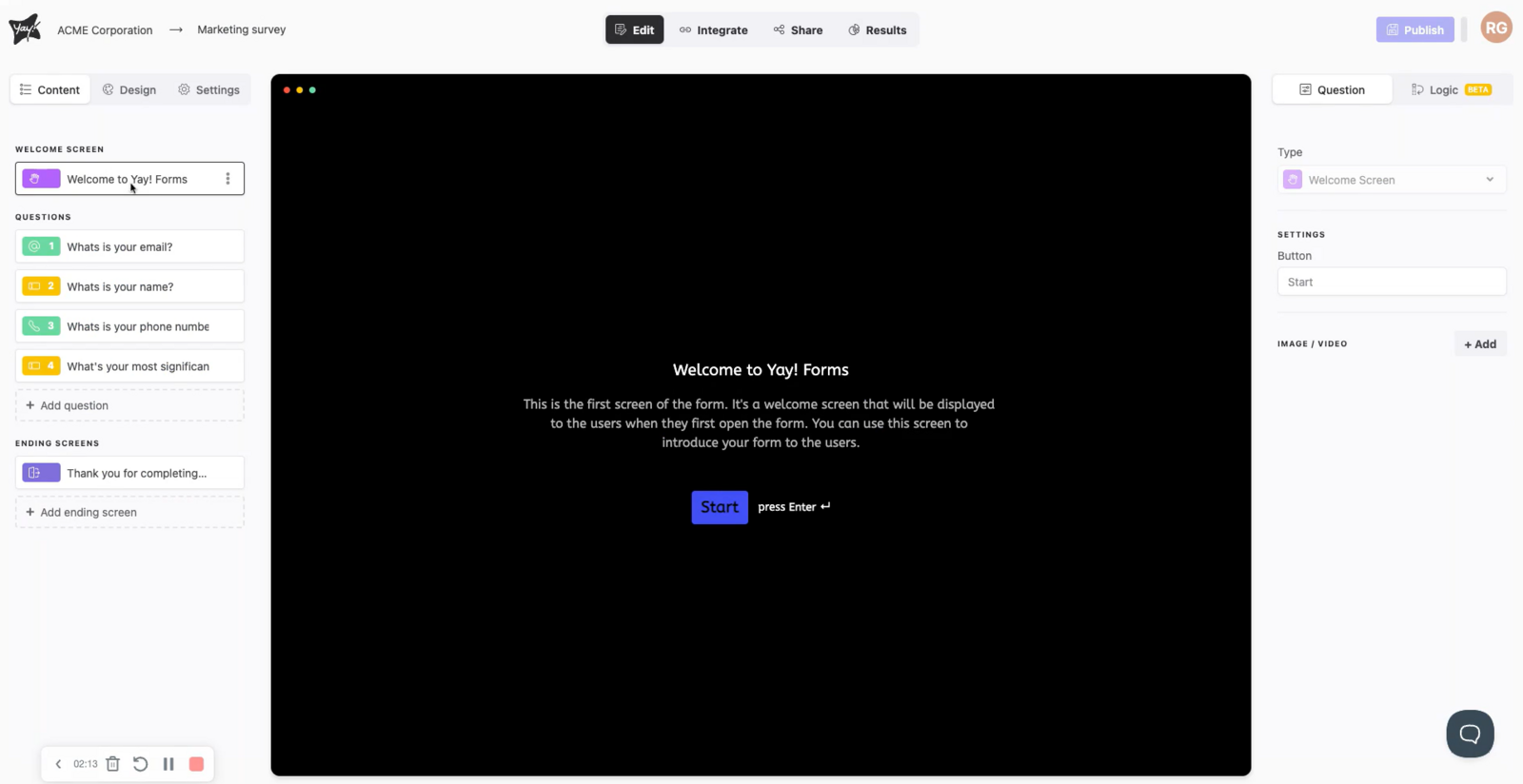
Auto-populating fields with lead responses
Great, the integration is complete! If you want to auto-populate some fields with the lead’s responses, you can do so using the format {{response_answers_posiçãodaquestao_content}}, for example, using the field what is your name? to map.

Support
If you have any questions or suggestions, send an email to [email protected]
Conclusion
You learned how to install WebConnect in Kommo, open its settings to add an origin, connect it to Yay Forms using the provided webhook, choose the V2 response format for easier field mapping, and optionally auto-populate Kommo fields with lead responses using the specified placeholder format.