This article will help you integrate Yay! Forms with MailerLite using Make, including how to set up a Yay! Forms webhook, connect your API token, and then add and connect the MailerLite module to complete the integration.
Access Make and create a new scenario
Follow the steps below to integrate Yay! Forms with MailerLite via Make:
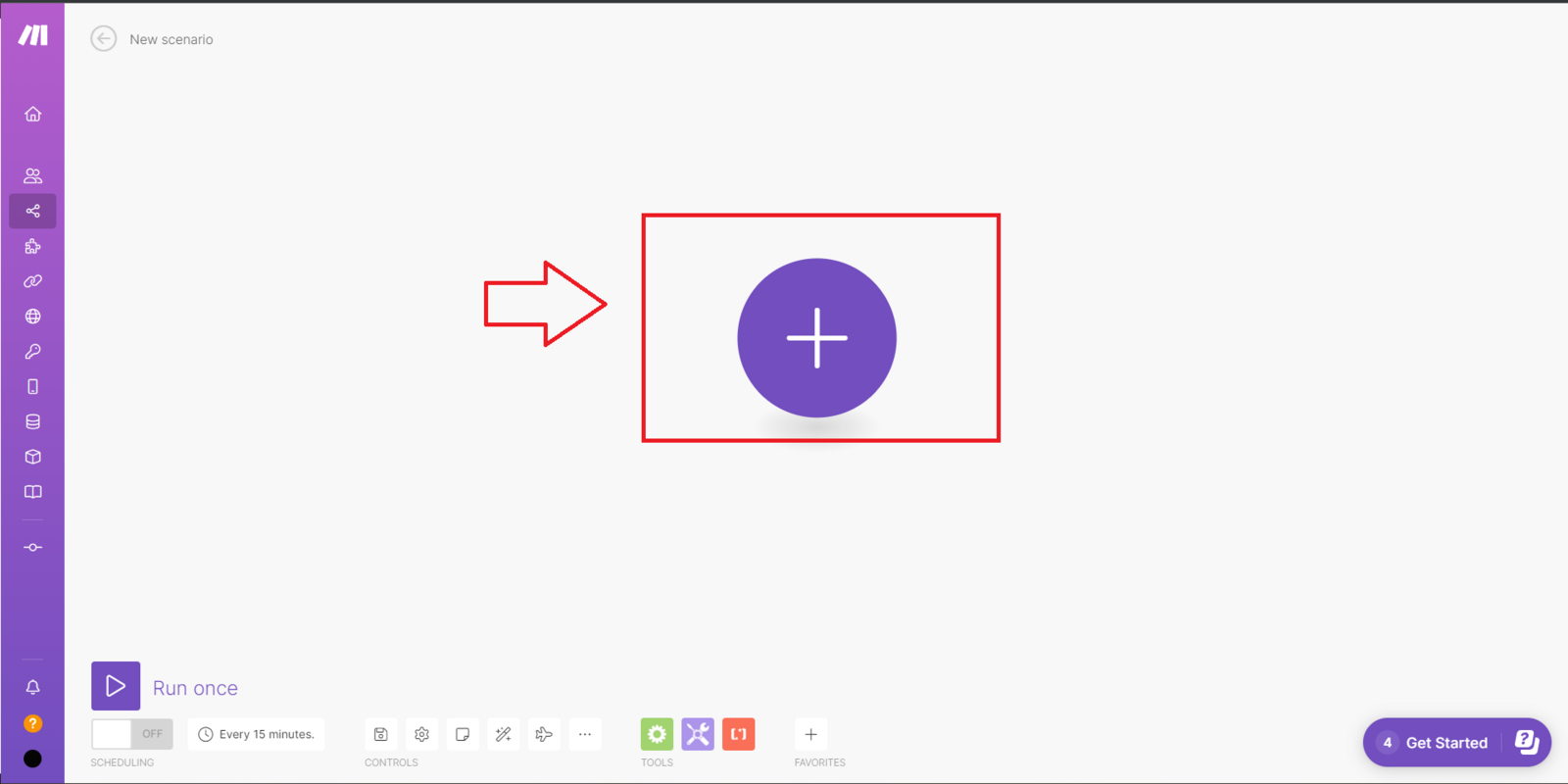
Log in to your Make account, click "Create a new scenario", then click the icon in the middle of your screen.
Add and configure the Yay! Forms module
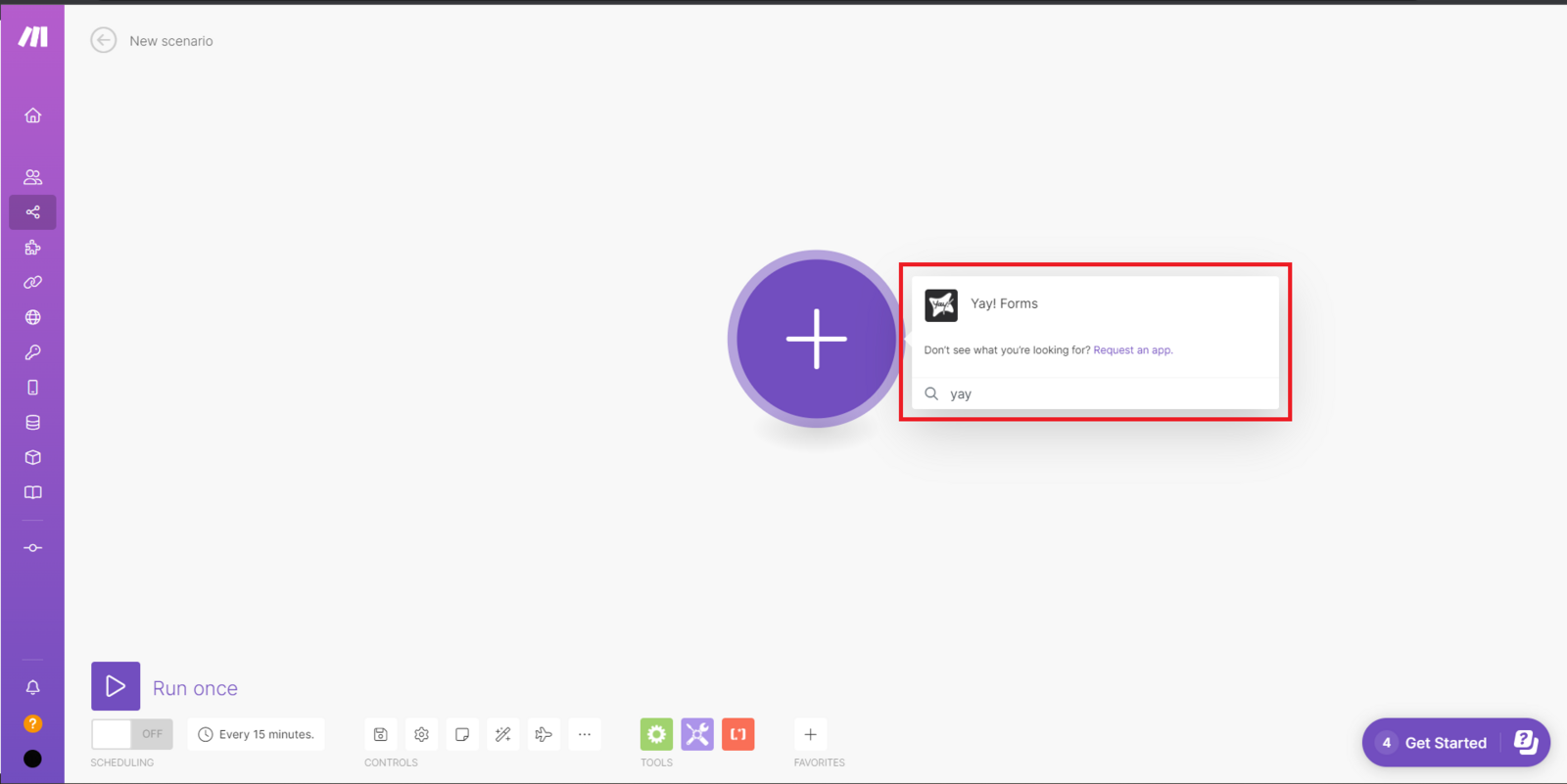
Next, search for "Yay! Forms".
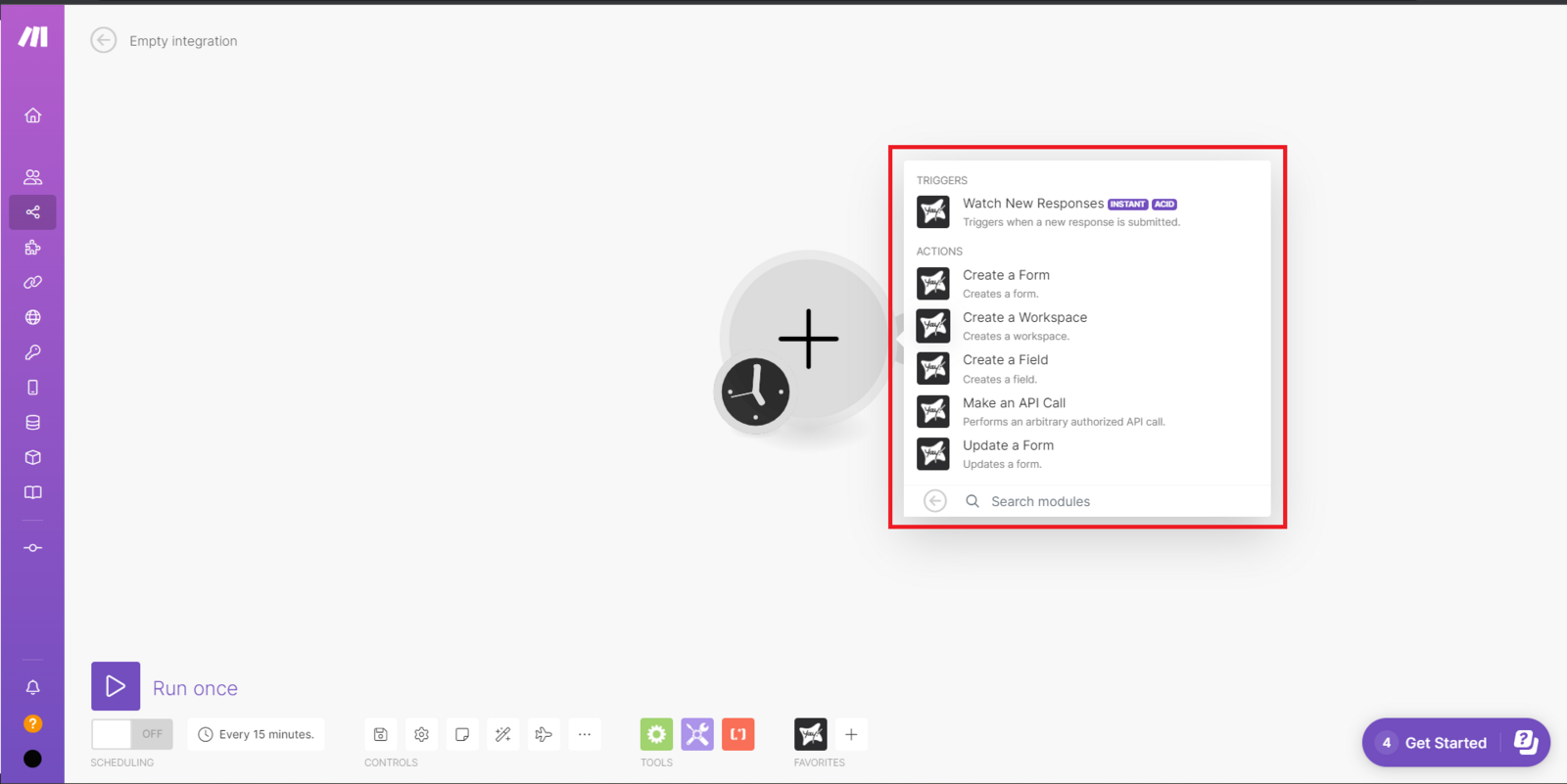
Select the module option that works best for you.
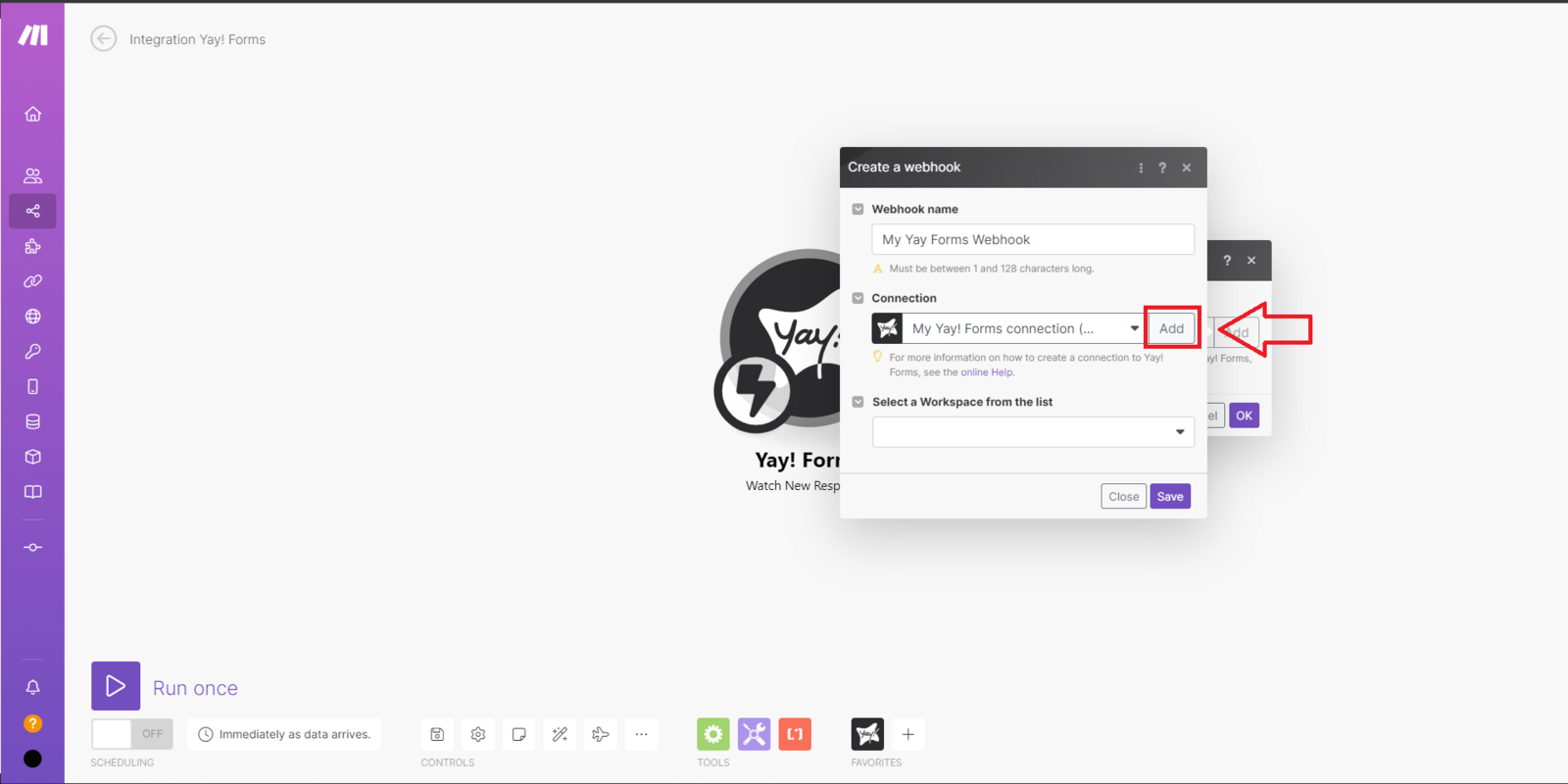
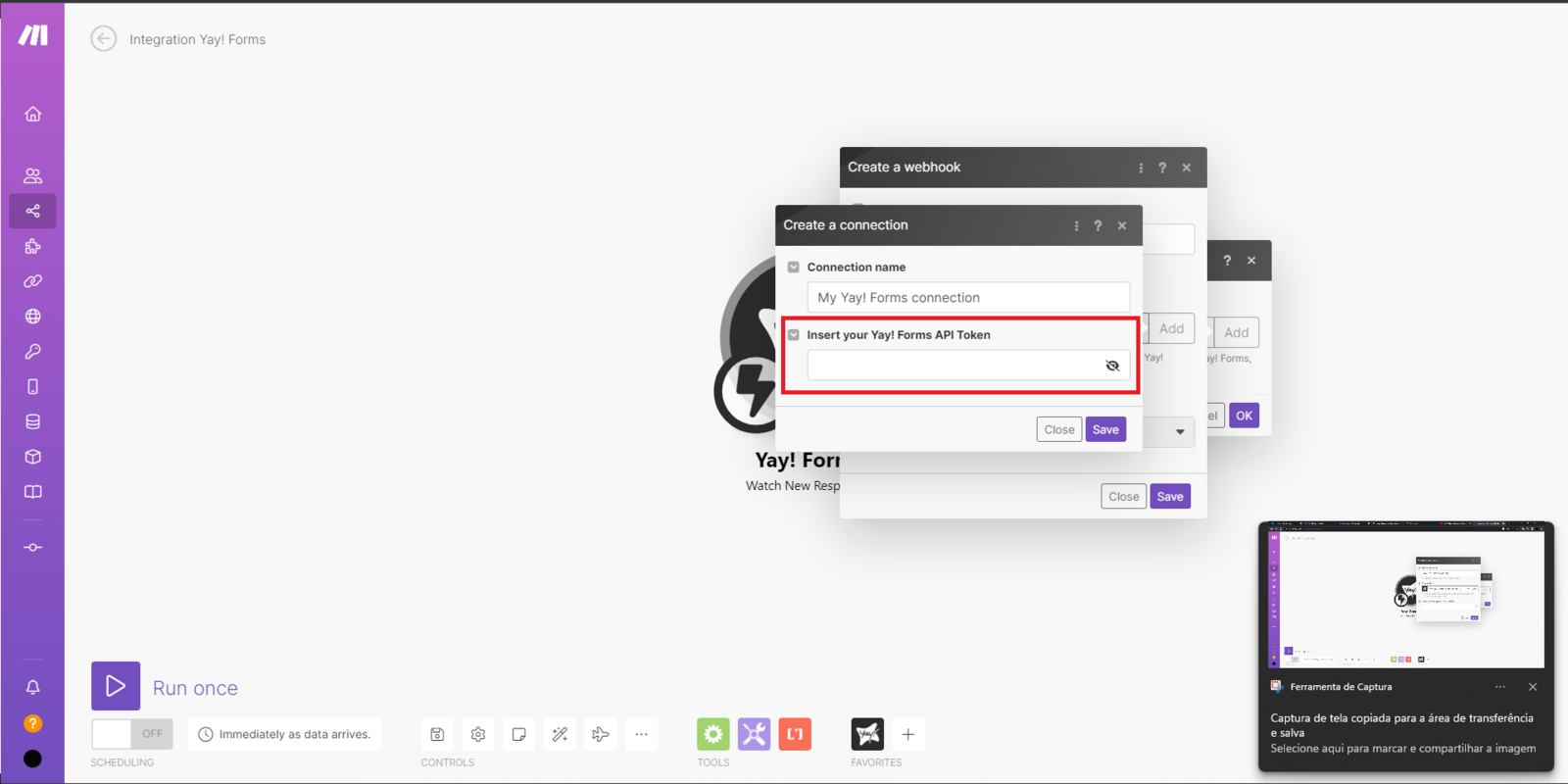
Add a name to your webhook and click Add, then add your API token as shown below:
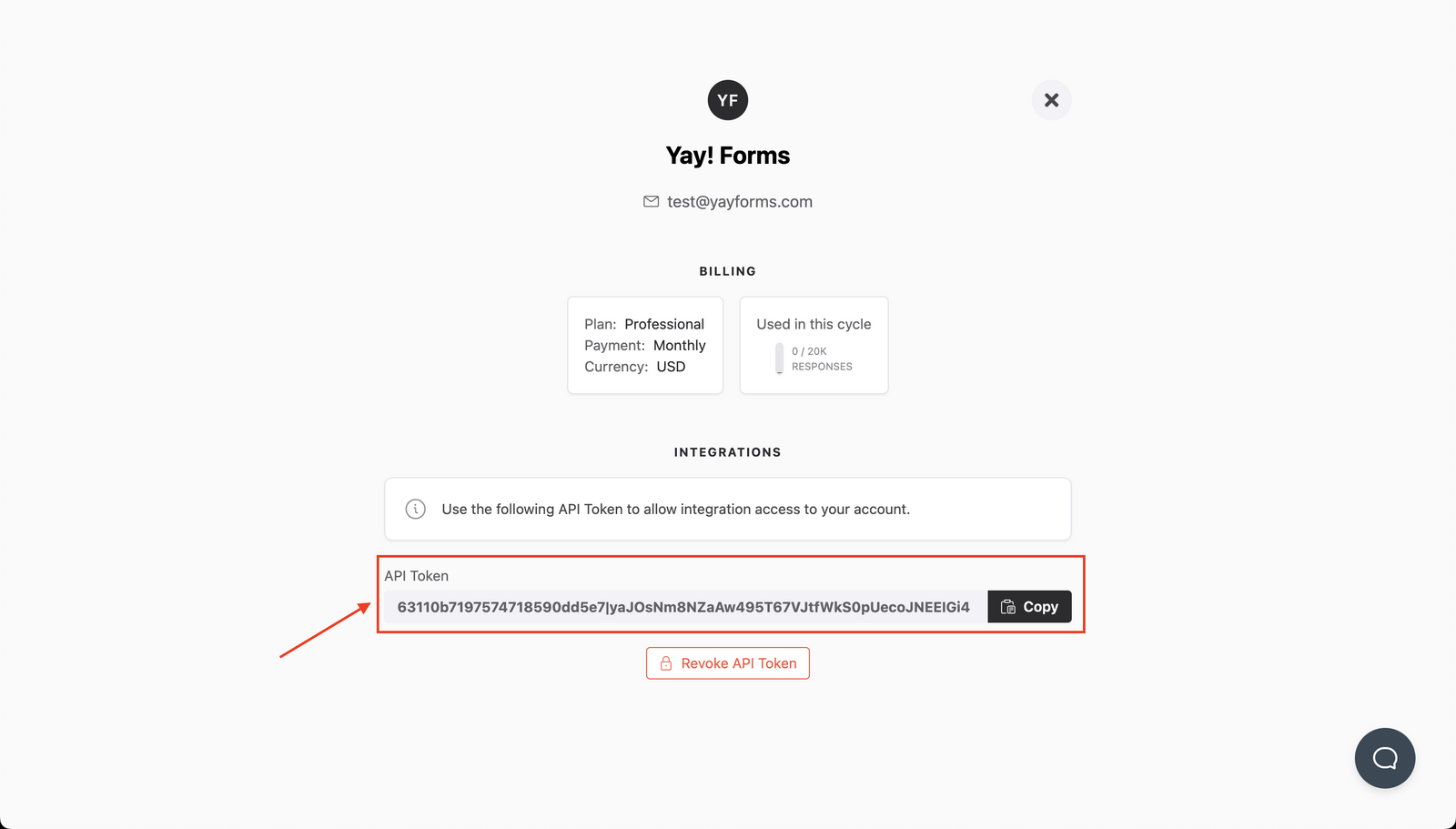
You can generate/get your API token key at https://app.yayforms.com/me, as shown in the image below:
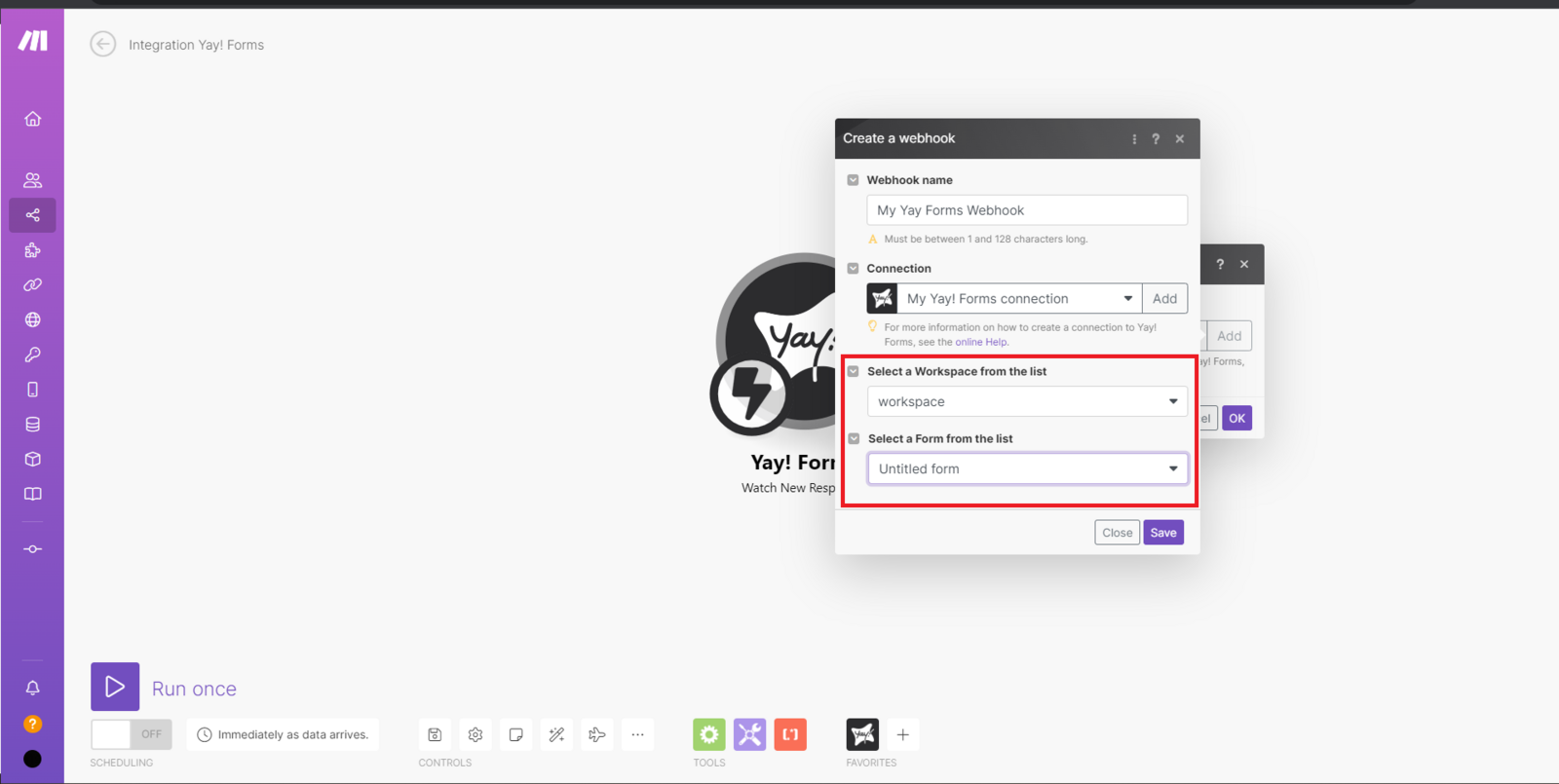
Now, simply select the workspace and the form you want to add to your webhook:
Add and configure the MailerLite module
Now that you have configured Yay! Forms, you should click "Add another module".

After that, search for MailerLite and select the integration option you prefer.

Now just connect to your account and you're done.

Conclusion
You learned how to set up a Yay! Forms webhook in Make using your API token, select the appropriate workspace and form, and then add and connect a MailerLite module to finish the integration, with additional help available via the video and support email.