This article will help you integrate Yay! Forms with MailerLite using Zapier, including connecting your Yay! Forms account with an API token and setting up a MailerLite action in your Zap.
Create a new Zap in Zapier
Follow the steps below to integrate Yay! Forms with MailerLite via Zapier:
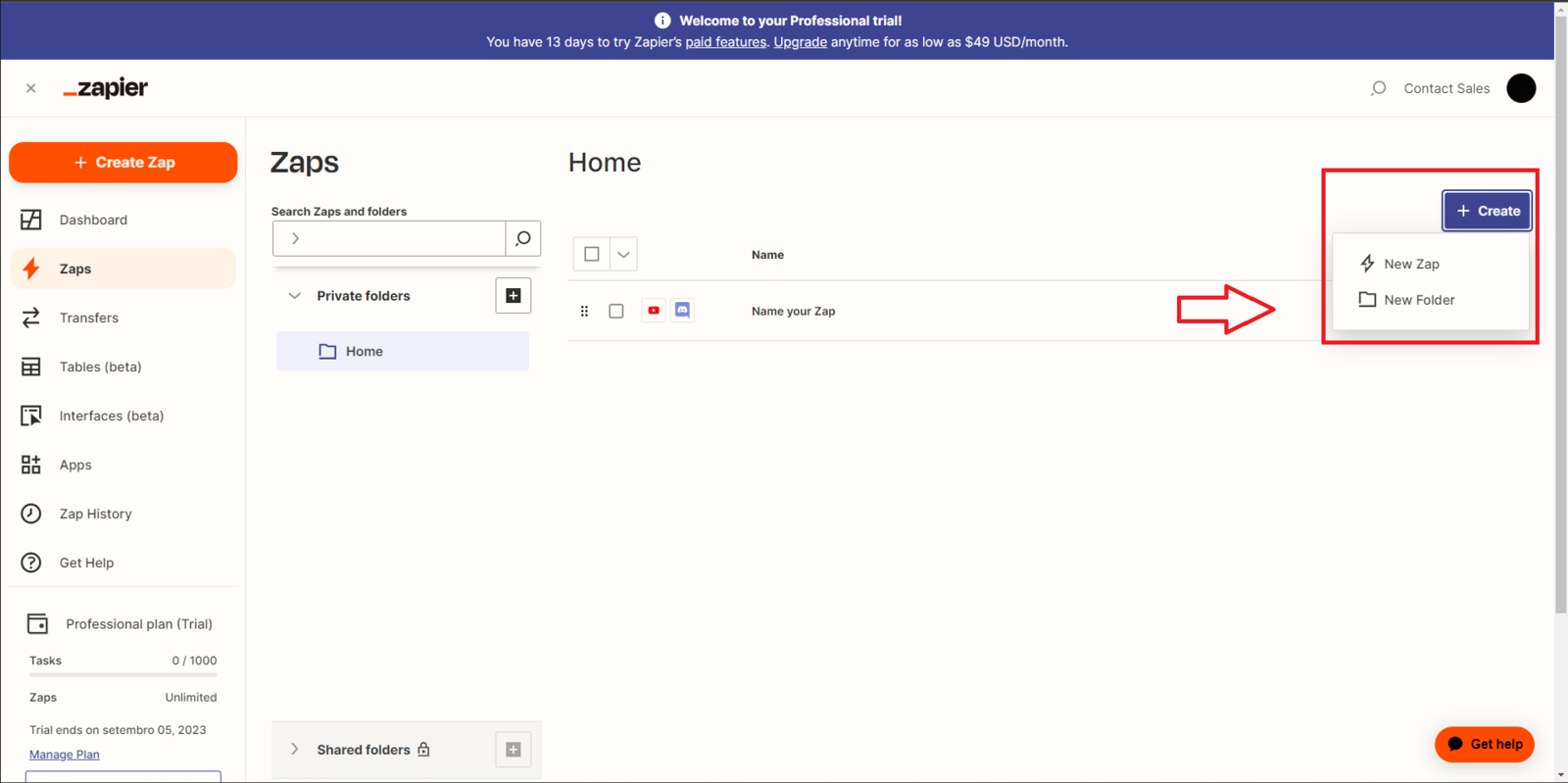
Log in to your Zapier account, click on Zaps and then "Create", and then "New Zap":
Set up the Yay! Forms trigger
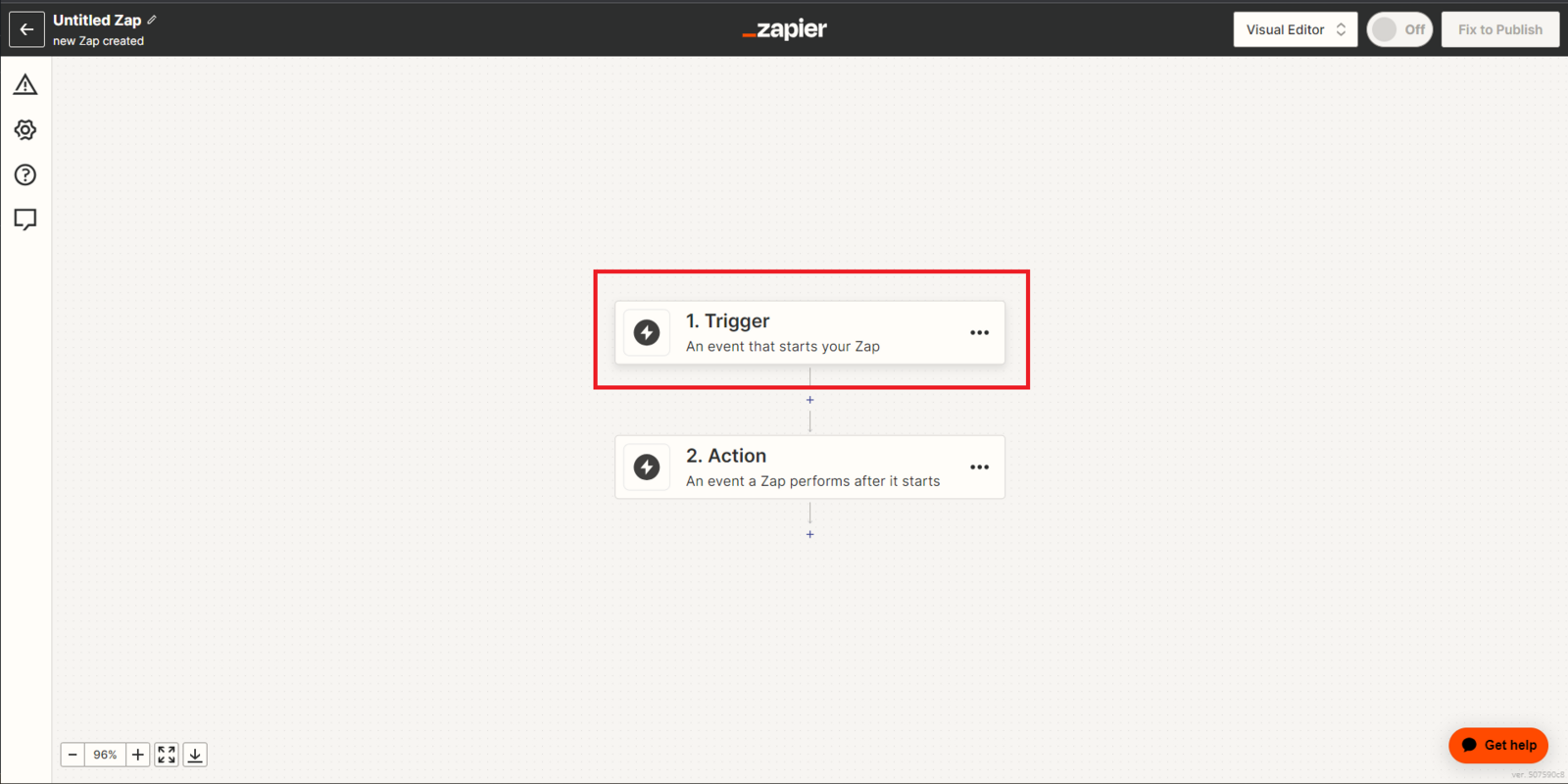
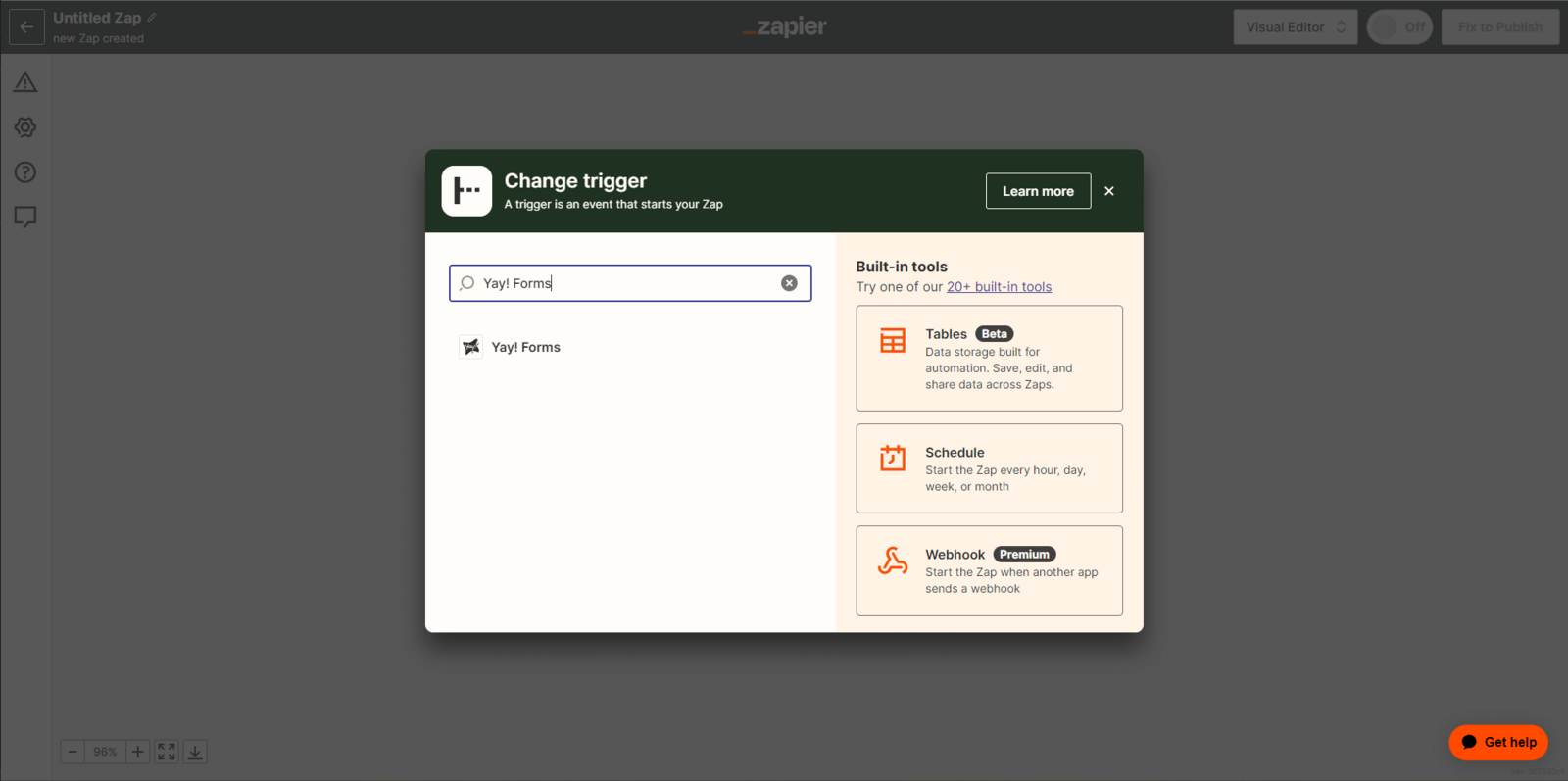
Please click on Trigger. Immediately after that, a new search tab will open where you need to type "Yay! Forms" in the search field.
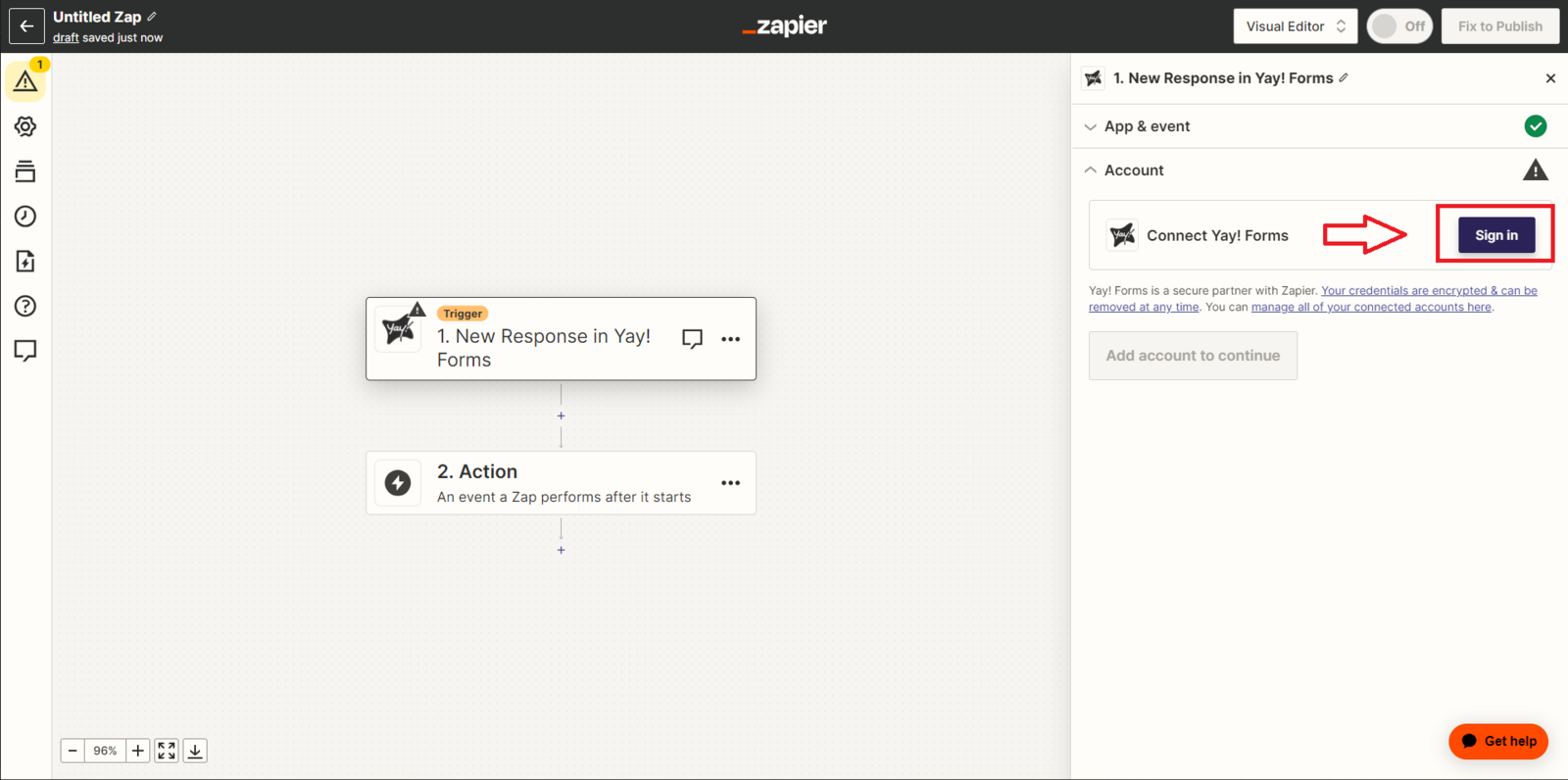
Click "Sign in" to connect to your Yay! Forms account.
Connect Yay! Forms using your API token
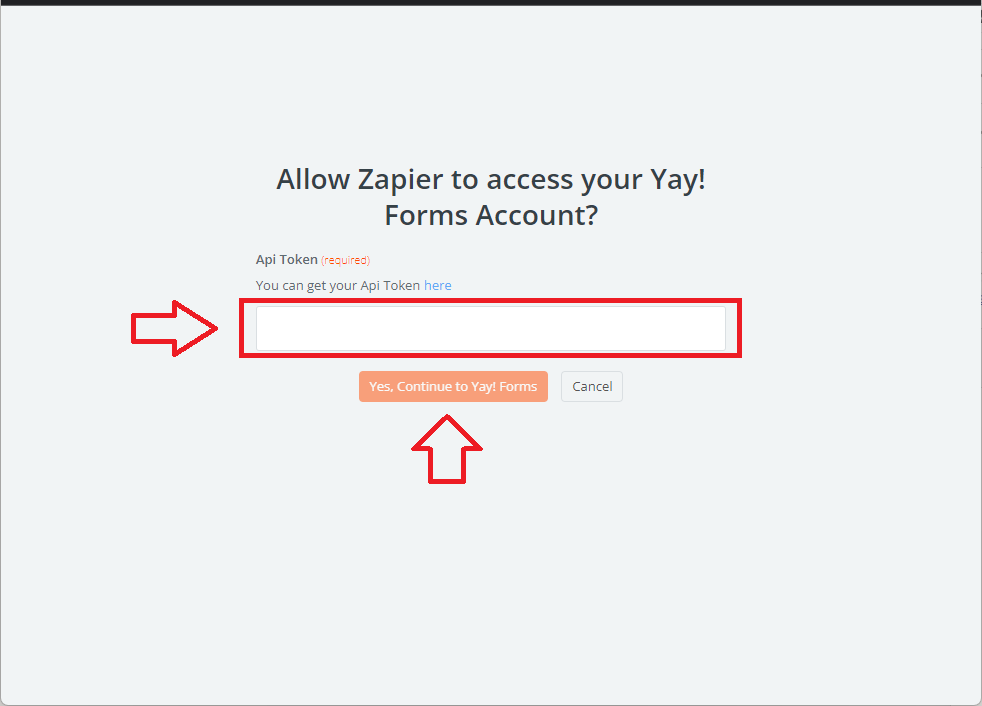
Enter your API Token in the field indicated below and press Yes, Continue to Yay! Forms.
Get your Yay! Forms API token
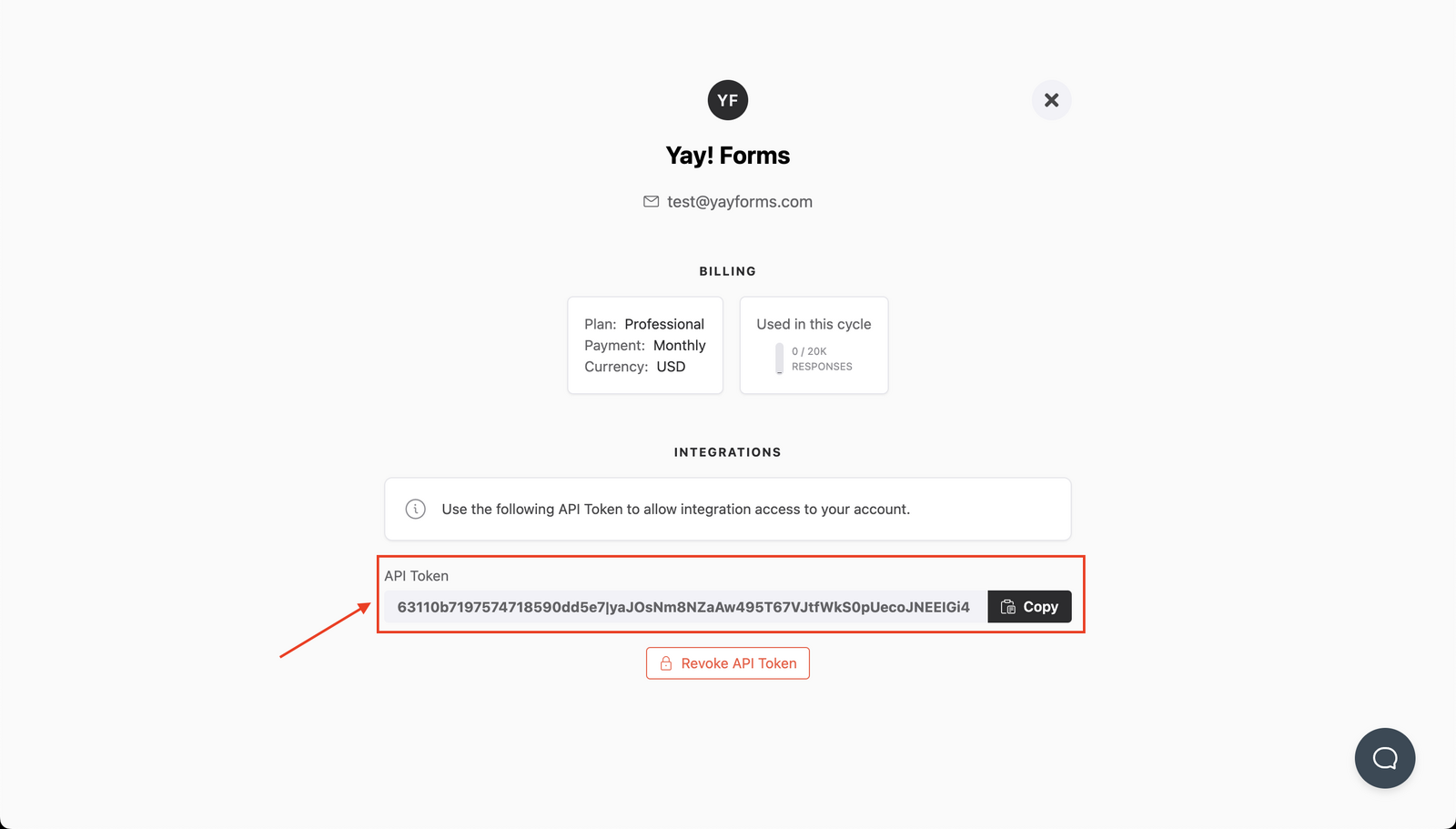
You can generate/get your API token key at https://app.yayforms.com/me, as shown in the image below:
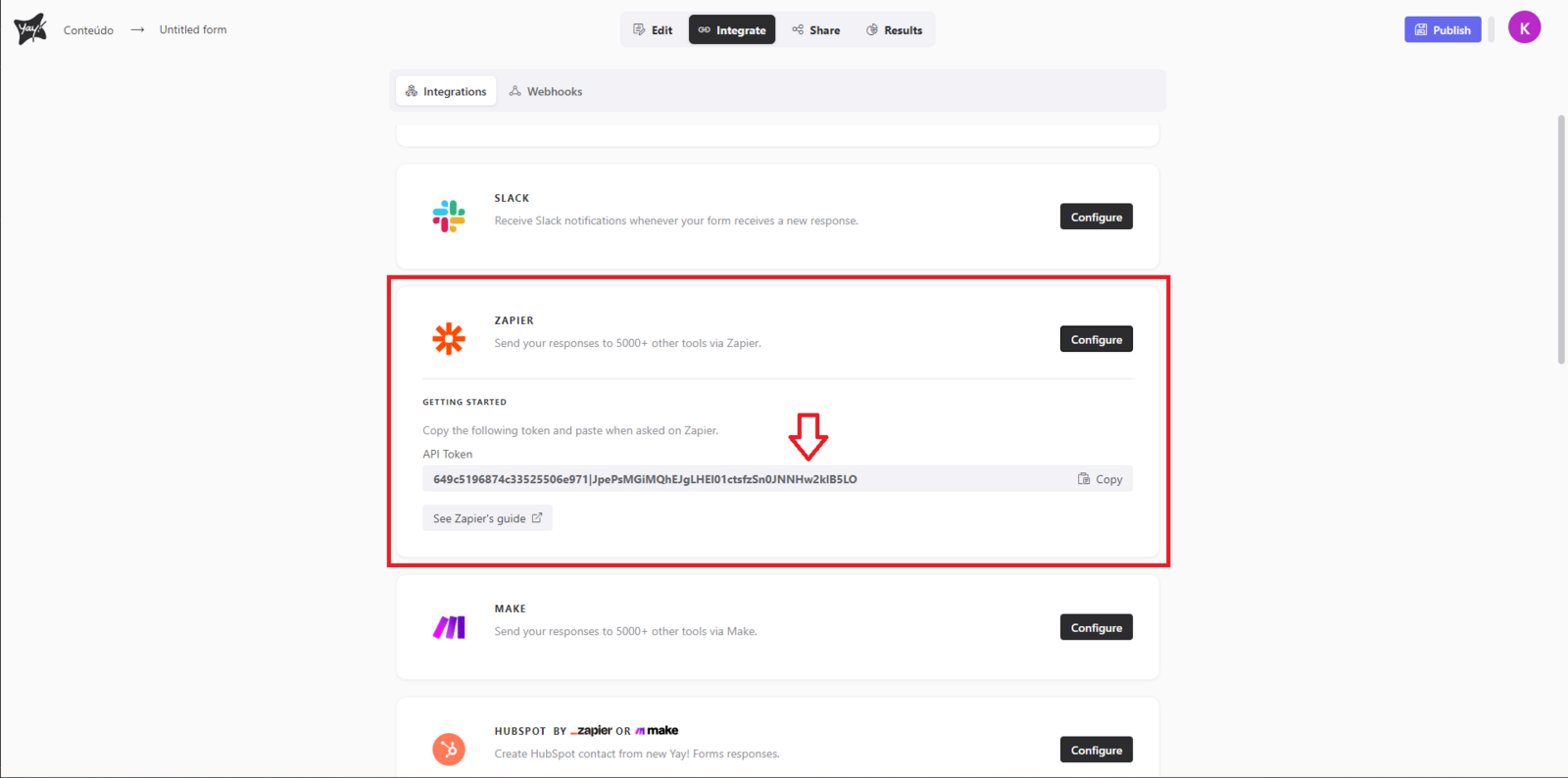
You can also get your token key from within your form under the Integrations section. You should click Configure in the Zapier field, as shown in the image below.
Add MailerLite to your Zap
After setting up Yay Forms in Zapier, you should add a new step and search for MailerLite.

Next, select the event you want and log in.


Support
We hope you enjoy the new integration :)
If you have any questions or suggestions, send an email to [email protected].
Conclusion
You now have the key pieces needed to connect Yay! Forms to MailerLite in Zapier: creating a new Zap, connecting Yay! Forms with an API token, and selecting and authenticating a MailerLite event to complete the integration.