This article will help you integrate Yay! Forms with Microsoft Clarity, so you can connect a form to a Clarity project using your project code.
Integrating Yay! Forms with Microsoft Clarity
Follow the steps below to integrate Yay! Forms with Microsoft Clarity:
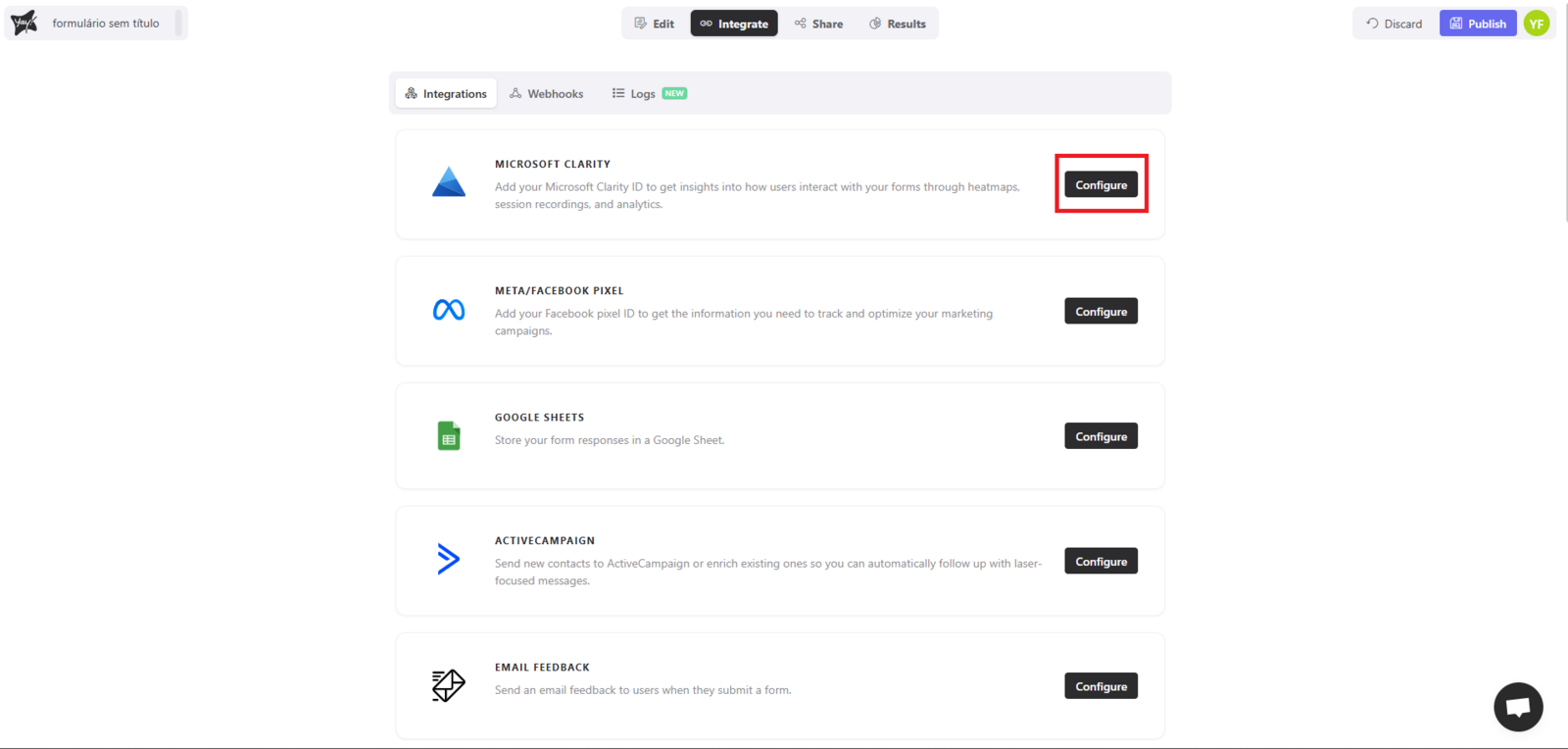
First, access the desired form and select the Integrate tab. At this point, you will find the Microsoft Clarity option. Click Configure to proceed with the integration.
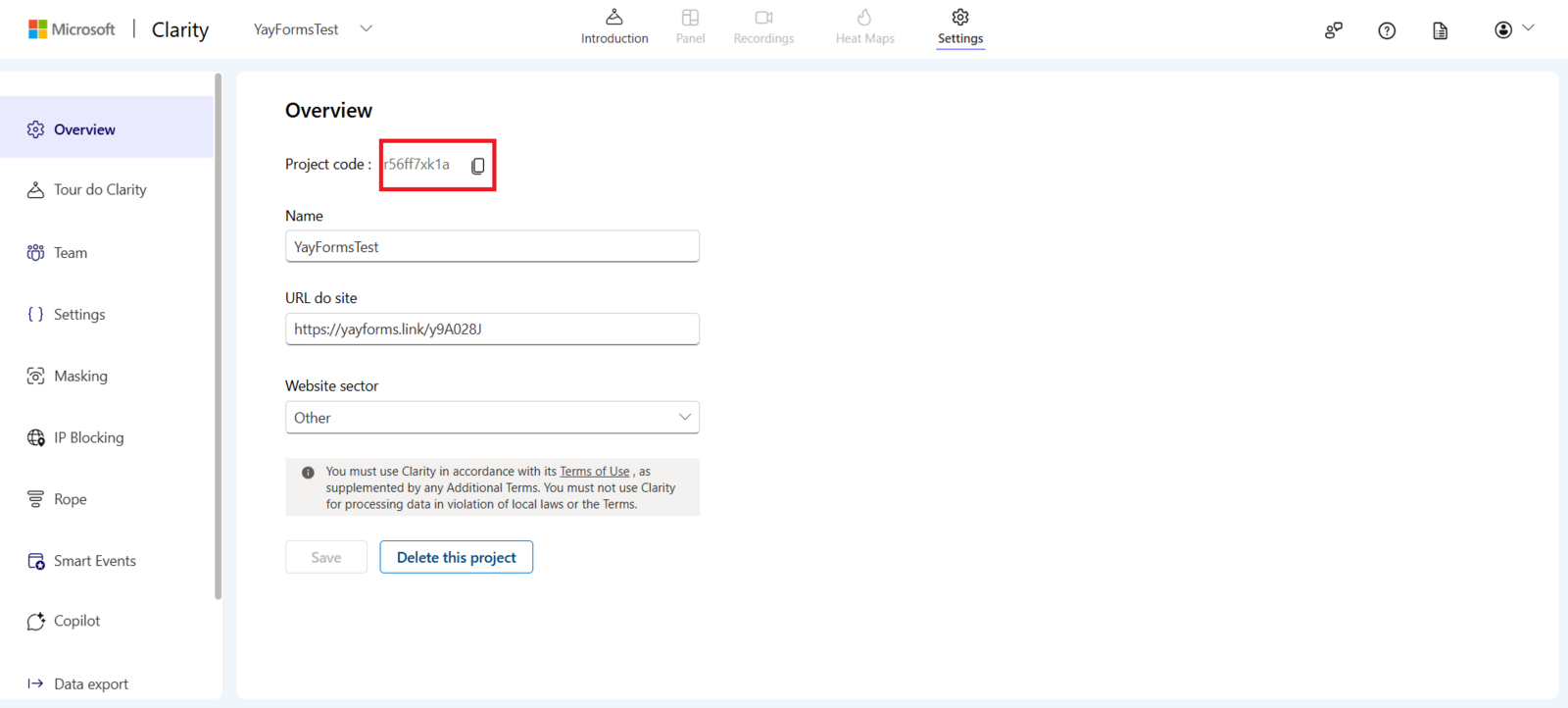
Next, within your Project, copy the project code, as shown below:
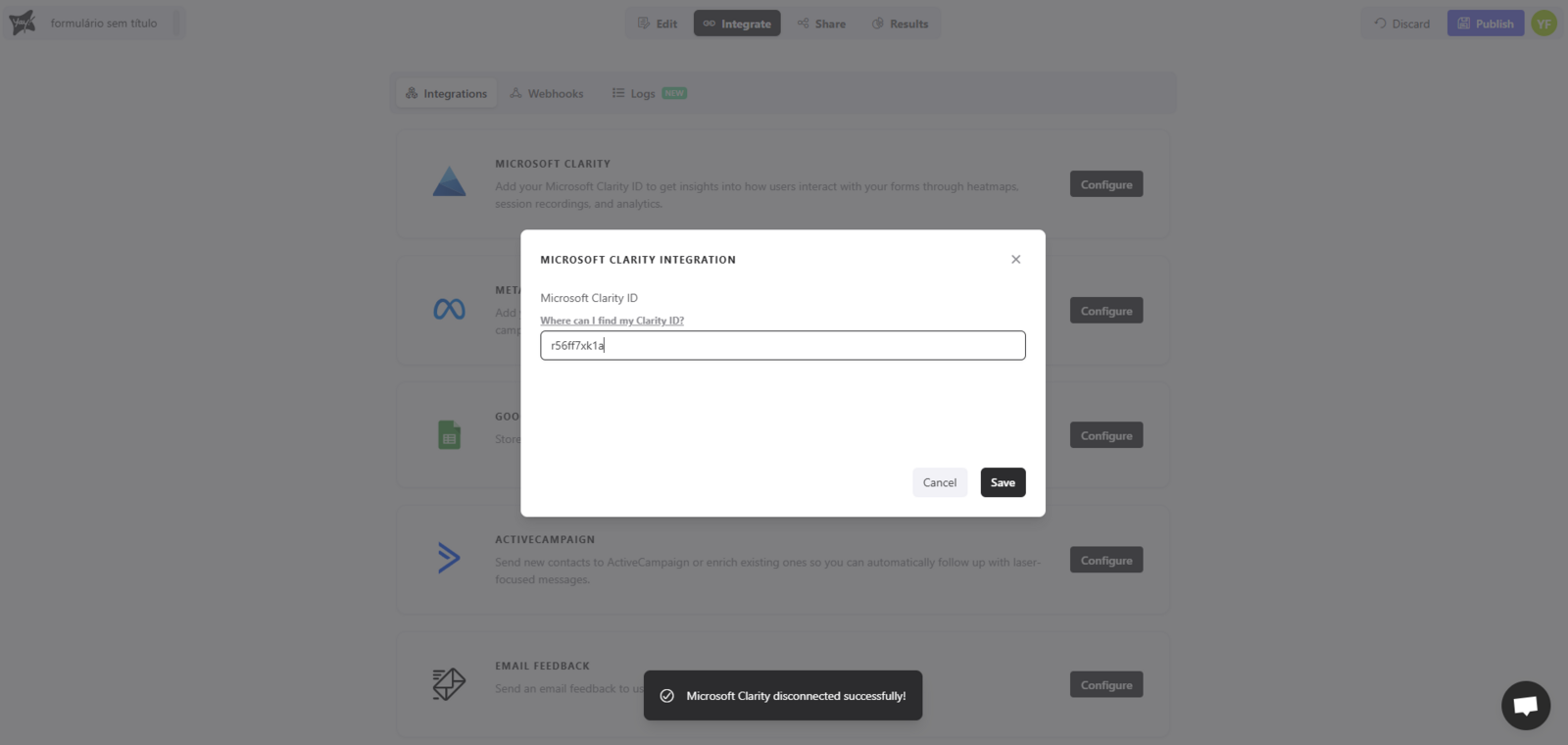
Finally, paste the code into the integration, as demonstrated below:
Support
We hope you enjoy the new integration :)
If you have any questions or suggestions, send an email to [email protected].
Conclusion
You now have the essentials to connect a Yay! Forms form to Microsoft Clarity by locating the integration option, copying your Clarity project code, and adding it to the integration setup.