This article will help you integrate Yay! Forms with Pipedrive by guiding you through where to find the integration option, how to set up the required connection in Make, and how to finalize the configuration so your accounts work together.
Accessing the integration option in Yay! Forms
Follow the steps below to integrate Yay! Forms with Pipedrive:
First, access the desired form and select the Integrate tab. At that moment, you will find the option related to Pipedrive. Click Configure to proceed with the Pipedrive integration.


Setting up Make and connecting Yay! Forms
Now you should open your Make account. After that, you must set up your Yay! Forms account in Make. To do this, follow this tutorial by clicking nesse link.
Configuring Pipedrive in Make
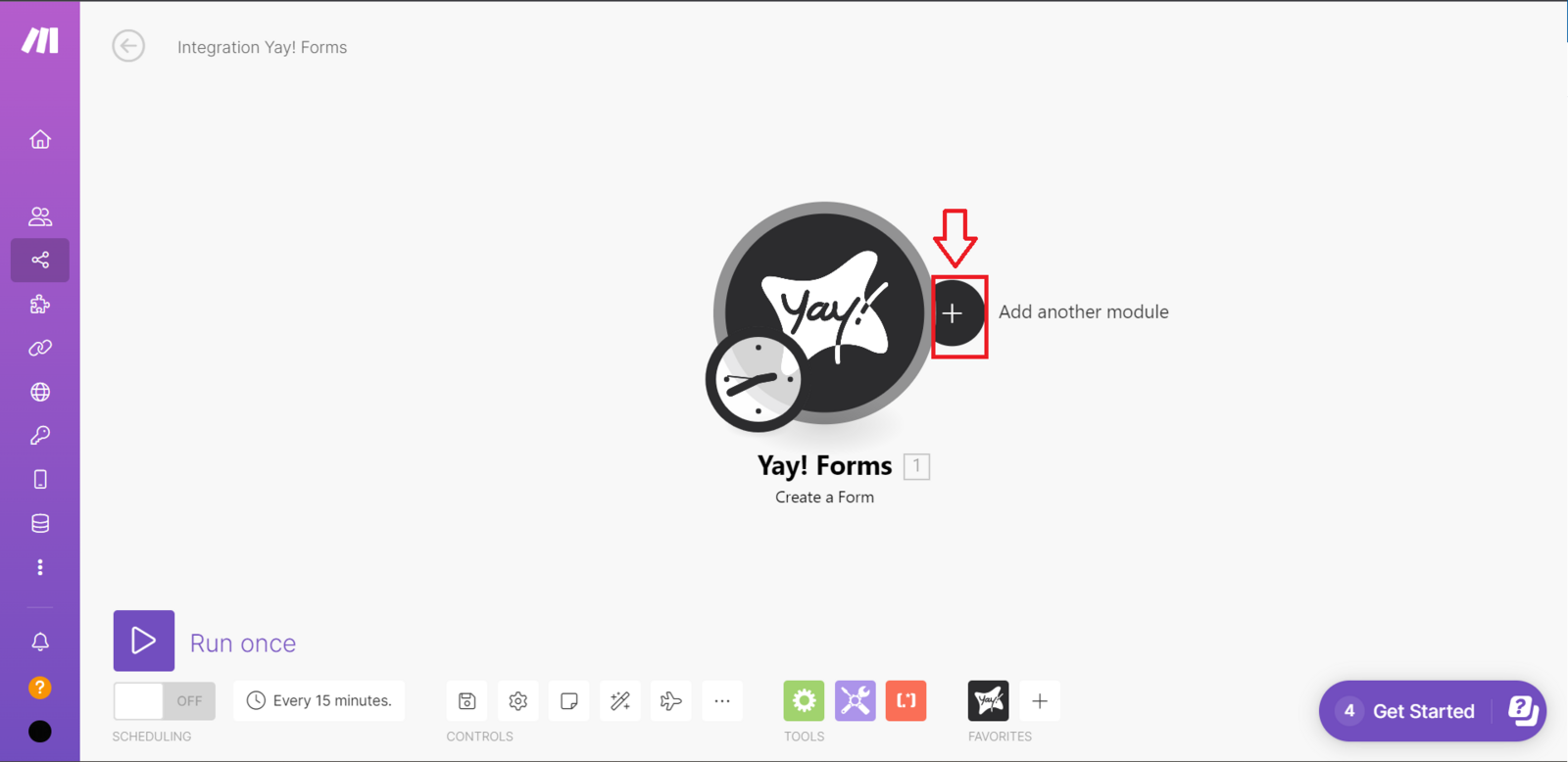
After setting up Yay! Forms, you should configure Pipedrive. To do that, click the button as shown below and search for Pipedrive. Then, you will need to choose the setup you prefer.
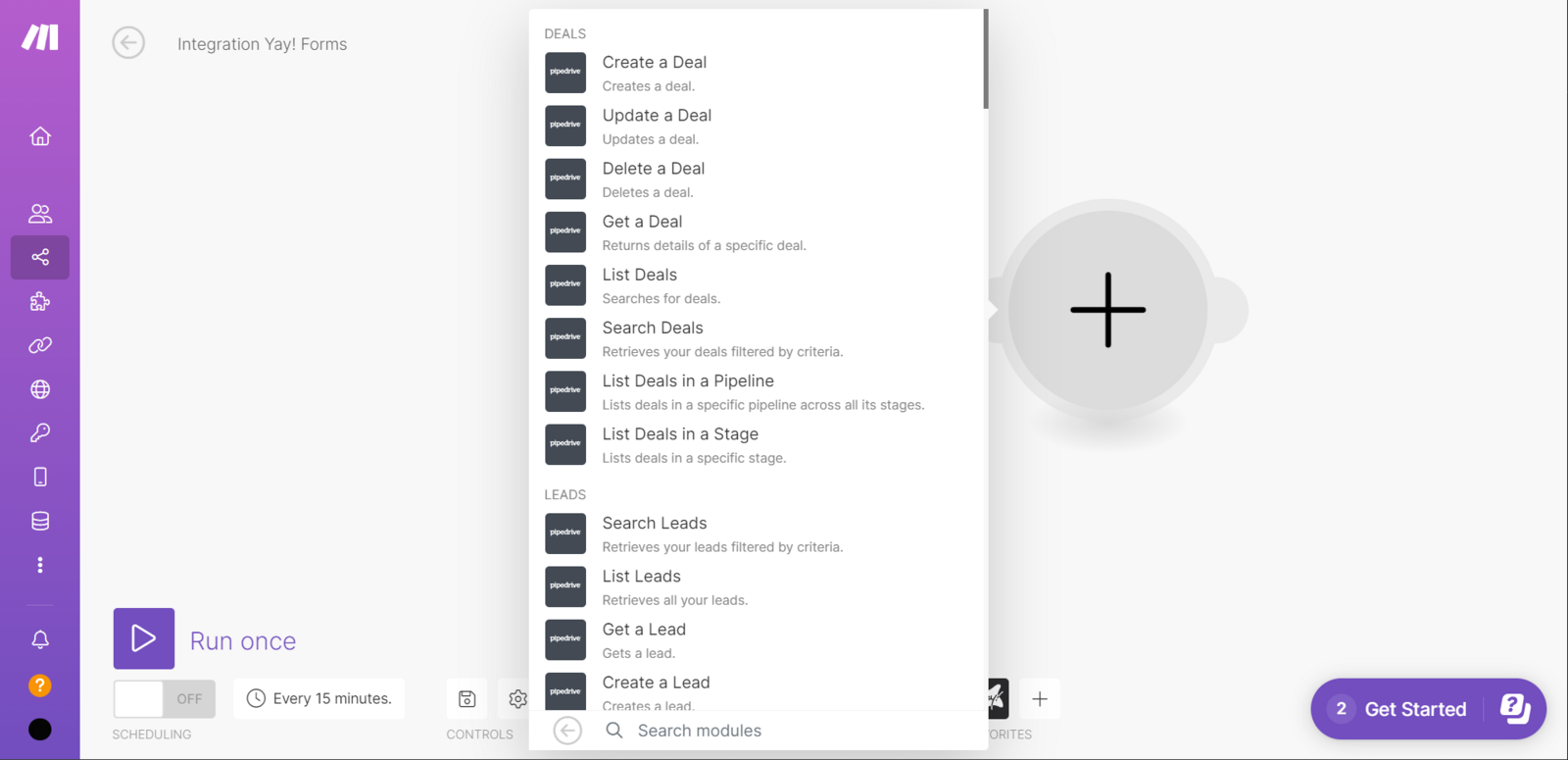
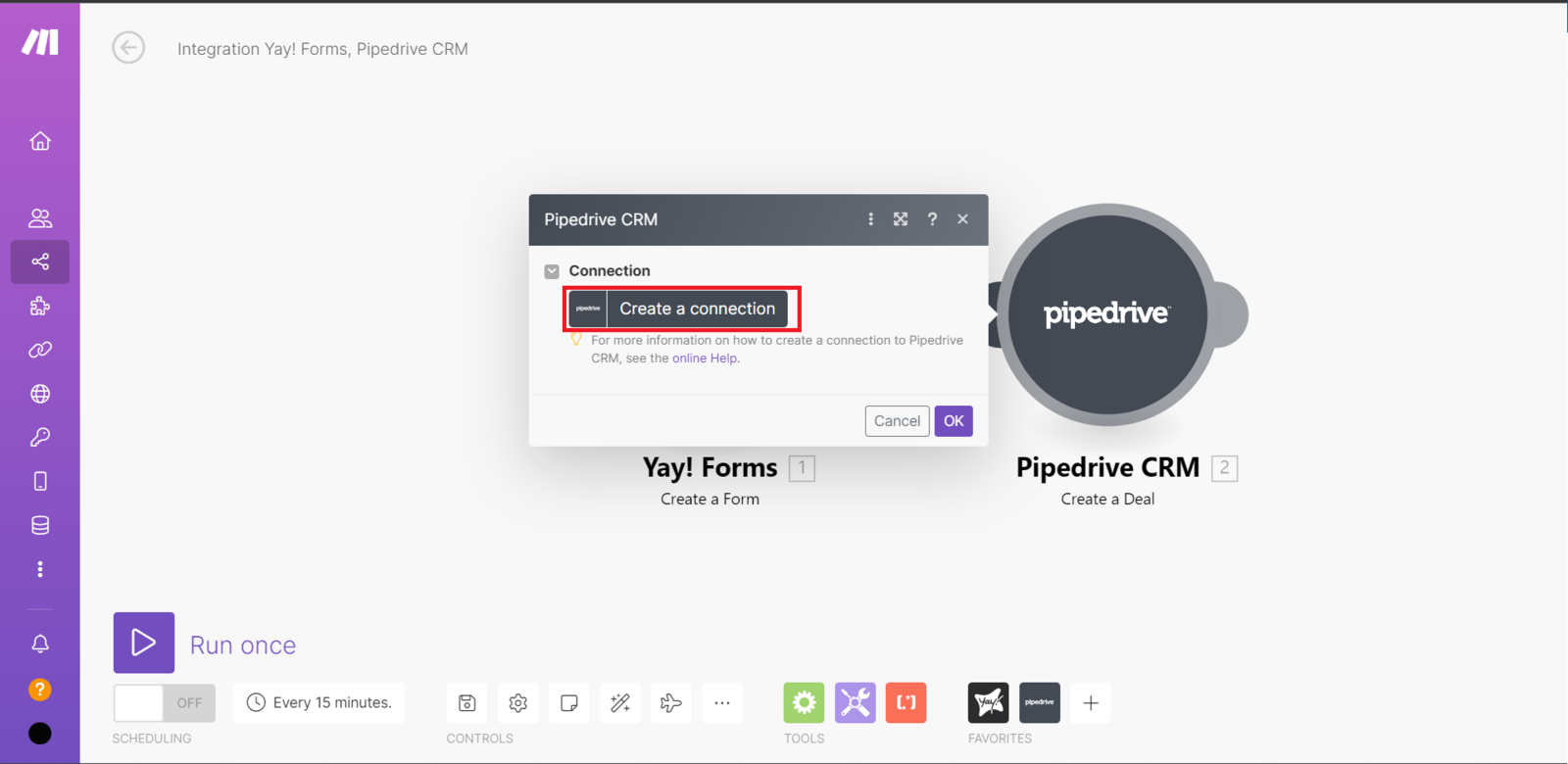
Then, right after that, you should click Create a connection and then select the type of connection you prefer to connect your Pipedrive account.
Finalizing the integration
Now just finish the setup however you prefer, and your integration with Pipedrive is complete.
and support
We hope you enjoy the new integration :)
If you have any questions or suggestions, send an email to [email protected].
Conclusion
You now know where to initiate the Pipedrive integration in Yay! Forms, how to set up the necessary connections in Make, and how to complete the configuration, with a video and support contact available if you need additional guidance.