This article will help you integrate Yay! Forms with WhatsApp so you can receive form notifications and optionally send a message along with responses.
WhatsApp Integration Setup
Follow the steps below to integrate Yay! Forms with WhatsApp:
First, access the desired form and select the Integrate tab. Just scroll down and you will find the option related to WhatsApp. Now, click configure, as shown in the image below:
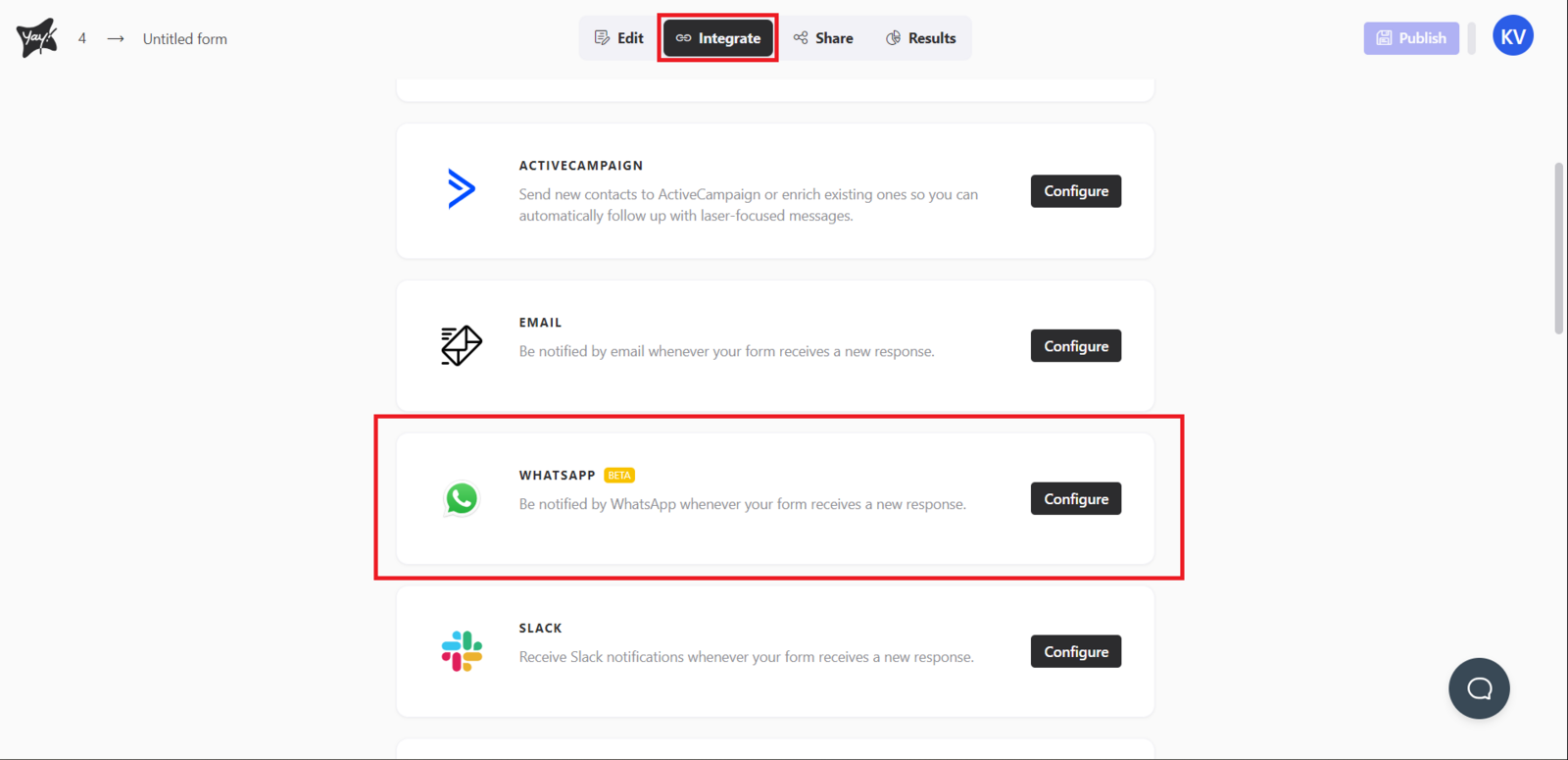
Now, just enter the phone number where you want to receive notifications related to your form, and if you want to send a message along with the responses, just fill in the second field.
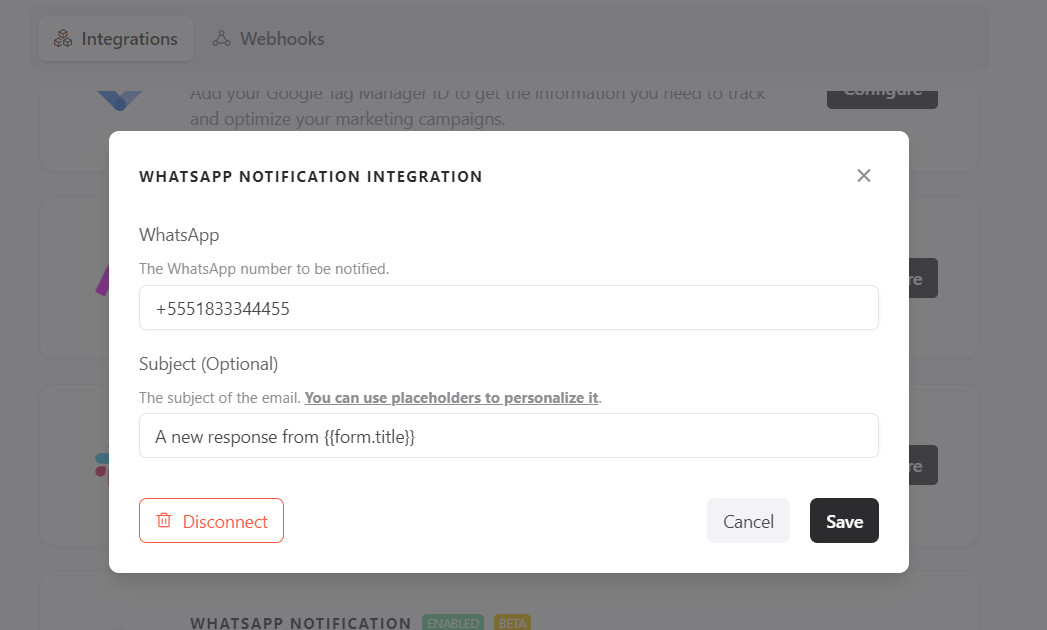
Remember that you can use placeholders in your message. If you have any questions about how to use them, you can follow this explanation link: Guia de Placeholders para Personalização do Emails e Mensagens.
Managing the Integration
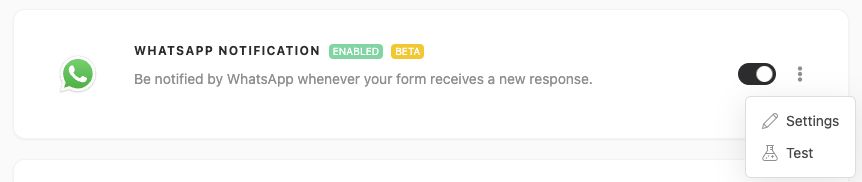
After setting up your integration, you can easily enable or disable it by clicking the button below. In addition, you can adjust the settings or test it by clicking the three dots.
Important Notes
-
Fill Out the Form
For the test to be sent correctly, the form must have at least one valid response submitted. -
Data Sending
The test will send the data from the last valid response submitted. -
Sending Status
Please note that the test does not mark the response as sent in the respective integration being tested. This is only a procedure to verify the integration.
Support
If you have any questions or suggestions, send an email to [email protected].
Conclusion
You learned how to set up the Yay! Forms WhatsApp integration, use placeholders in messages, and manage the integration by enabling, disabling, adjusting settings, and running tests.