This article will help you integrate Yay! Forms with Zapier by connecting your Yay! Forms account to Zapier and locating the API token needed to complete the connection.
Create a new Zap in Zapier
Follow the steps below to integrate Yay! Forms with Zapier:
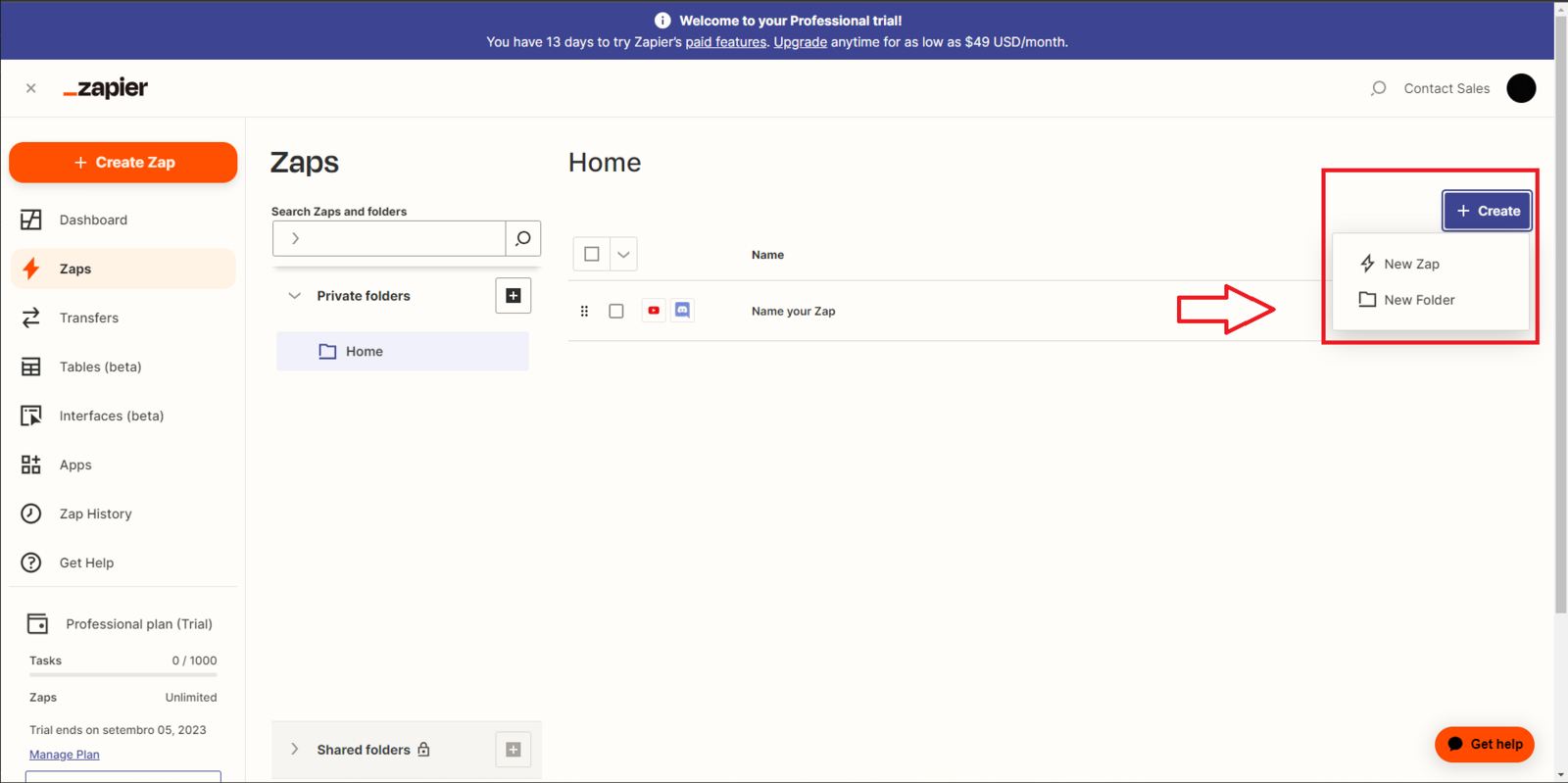
Log in to your Zapier account, click on Zaps and then "Create", and then "New Zap":
Select Yay! Forms as the trigger app
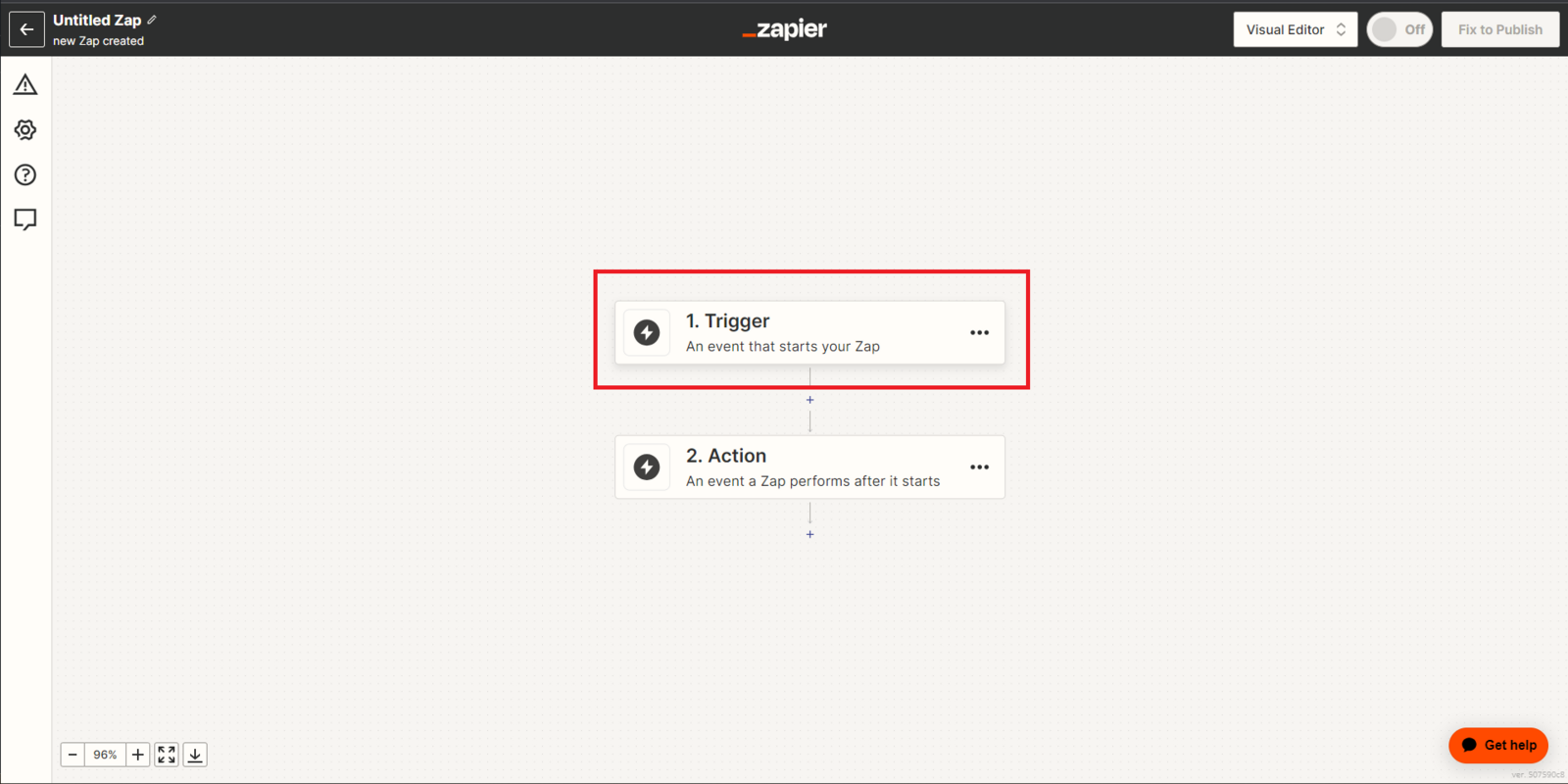
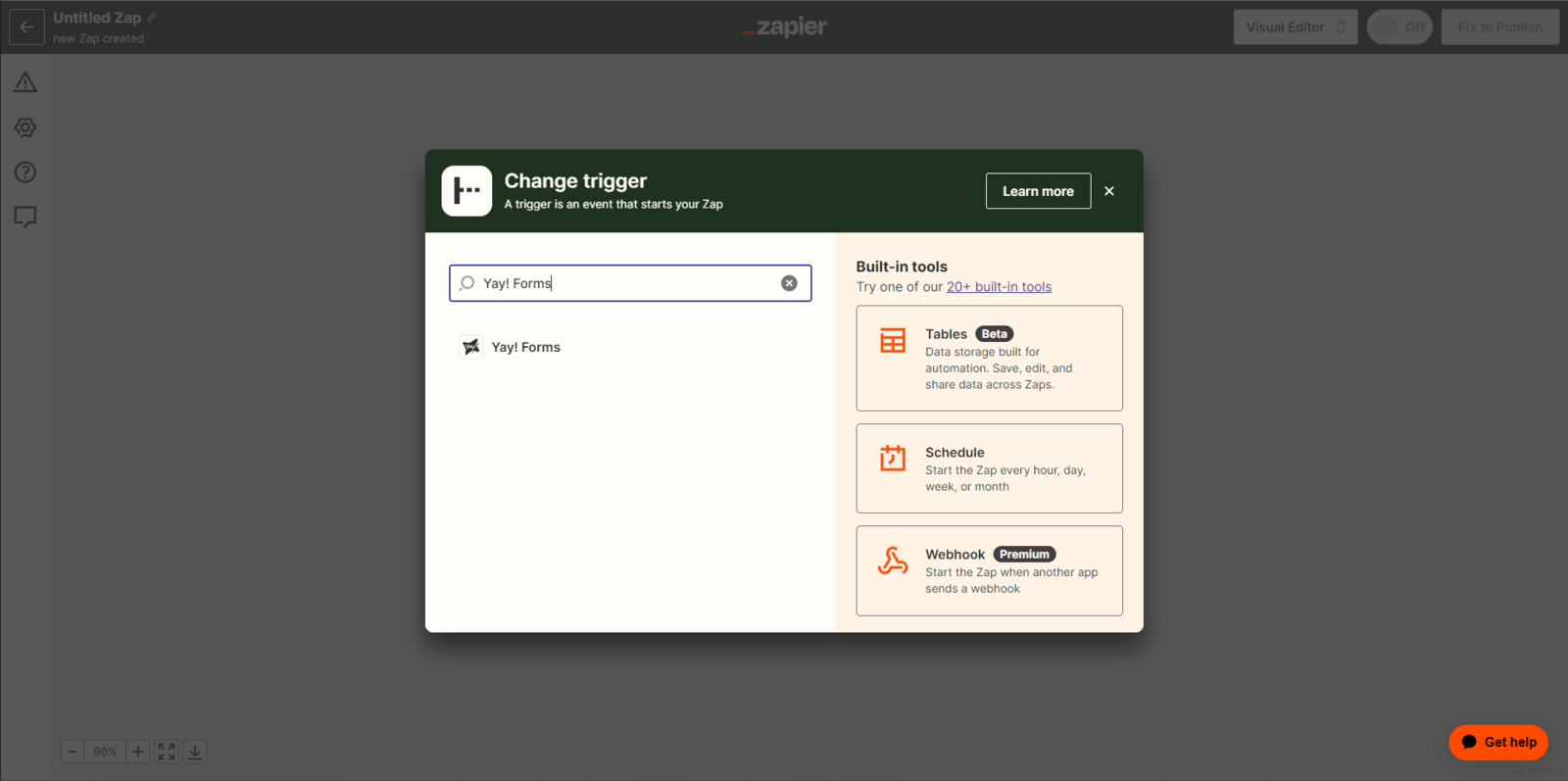
Please click on Trigger and immediately after that a new search tab will open, where you will need to enter "Yay! Forms" in the search field.
Connect your Yay! Forms account
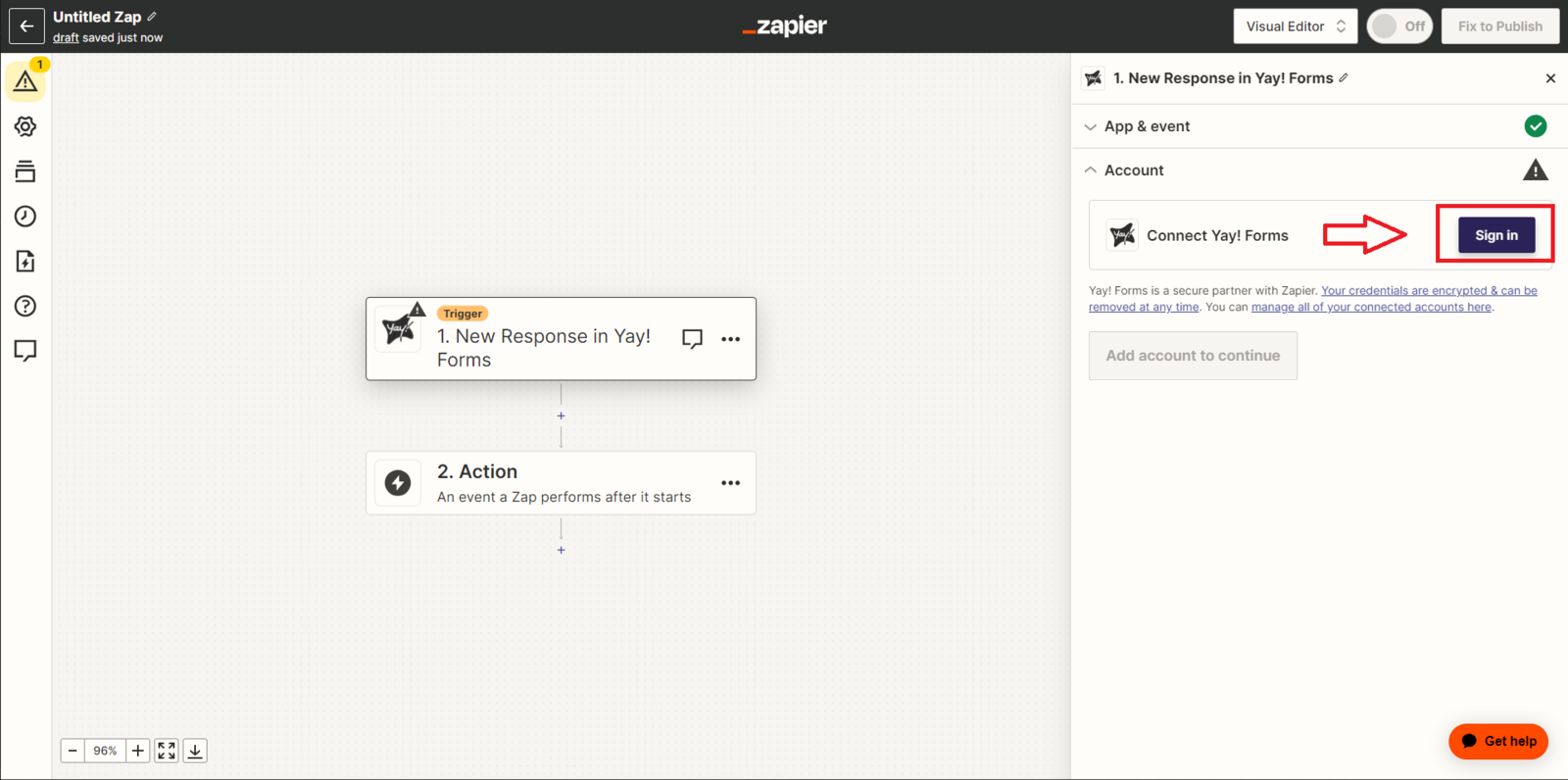
Click "Sign in" to connect to your Yay! Forms account.
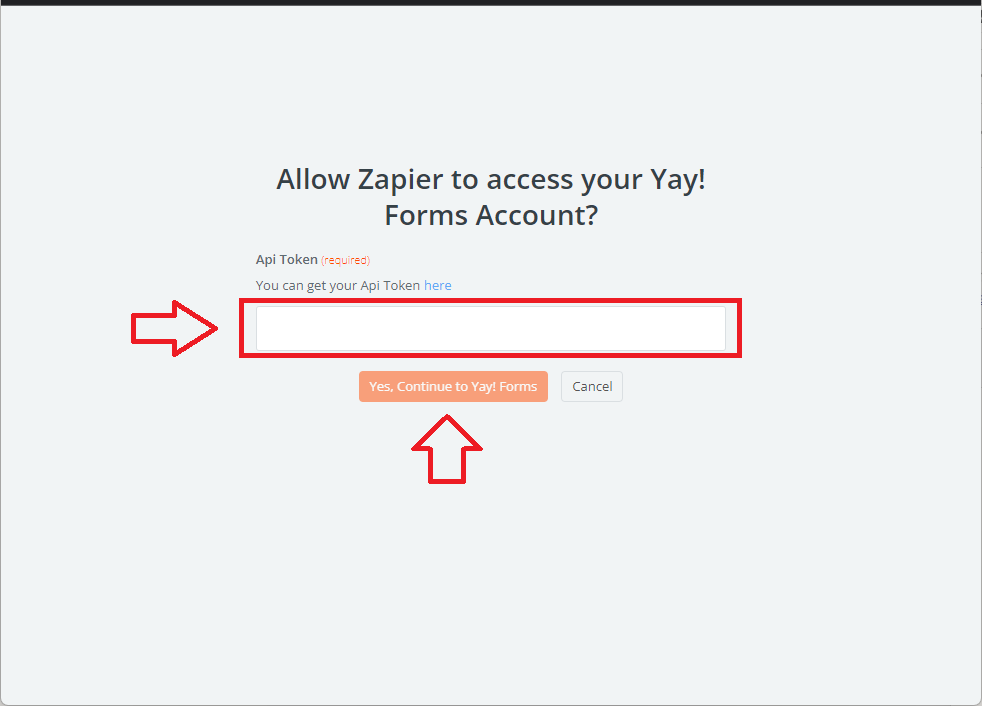
Enter your API Token in the field indicated below and press Yes, Continue to Yay! Forms.
Get your API token
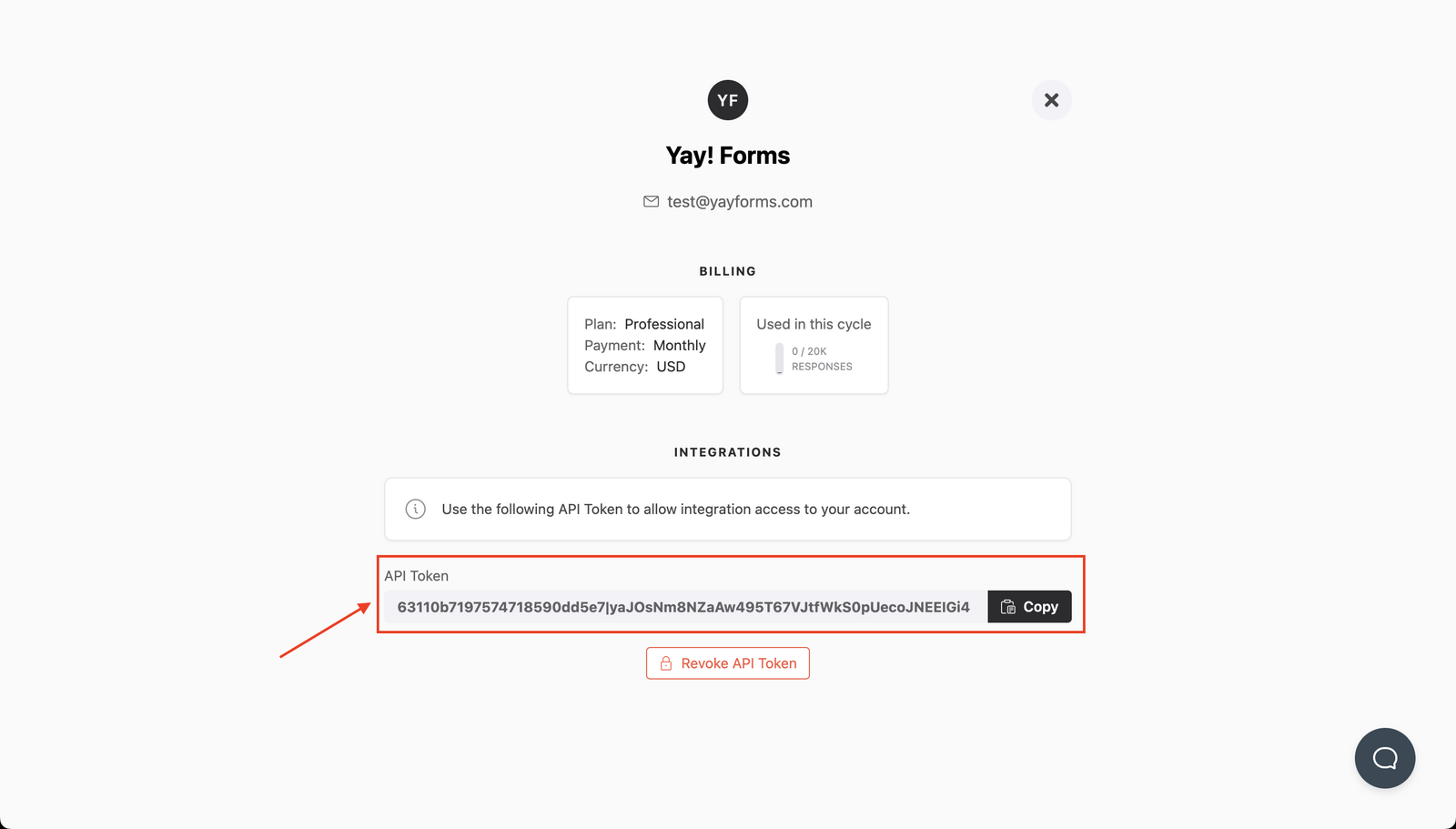
You can generate/get your API token key at https://app.yayforms.com/me, as shown in the image below:
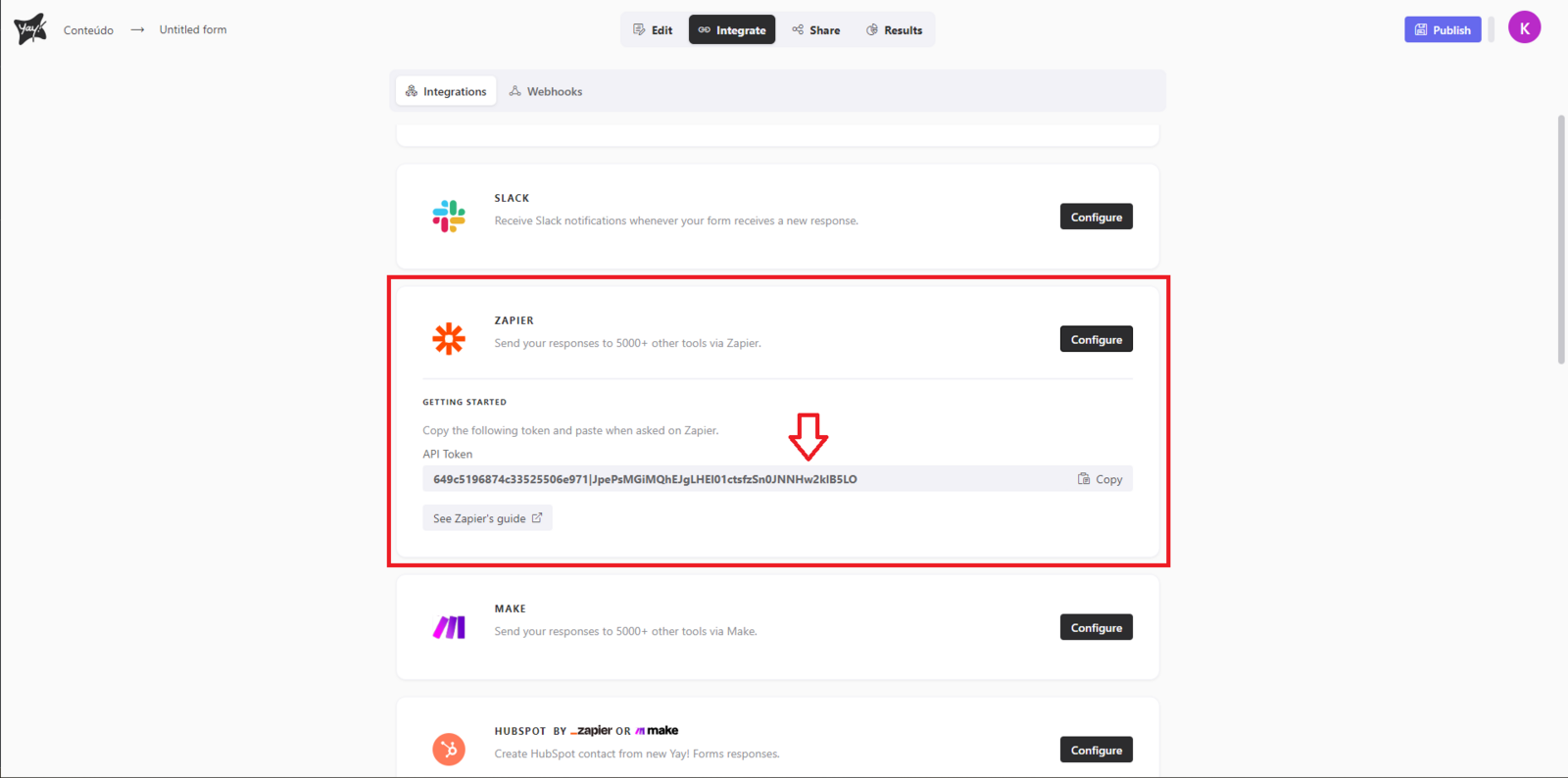
You can also get your token key within your form in the Integrations section. You must click Configure in the Zapier field, as shown in the image below.
Support
If you have any questions or suggestions, send an email to [email protected].
Conclusion
You now know where to start a new Zap, how to choose Yay! Forms as the trigger, how to sign in, and where to find the API token required to connect Yay! Forms to Zapier.