This article will help you move a form from one workspace to another by showing where to find the move option and how to select the destination workspace.
Move a form to another workspace
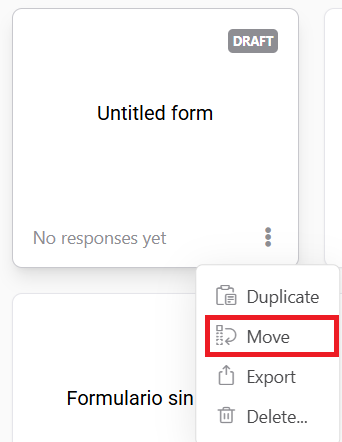
To move a form from one workspace to another, go to the home screen, click the three dots above the form you want to transfer, and select the Move option.
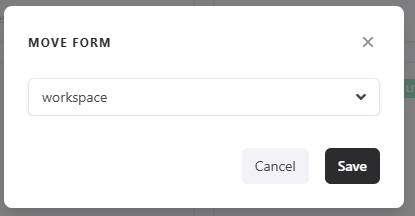
Next, choose the desired workspace and click Save.
Conclusion
You learned how to initiate a form transfer from the home screen and complete it by choosing the destination workspace and saving the change.