This article will help you remove a user from your workspace by showing where to find the user list and which option to select to revoke their access.
Locate the user in the workspace
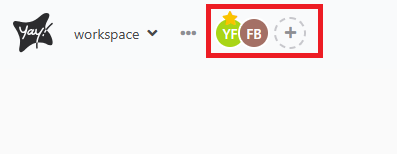
To remove a user from your workspace, first you need to click the user you want to remove, which is located in the upper-left corner as shown in the image below:
Remove the user’s access
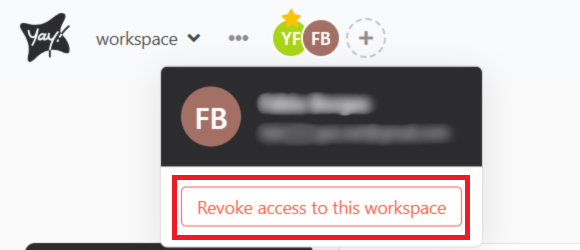
Right after that, a window will open where you just need to click Remove access to this workspace.
Confirm removal
Just confirm, and the user will be removed from your workspace.
Conclusion
You learned how to remove a user from your workspace by selecting the user, choosing the option to remove access to the workspace, and confirming the action.