This article will help you understand how the Yay Forms watermark (“Made with Yay Forms”) works by default and how to remove it from your forms using the form settings.
Plan availability
👋 This feature is available starting from the Plus plan. If you are on the Starter plan, consider upgrading your plan to use this feature. Verifique todos os recursos de cada plano.
Default watermark in Yay Forms
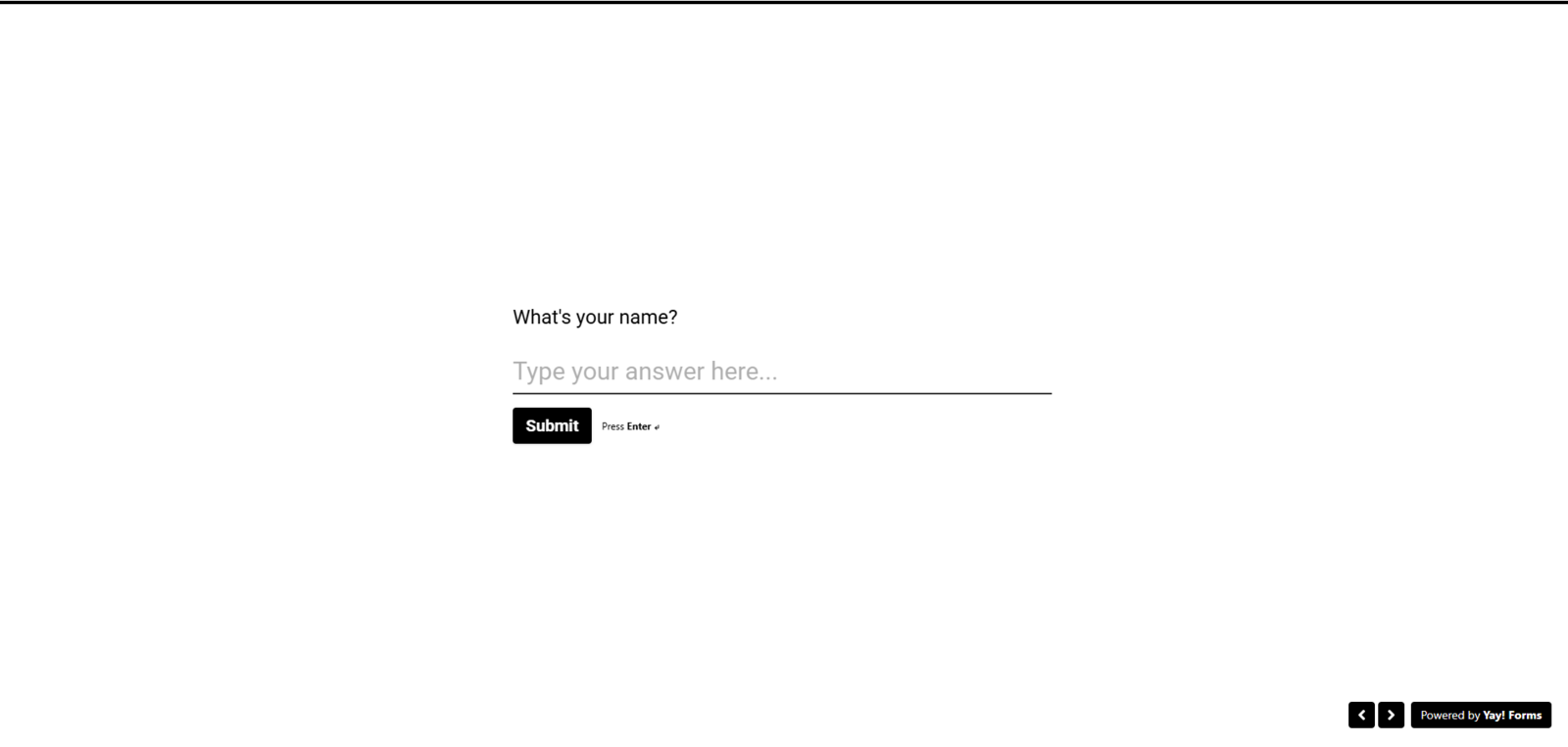
In Yay Forms, by default, all forms display a watermark with the text "Made with Yay Forms", as shown in the image below:
How to remove the watermark
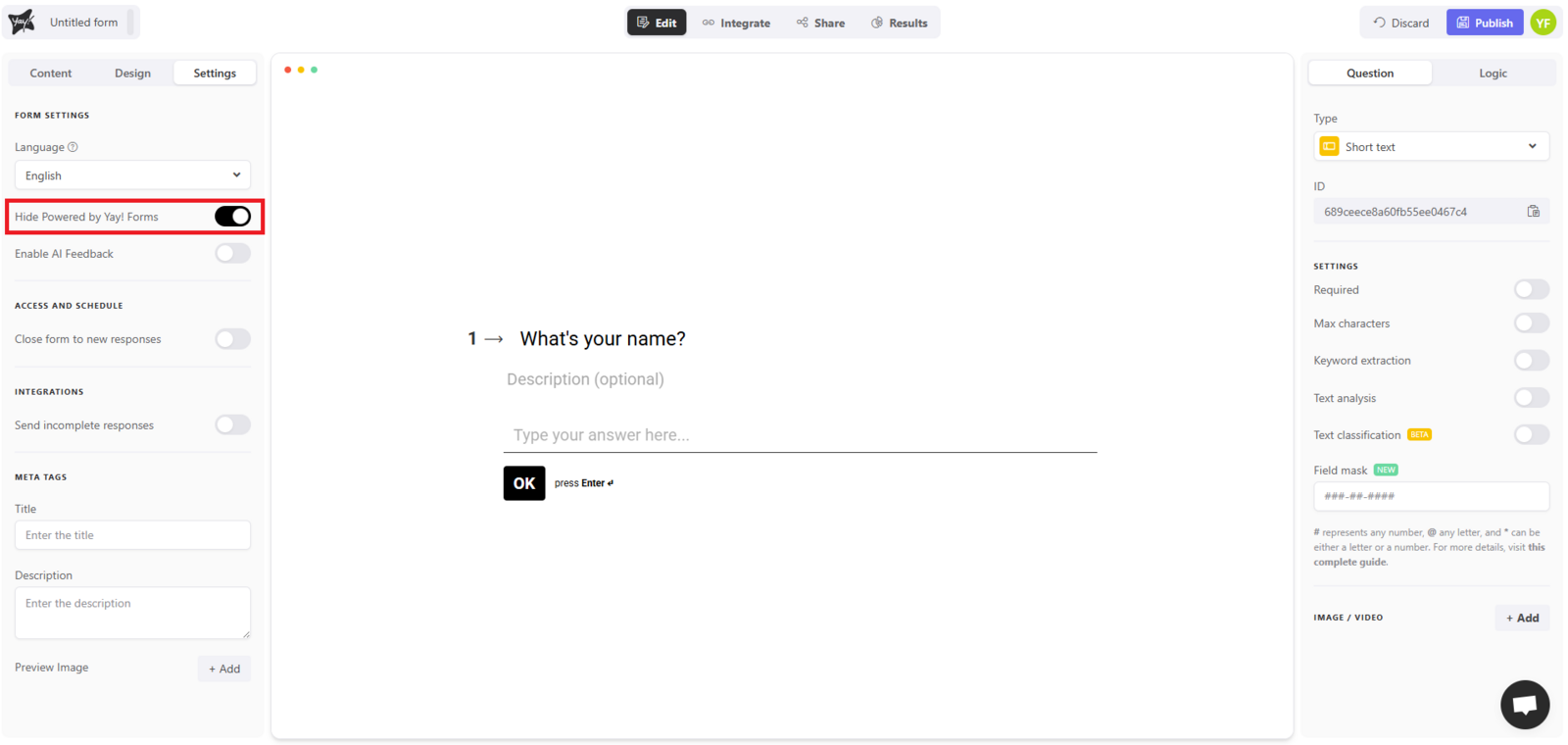
However, you can easily remove this watermark. To do so, simply access your form settings and enable the "Hide made with Yay Forms" option, as shown in the image below:
Conclusion
After enabling the option to hide the Yay Forms identification in your form settings, the watermark is removed and your form will no longer display the default branding.