This article will help you generate a Gmail app password and use it to connect your Gmail account via SMTP, including the exact server settings you need for configuration.
First, access your Gmail account page using the following link: https://myaccount.google.com/.
Generate a Gmail app password
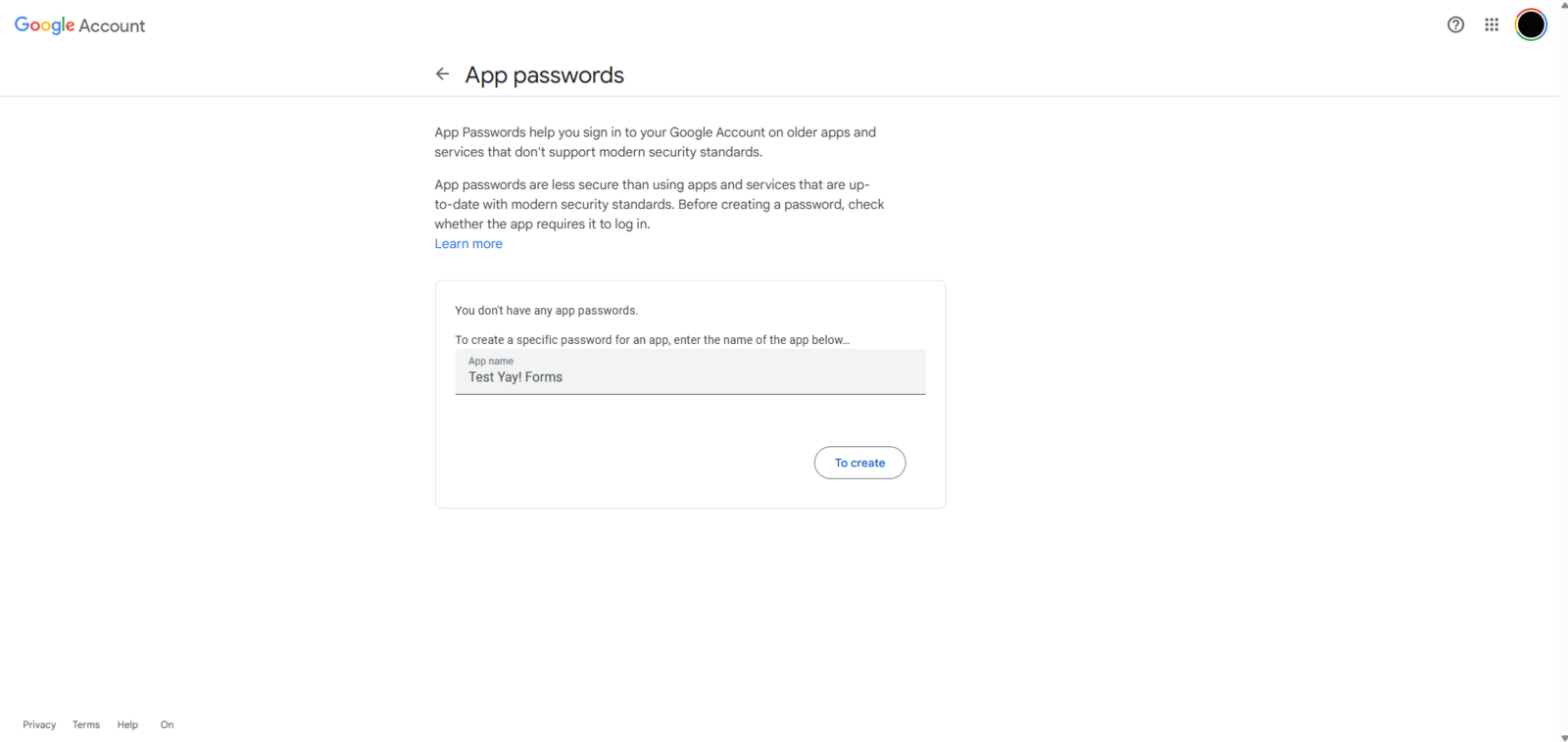
Next, go to the Security section and search for App passwords. After that, provide a custom name for the app, as shown below:
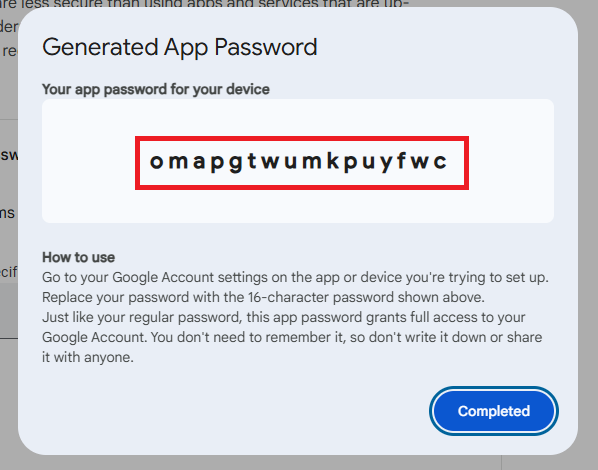
Then, the system will generate a password that you must save and enter into your integration:
Configure and use the feedback email
Next, it’s important to understand how to configure and use the feedback email. To do this, follow this link: Como enviar um feedback para o e-mail do usuário.
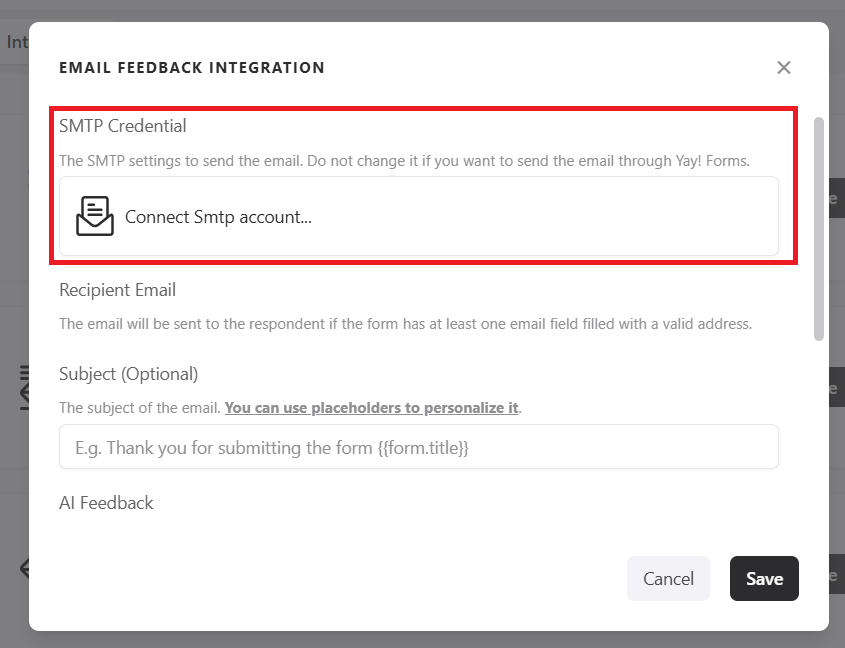
After that, click Connect SMTP account, as shown in the image below:
Copy the password generated earlier, as you will need it to configure your email client in the password field.
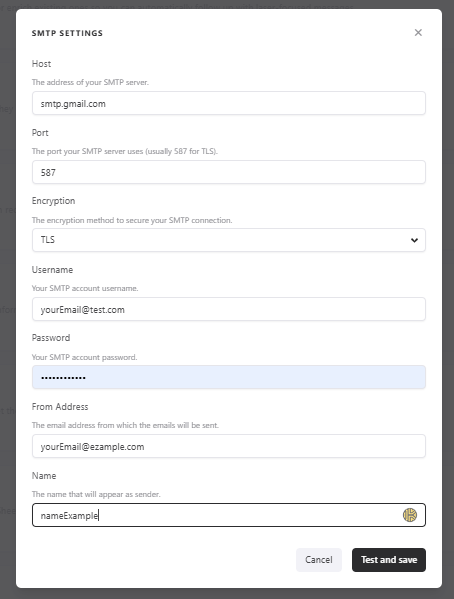
SMTP settings for Gmail
The required configuration information is:
- Gmail SMTP server:
smtp.gmail.com - TLS port:
587 - SSL port:
465 - Username: Your Gmail email address.
- Password: The app password generated earlier.
Support contact
If you have any questions or suggestions, send an email to [email protected].
Conclusion
You now have the steps to create a Gmail app password and the SMTP details required to connect your Gmail account, along with where to learn how to set up and use the feedback email feature.