In Yay! Forms, you can insert variables into your form titles and descriptions. This document will help you understand how variables work, how to add them, and how they can be used to personalize forms dynamically.
Overview of variables in titles and descriptions
In Yay! Forms, you can insert variables into your form titles and descriptions. This feature provides a personalized and dynamic form-building experience, saving users time and effort.
How to add a variable
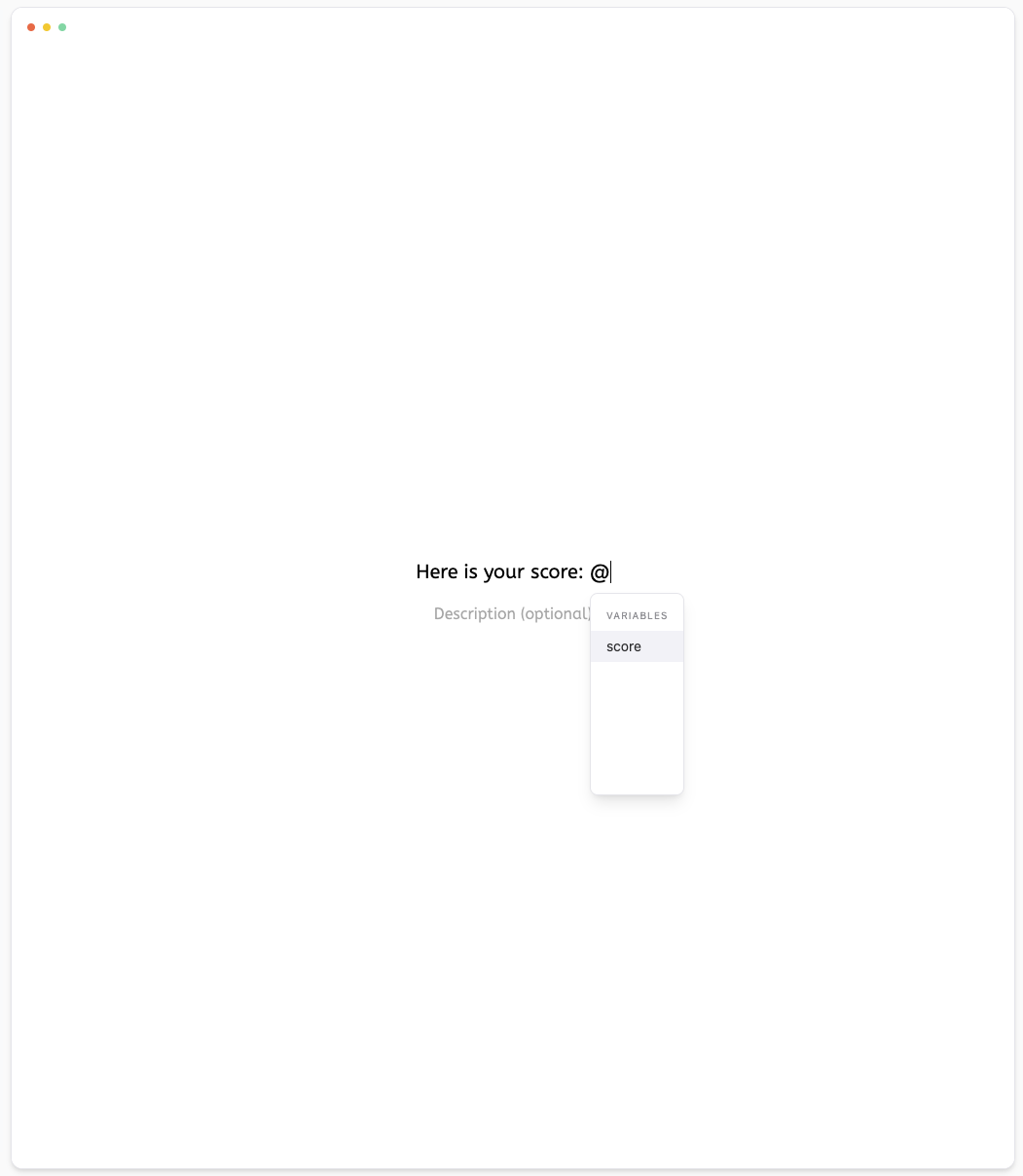
To add a variable, simply type the @ symbol followed by the variable name. For example, if you have a form where you want to personalize the title with the name of the person filling out the form, you can add the variable @name. The variable value will be filled in automatically in the form, eliminating the need to manually enter repetitive information.
Personalization possibilities
Using this feature, you can personalize your forms in several ways, adapting them to specific needs and preferences. You can add variables to reflect dates, times, names, or any other value that needs to be personalized for each form submission.
Control over form appearance and ease of use
With Yay! Forms, you have full control over the look and style of your forms. The new feature is intuitive and easy to use, giving users the flexibility to create forms that are both functional and personalized.
Getting started
To start using this feature, simply navigate to the title or description field and insert the variable using the @ symbol followed by the variable name. Save your changes and your form will be ready to use!
Conclusion
We hope this new feature makes your form-building process more efficient and enjoyable.