This article will help you understand how to close a form so it stops accepting new responses, and how to reopen it later if needed.
When to close a form
You can close a form at any time to prevent it from receiving new responses. This feature is useful when you have already collected all the necessary information or want to end a period of registrations, surveys, or sign-ups.
How to close the form for new responses
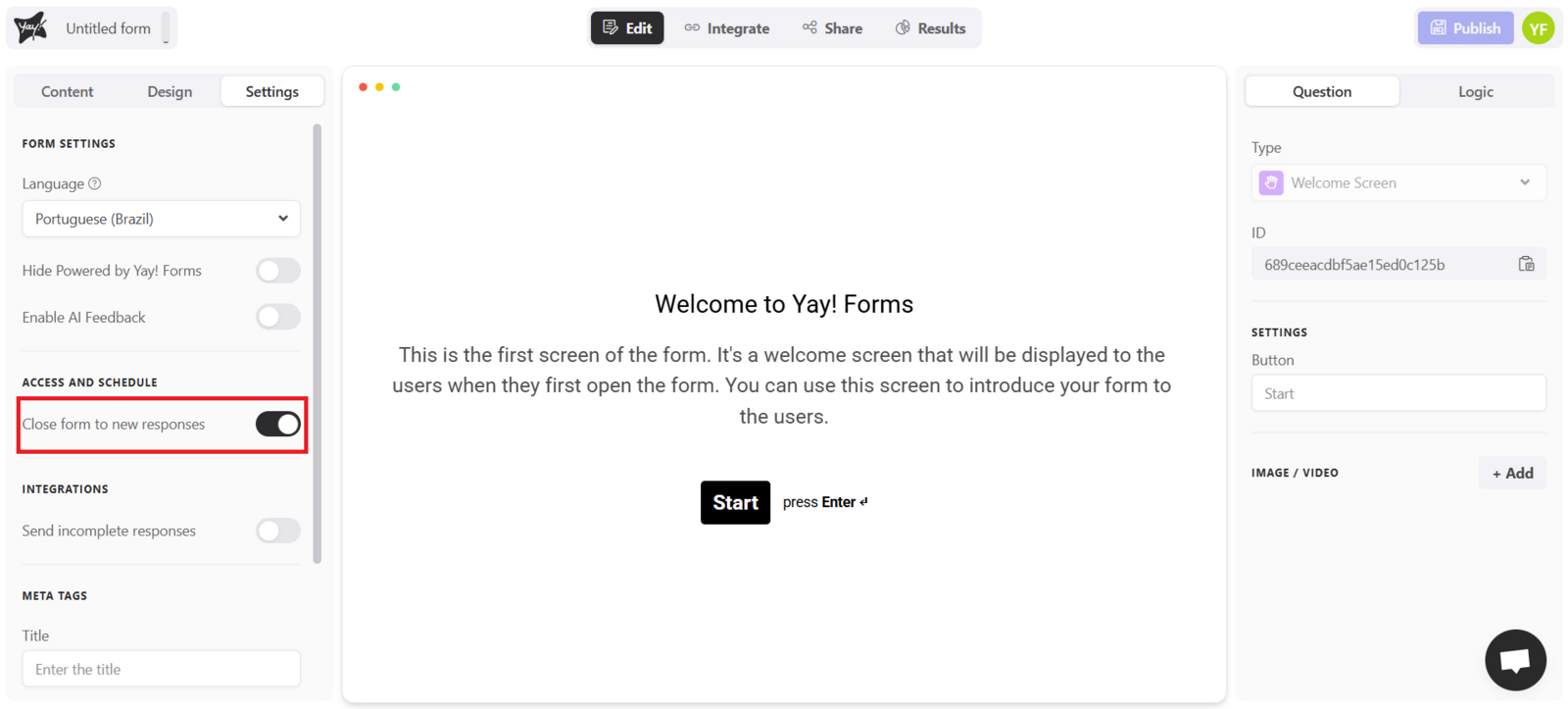
To do this, go to the settings tab of your form and enable the "Close the form to new responses" option, as shown in the image below:
Reopening the form
Done! While this option is enabled, no one will be able to submit new responses to the form. If you want to reopen it, simply disable it.
Conclusion
Closing a form prevents it from receiving any new responses while the setting is enabled, and you can reopen it at any time by turning that option off.