This article will help you delete responses in Yay! Forms so you can remove entries you no longer want to keep.
Deleting responses in Yay! Forms
You can delete responses in Yay! Forms by following these steps:
- Log in to your Yay! Forms account.
- Go to the Forms section and select the form containing the responses you want to delete.
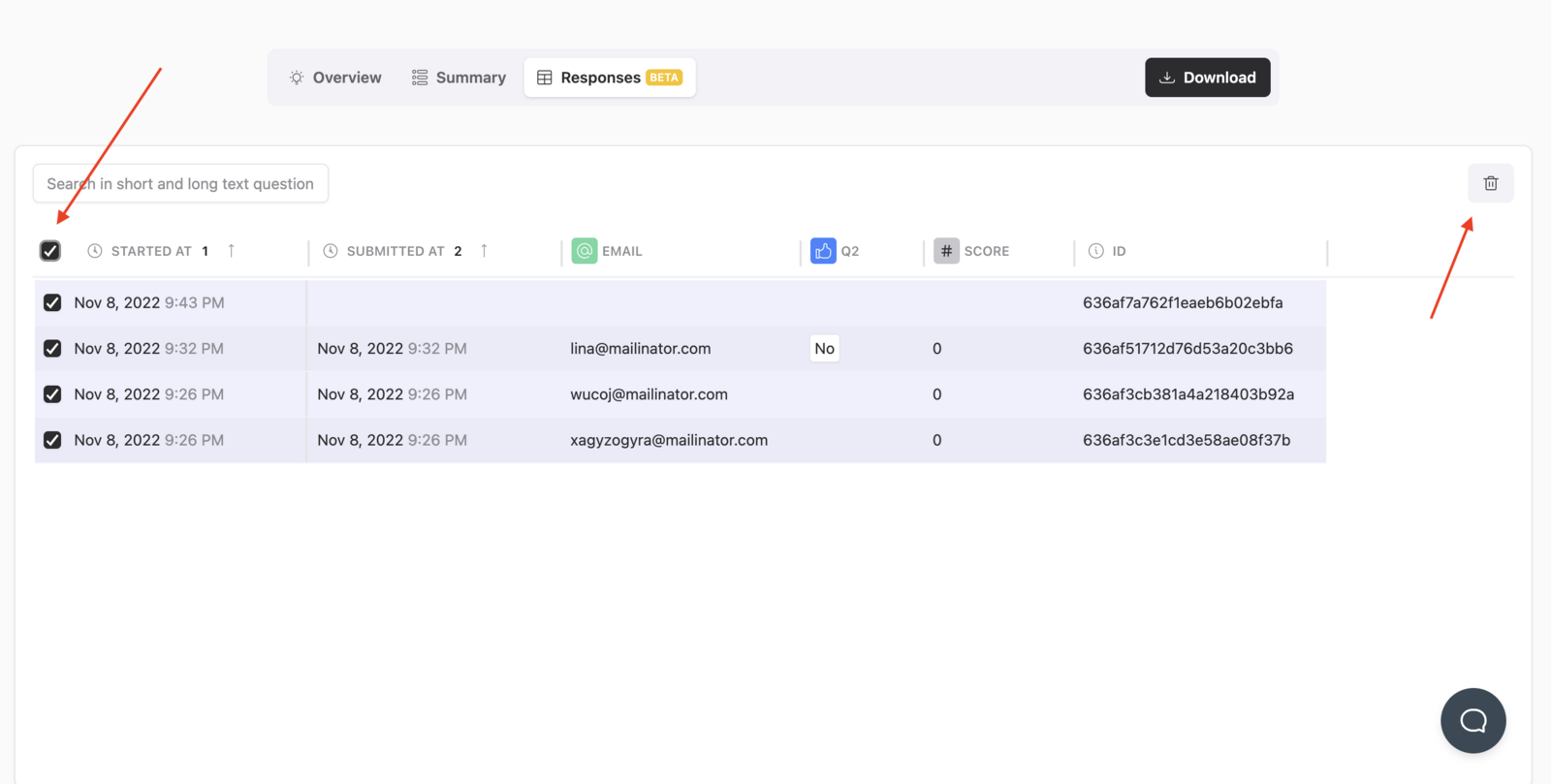
- Click the Responses tab.
- Select the response you want to delete.
- Click the Trash button.
Confirm the deletion by clicking OK in the pop-up window.
|| ⚠️ Keep in mind that deleted responses cannot be recovered. Make sure you delete only the responses you no longer need.
Conclusion
You learned where to find form responses in Yay! Forms, how to select a response to remove, and how to confirm its deletion from the interface.