This article will help you duplicate a form in Yay forms by locating the form inside the correct workspace and using the form menu to create a copy.
Exporting a form
- Log in to your Yay forms account.
- Open the workspace that contains the form you want to duplicate.
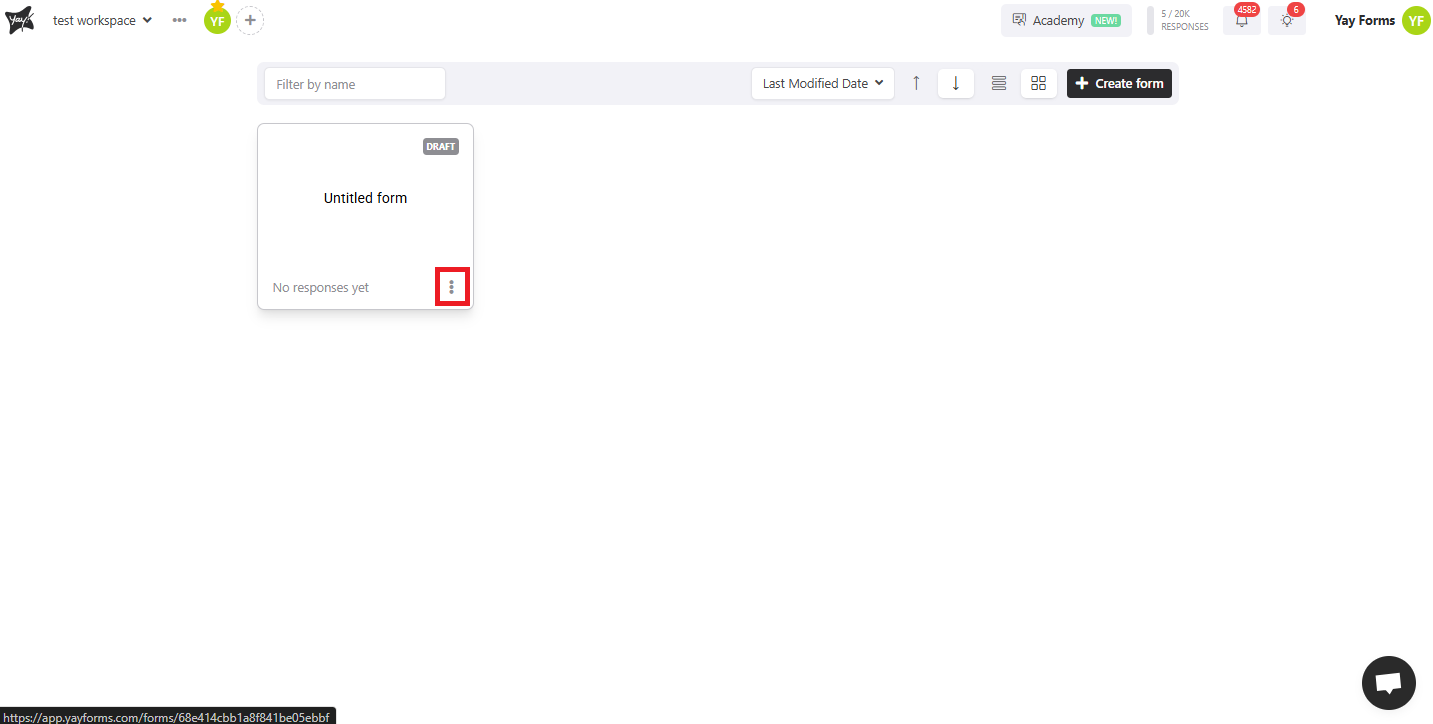
Click the three dots in the bottom-right corner of the form you want to duplicate.
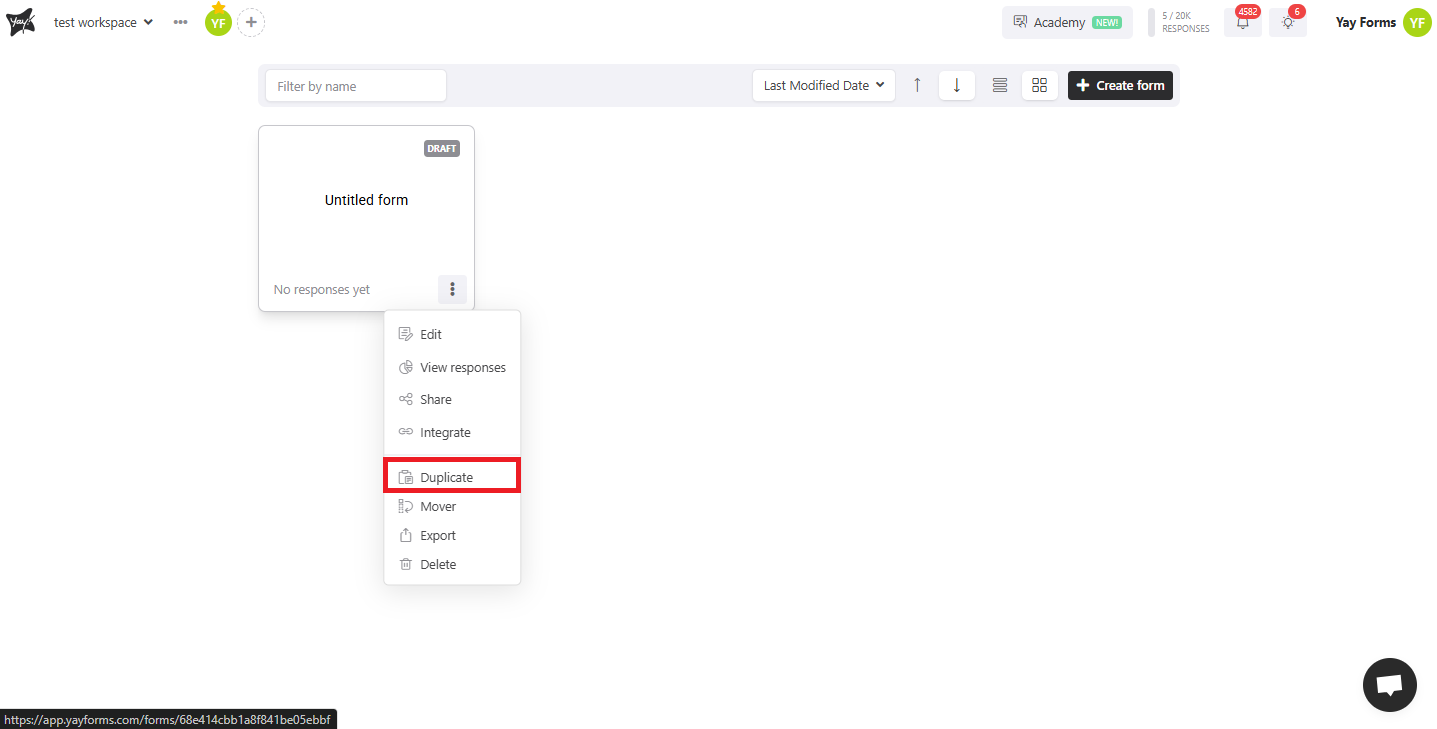
Next, click "Duplicate" and your form will be duplicated.
Conclusion
You now know where to find the duplication option in Yay forms and how to use it to create a duplicate of an existing form from within the appropriate workspace.