This article will help you export a form from Yay forms and import it into another workspace or account by using an export link.
Exporting a form
- Log in to your Yay forms account.
- Open the workspace that contains the form you want to export.
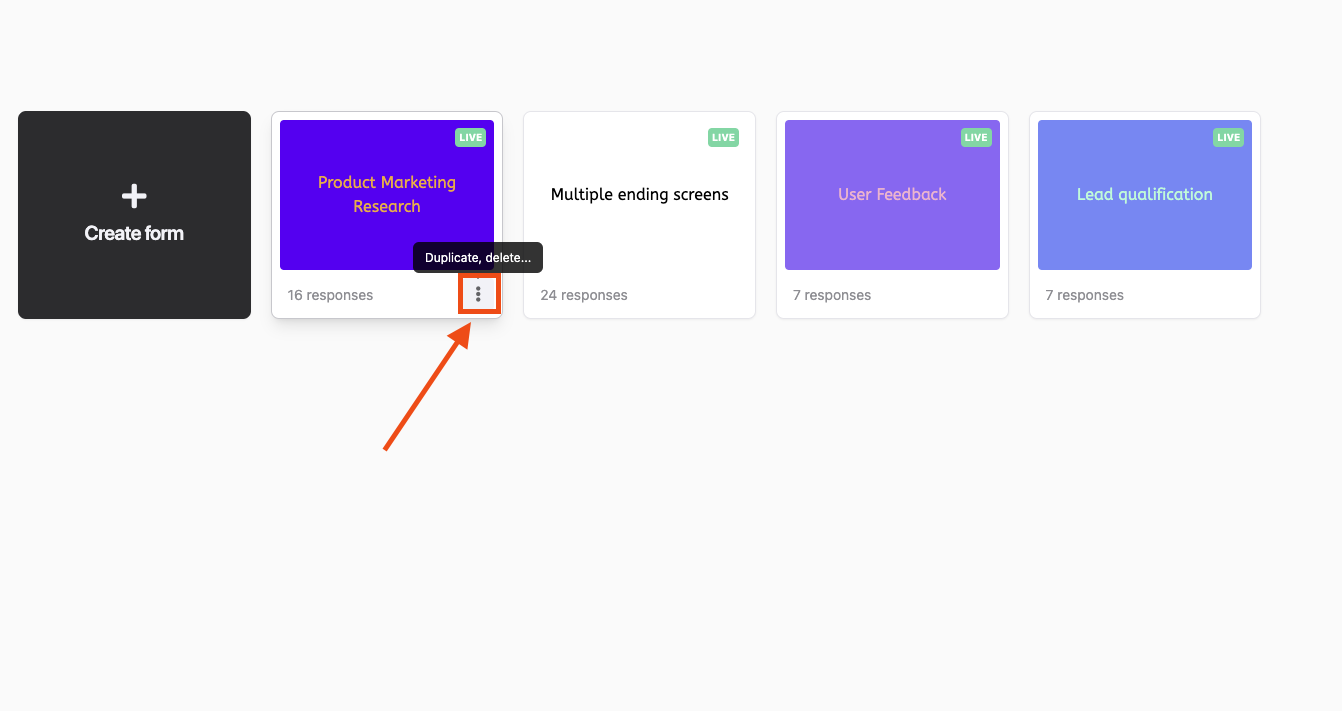
Click the 3 dots in the bottom-right corner of the form you want to export.
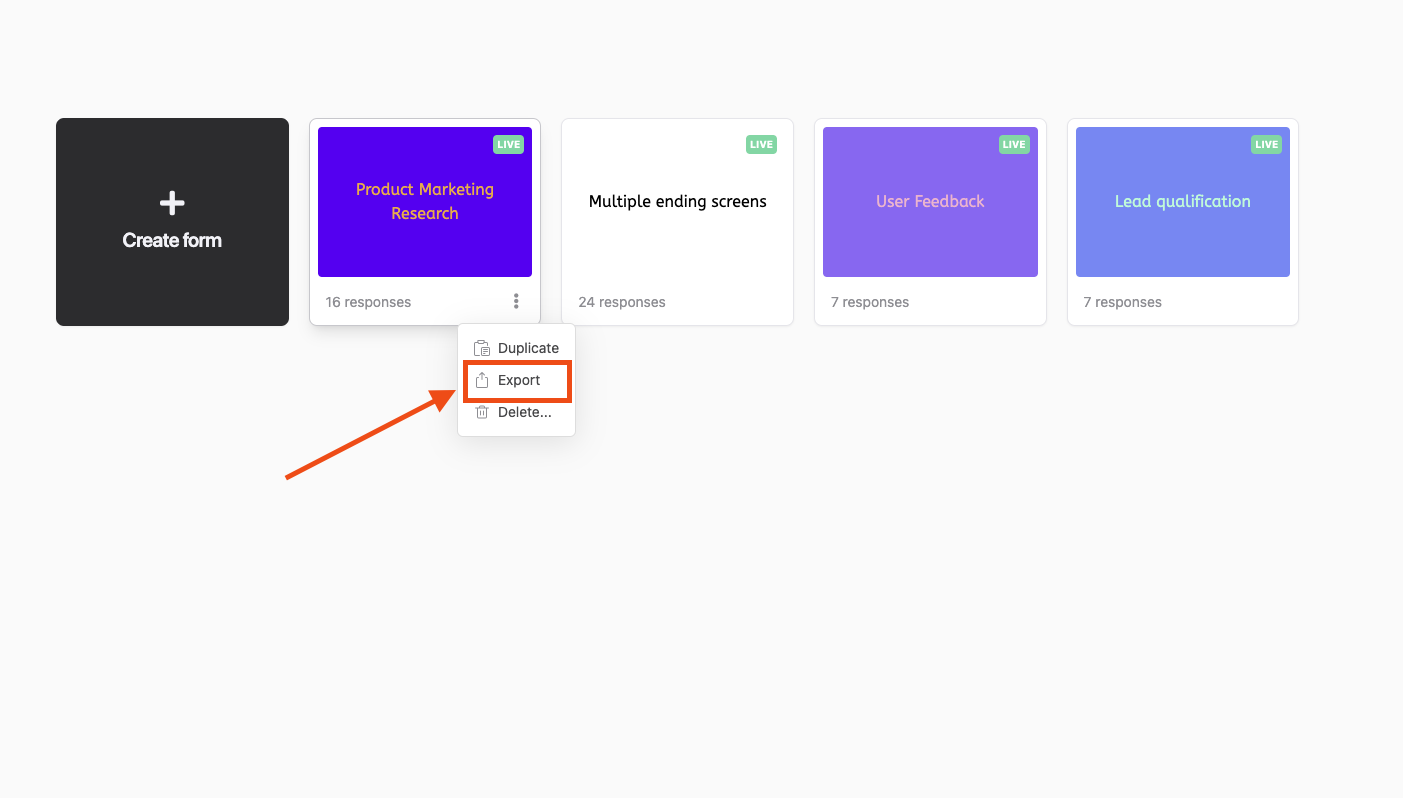
In the menu, click "Export".
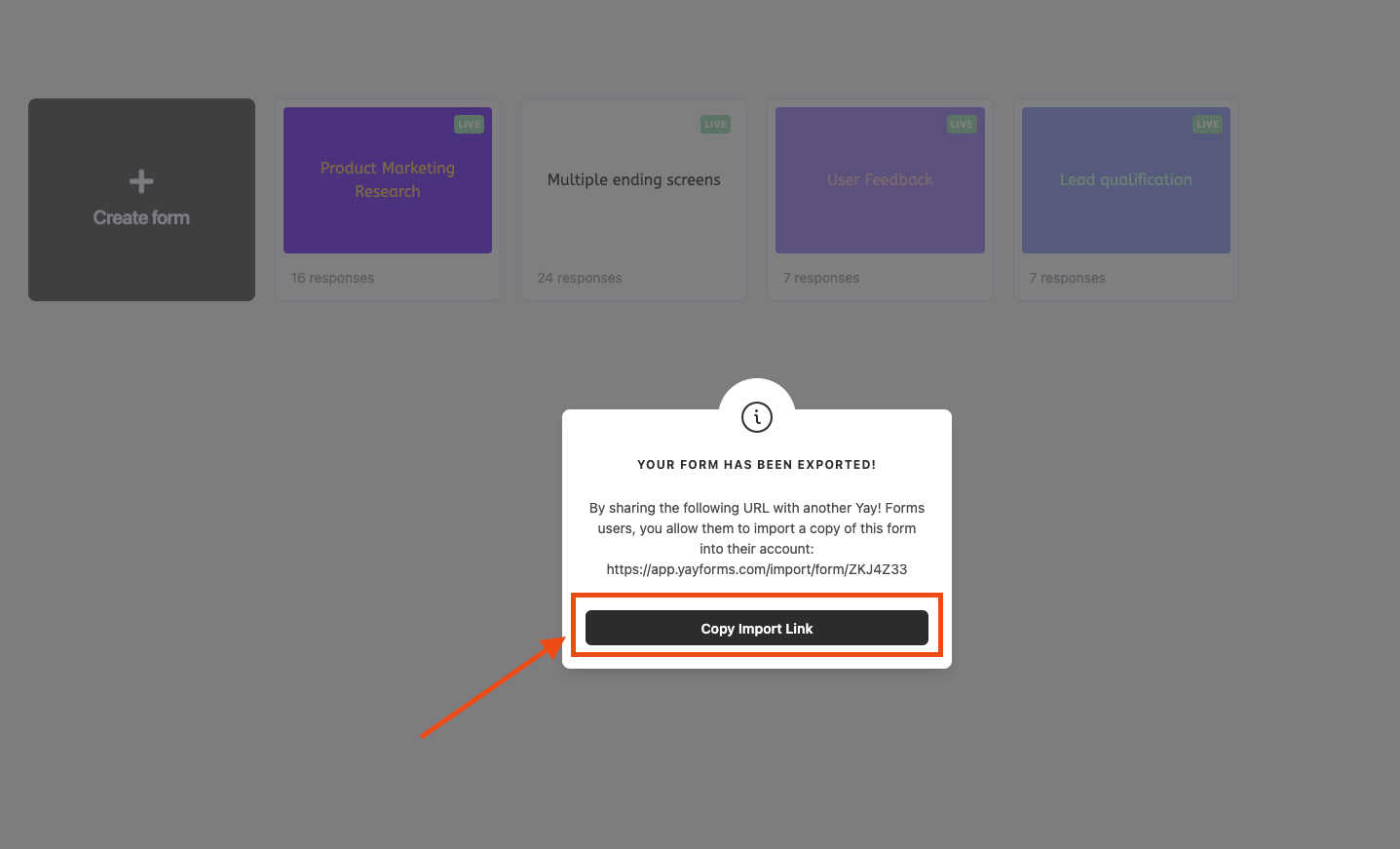
Copy the export link.
Importing a form
- Log in to the Yay forms account where you want to import the form.
- Open the workspace into which you want to import the form.
- Paste the import link into the browser address bar.
- The form will be imported into the selected workspace.
Conclusion
You learned how to generate an export link for a Yay forms form and use that link to import the form into a chosen workspace in another account.