Yay! Forms allows you to generate insights from form responses with the help of Artificial Intelligence. This article will help you understand how to generate insights in the Results area and how to use chat mode to request specific AI-generated reports based on your needs.
Generating insights from form responses
-
Access the form you want to generate insights from.
-
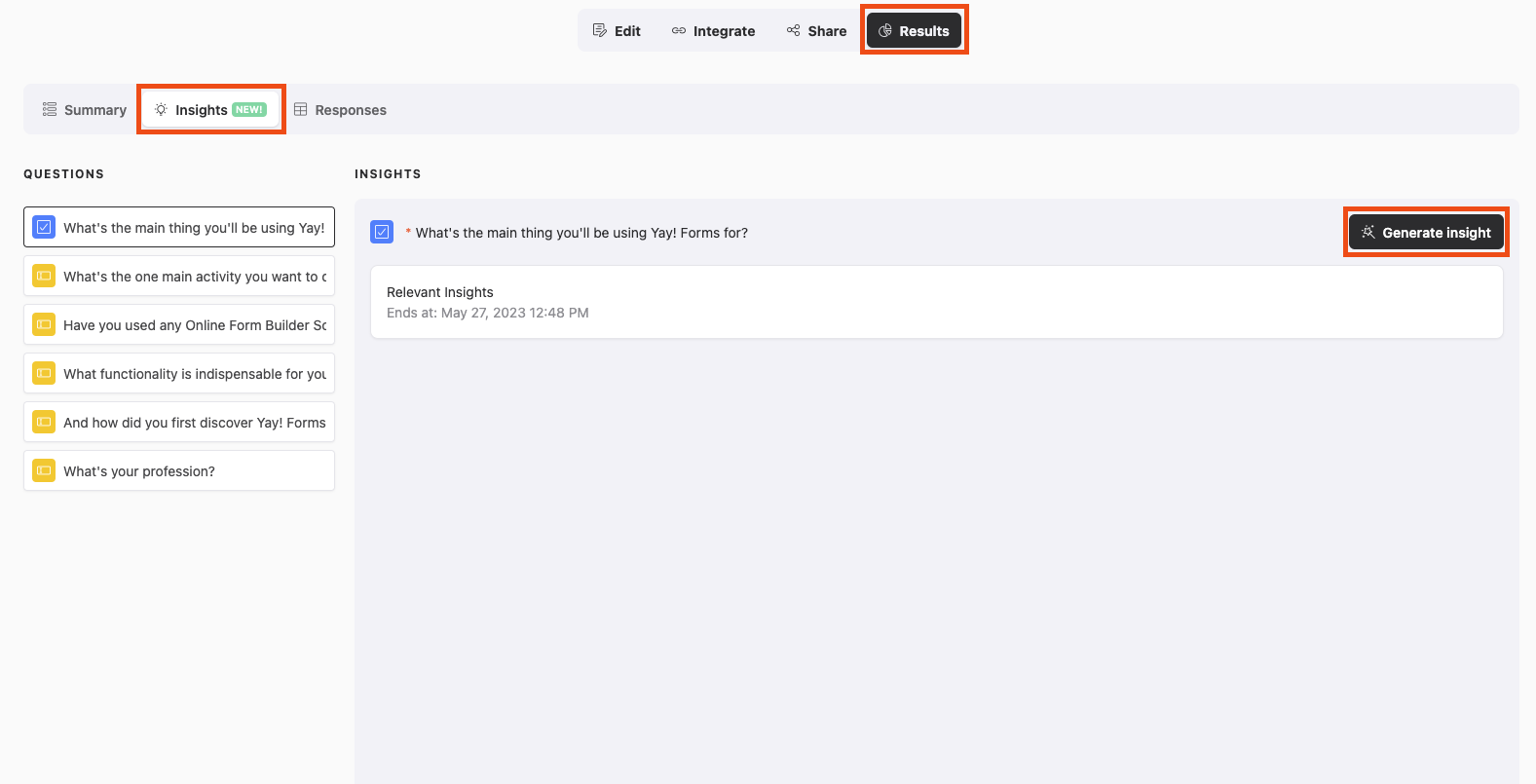
Inside the form, click the "Results" tab and then the "Insights" tab.
-
Choose the Field you want to generate insights for.
-
Click the "Generate insight" button.
-
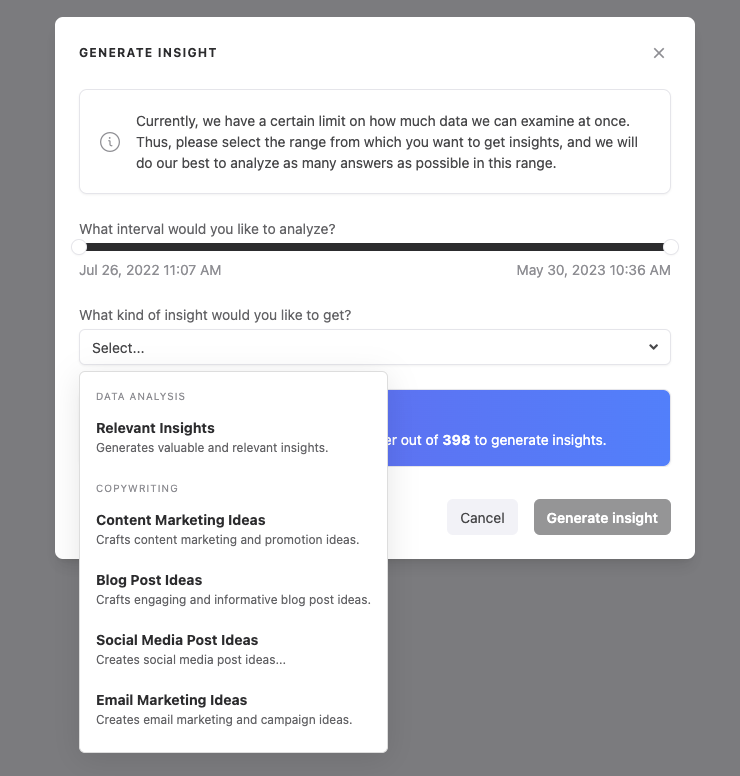
In the popup, choose the period and the type of insight you want to generate, then click the "Generate insight" button. In a few minutes, the insight will be available on the screen for you.
Generating insights using chat mode
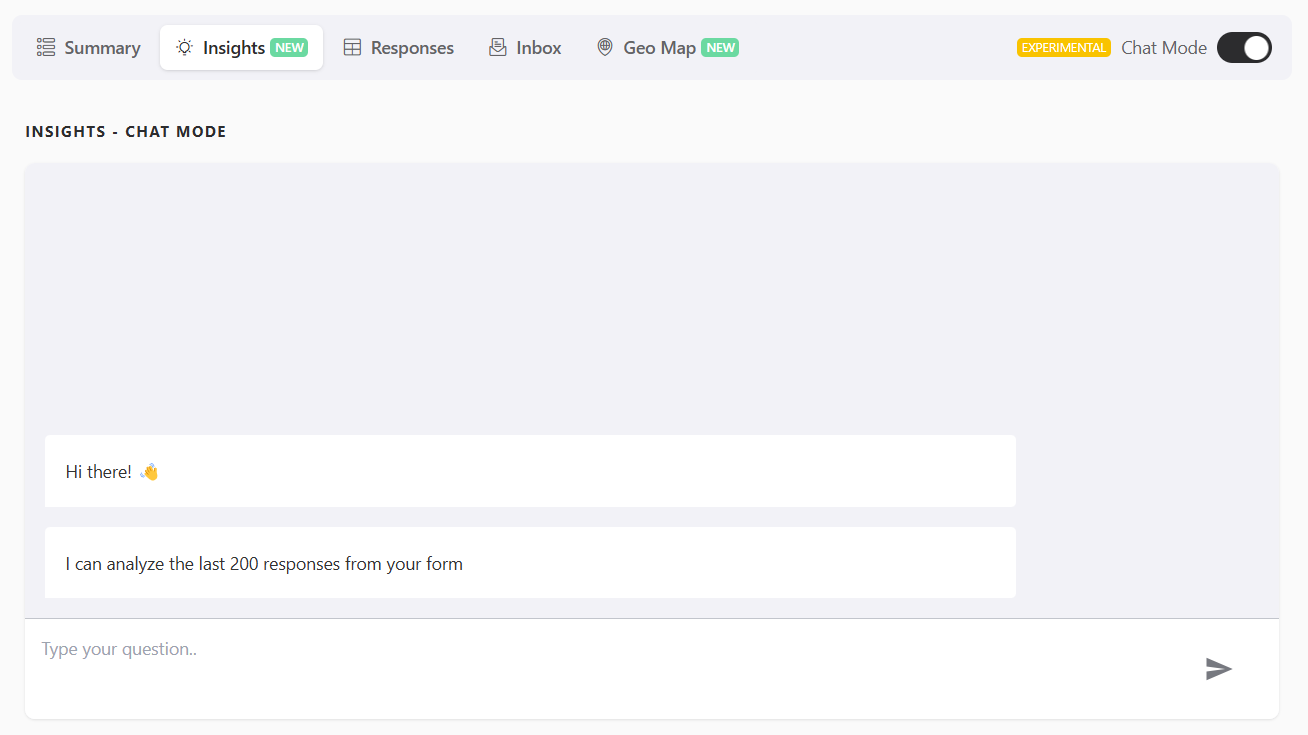
You can also generate insights using chat mode. In it, you can ask the artificial intelligence chat to generate specific reports based on what you request.
Suggested questions to ask the chat
Here are some suggested questions you can ask the chat:
Qualified Lead Capture
- What are the main objections, problems, and pain points of the leads?
- Which leads showed the highest purchase intent?
- What do leads expect from the solution being offered?
- What are the most used words in lead responses?
- What is the leads' stage of awareness regarding the problem?
- Which segment or niche appears most frequently in the responses?
HR / Recruitment and Selection
- Which skills do candidates mention most as strengths?
- What are the biggest challenges reported by employees?
- Which values or benefits are most valued by candidates?
- Is there a pattern among the profiles most compatible with the role?
- What kind of language do candidates use when talking about their experiences?
- What is driving good candidates away from the selection process?
Real Estate / Real Estate Market
- What do customers value most when choosing a property?
- What are the biggest difficulties reported when searching for properties?
- What is the most common profile of interested people (location, age range, property type)?
- What makes a lead give up on closing the deal?
- Is there a more sought-after price range?
- Do leads prefer move-in-ready properties or properties under construction?
Others (generic and adaptable)
- What behavior patterns can I identify in the responses?
- What are the most repeated words or expressions?
- How can I group participants by profile or interest?
- What insights can I use to improve my communication?
- What are the biggest challenges mentioned by the people who responded?
- Is there any trend that appears frequently in the responses?
Requirement for generating insights
☝️ The field must have at least 5 non-null responses for the insight to be generated.
Conclusion
You learned how to generate AI-powered insights from a specific form field in the Results area, and how to use chat mode to request tailored reports using example prompts for different use cases.