This article will help you access your form inbox, view and filter submitted responses, download a selected response, show only complete responses, and delete responses when needed.
Accessing the inbox from your form results
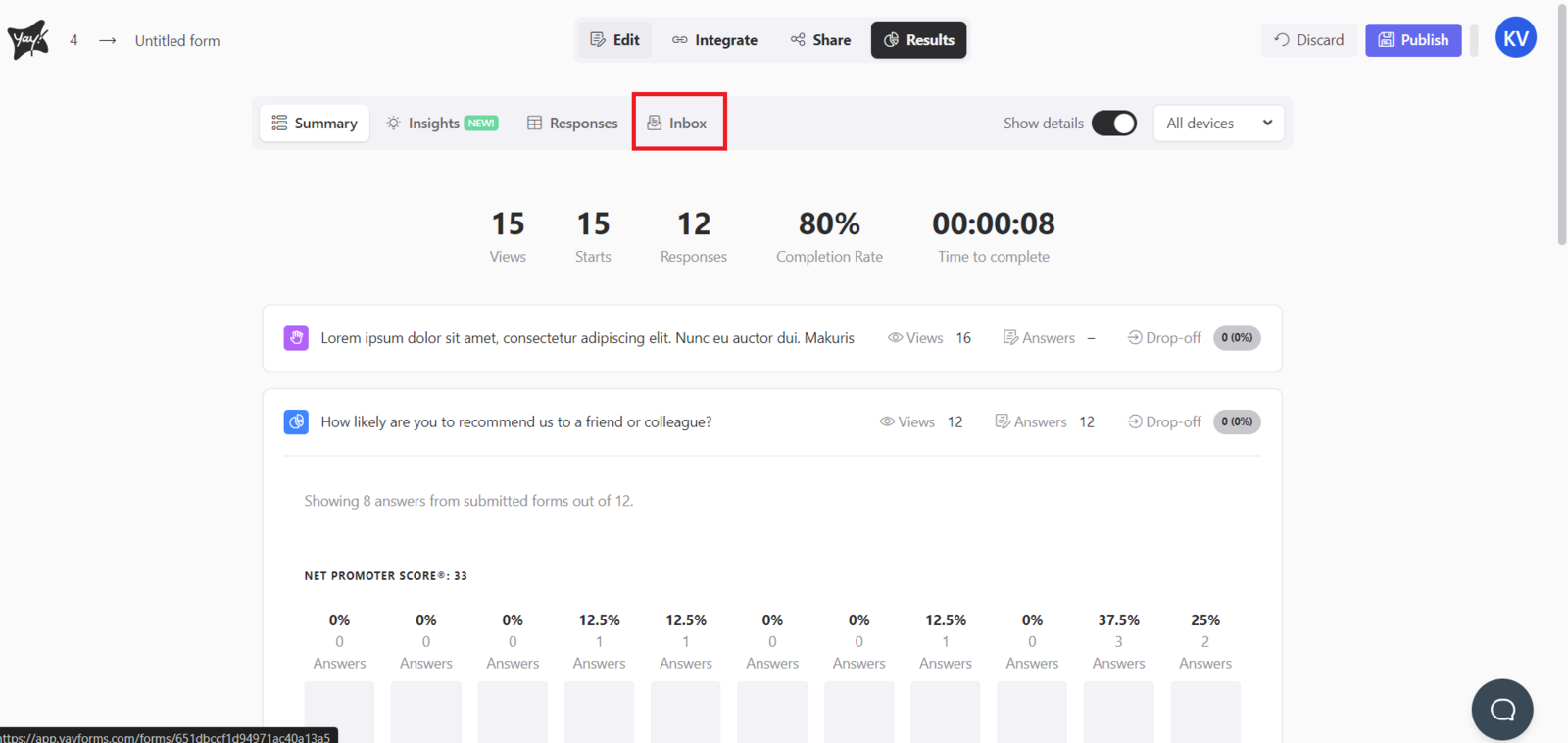
First, to access your inbox and check your responses, simply take a look at the results page of your form and click the Inbox section, as shown in the image below:
Viewing and filtering responses in the inbox
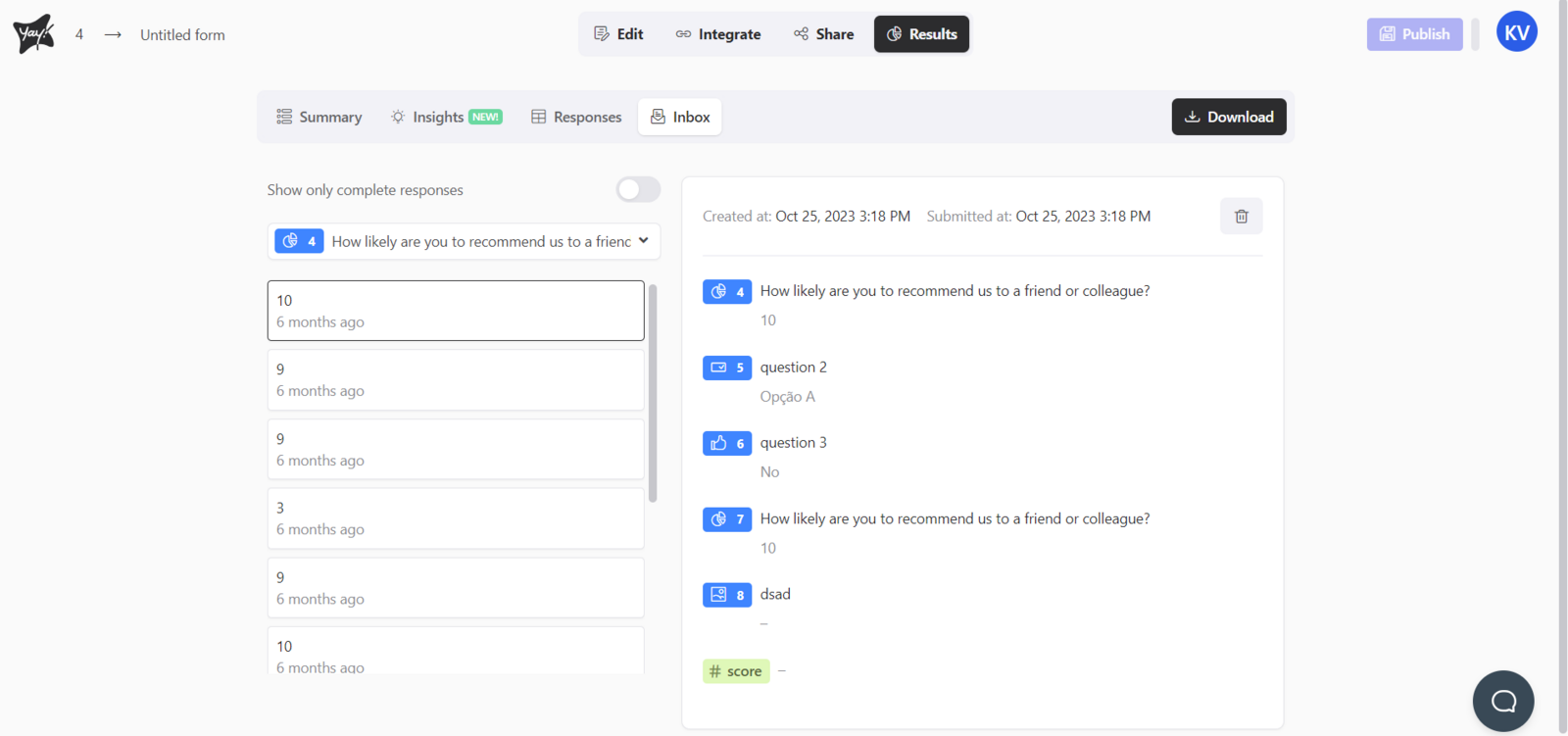
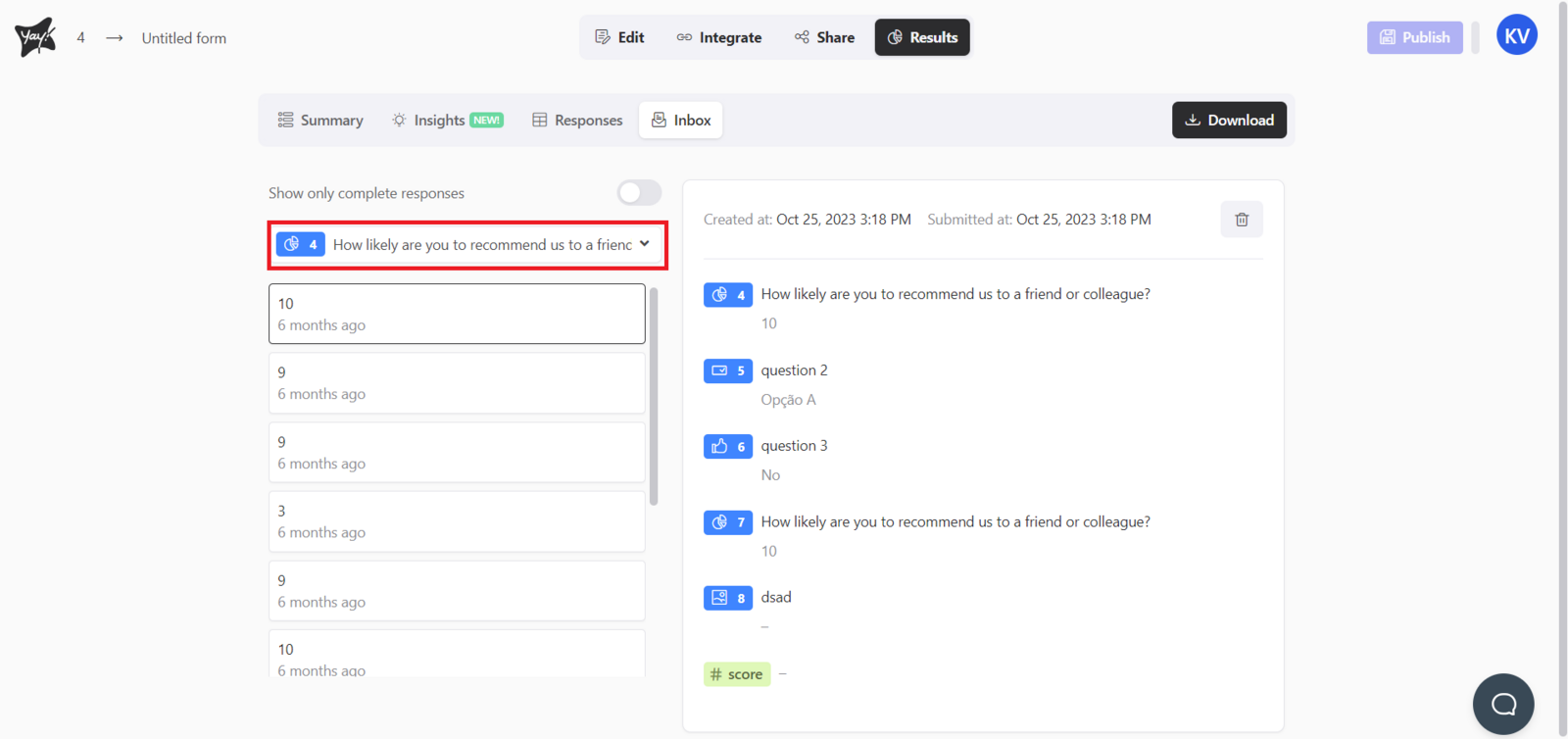
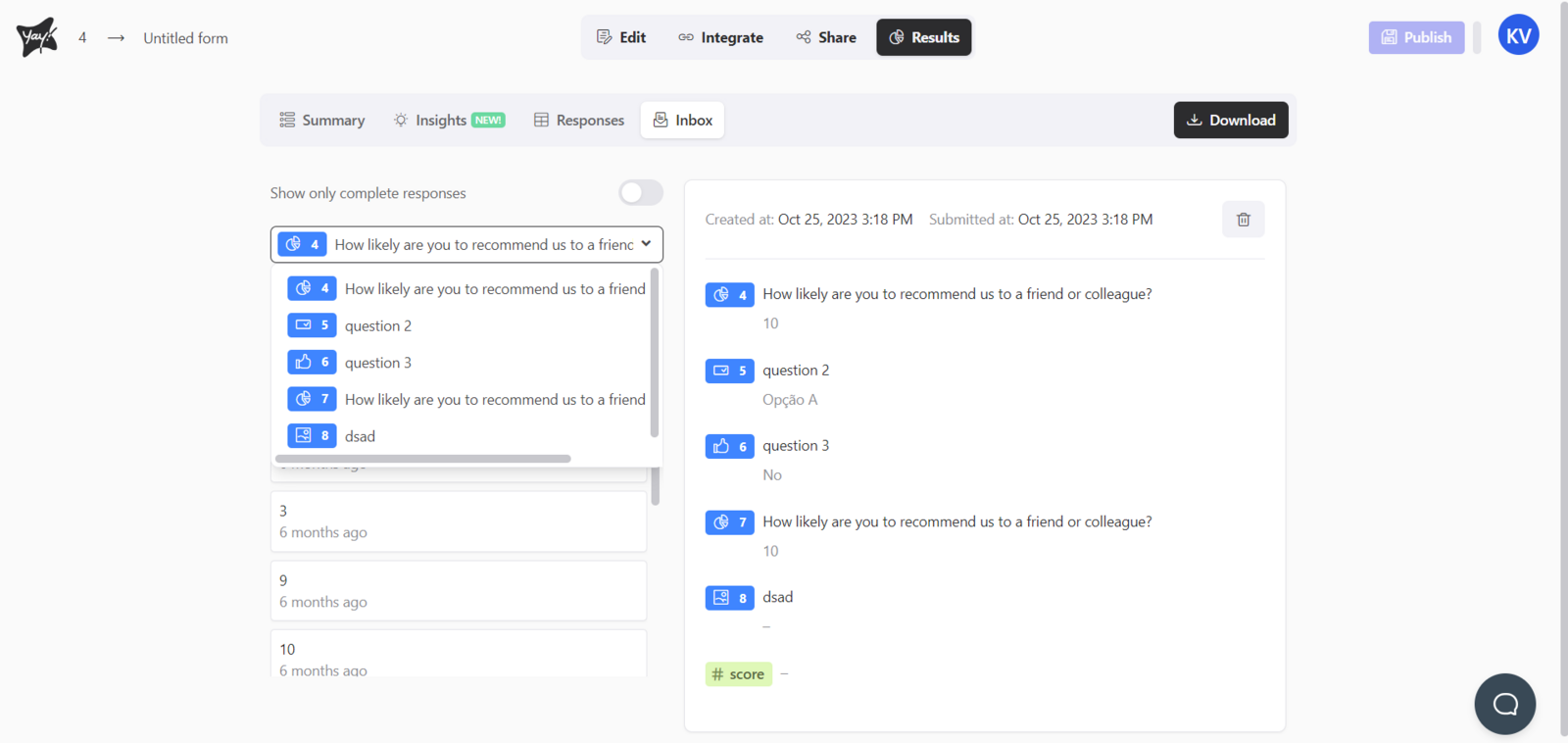
Inside the inbox, on the right, you will find all the responses provided by the user. On the left, there is a list of responses for you to select the one you want to view. In addition, on the left side, there is an option to filter by field to make your search easier, as shown in the image below:
Downloading a selected response
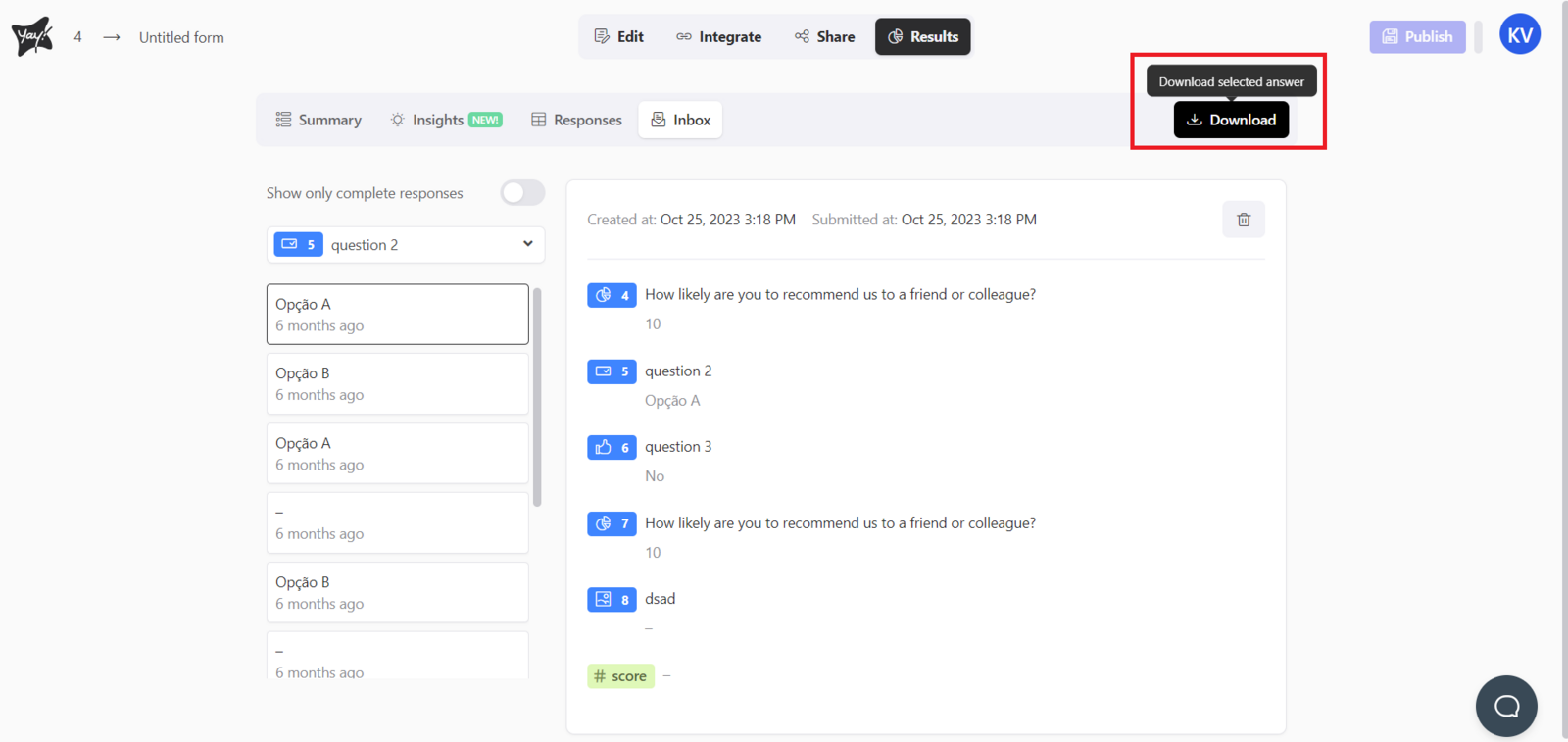
You can download your selected response by clicking the Download button, as shown below:
Showing only complete responses
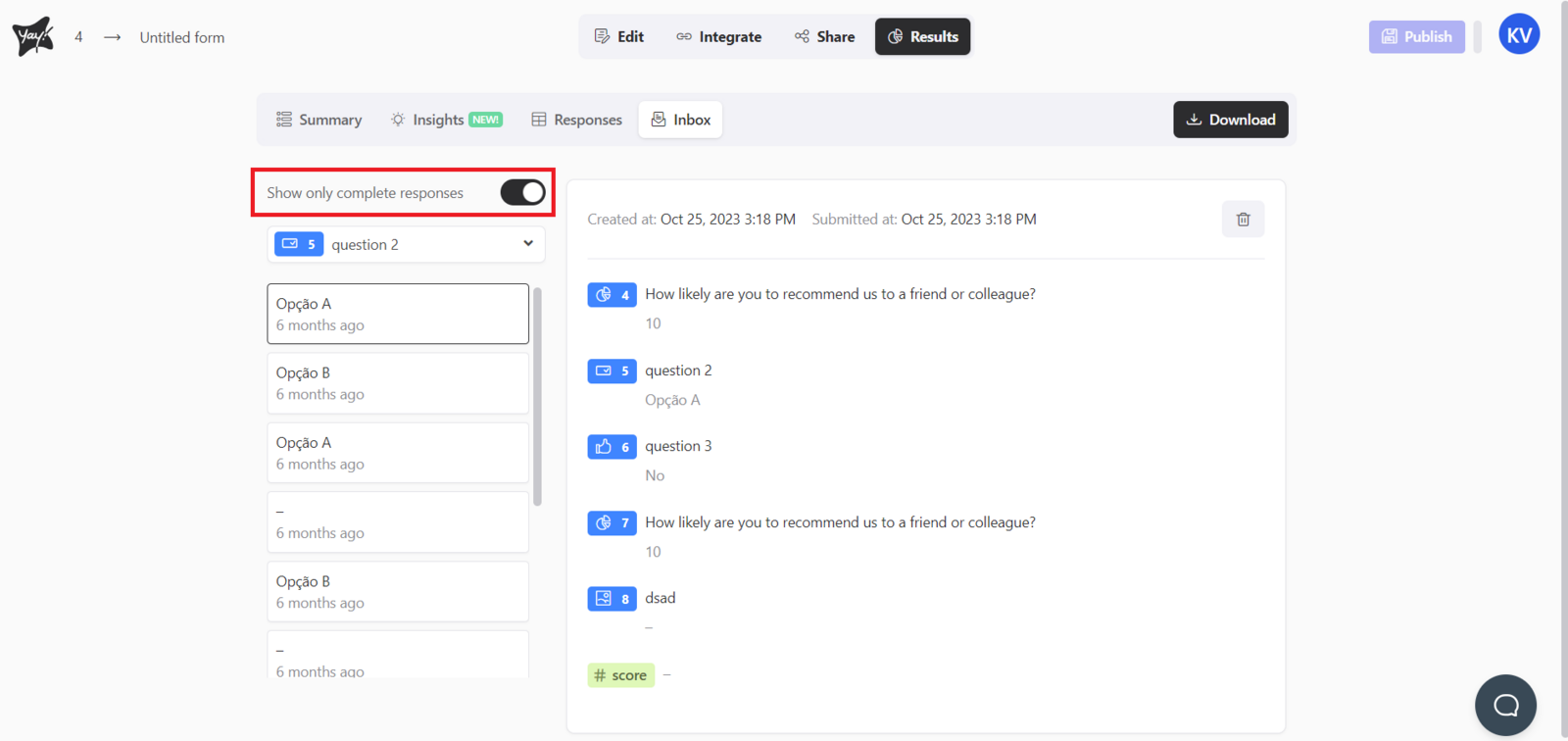
If you want to view only complete responses, click Show only complete responses as shown below:
Deleting a response
You can also delete a response by clicking the Delete response button in the upper-right corner of the selected response, as shown in the image below:
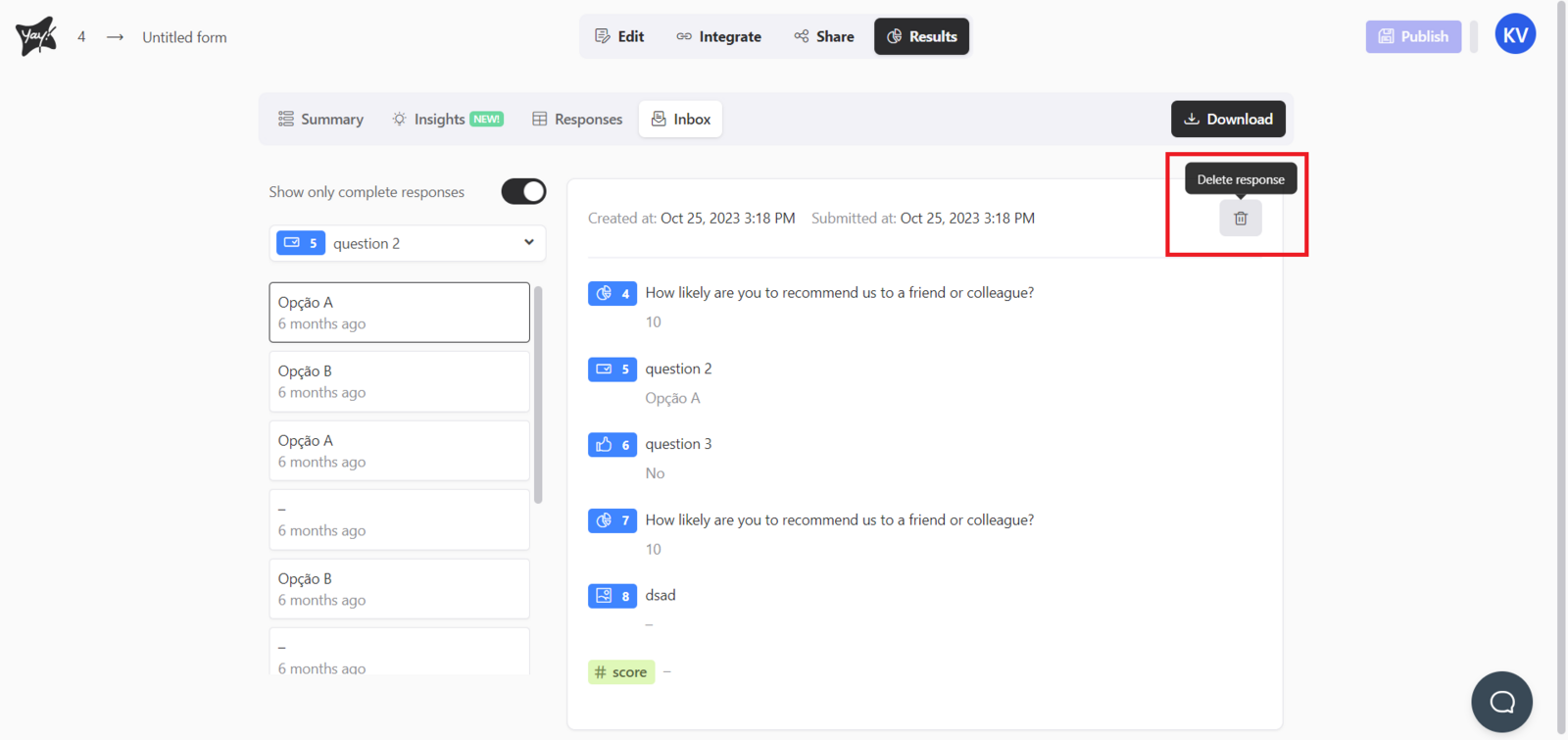

☝️ Keep in mind that deleted responses cannot be recovered. Make sure you delete only the responses you no longer need.
Conclusion
You learned how to open the inbox from your form results, navigate and filter responses, download a selected submission, focus on complete responses only, and remove responses from the inbox.