This article will help you find and review your form submissions in Yay! Forms, including where to access responses and how to interpret the response status field.
Accessing form responses
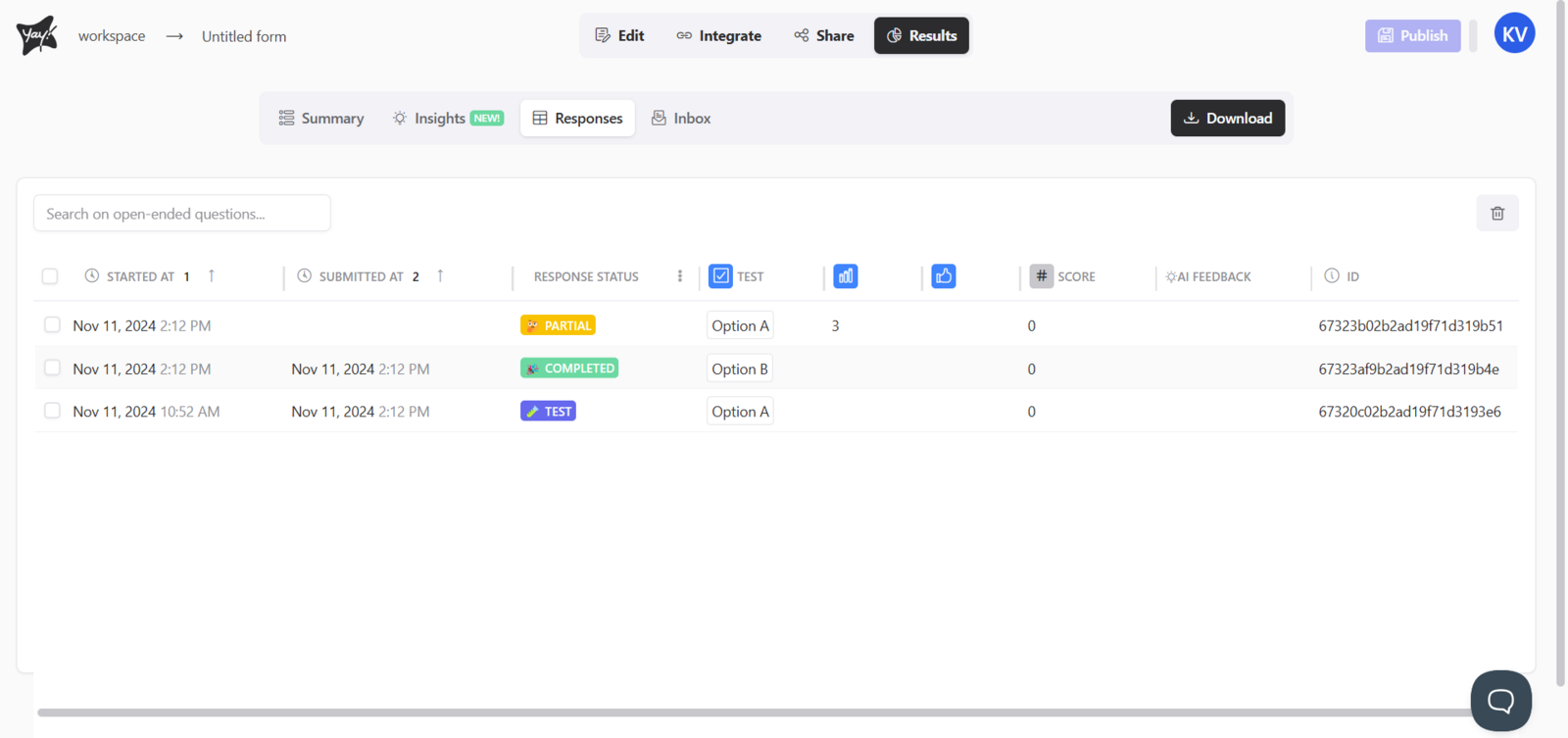
To view your responses in Yay! Forms, simply open your form and click the Results tab. Within the Results tab, you should navigate to the Responses tab, as shown below.

Then, below, you will see your form responses.
Understanding response status
Keep in mind that responses will have a field called Response Status, where you can see the current status of the response, with the following options:
Test: This status indicates that this response came from the form Preview origin and was tested previously.
Complete: This status indicates that the user completed the form.
Partial: This status indicates that the user started filling out the form but did not finish it.
Conclusion
You learned where to locate responses for a form in Yay! Forms and how to use the response status field to understand whether a submission is a test, complete, or partial response.